


About AOV.ai Bundles Upsell
AOV.ai Bundles Upsell is a Shopify app designed to help you increase order value by offering product bundles, quantity discounts, and personalized upsell offers.
With this app, you can create different types of bundles that match your product strategy — from simple volume discounts to advanced mix-and-match bundles. The setup process is simple, and most bundles can be launched in just a few clicks without coding.
You can also monitor how customers respond to your offers and adjust your bundles over time to improve performance.
Key Features of AOV.ai Bundles Upsell
Here are some key features of this app:
- AI-recommended bundle types: The app suggests bundle types based on your setup idea, helping you launch offers faster without guessing what works best.
- Real-time customer behavior analysis: Bundle offers are displayed based on customer behavior, helping show the most relevant offers at the right moment.
- Volume Discounts & Quantity Breaks: Encourage customers to buy more items by offering discounts based on purchase quantity.
- Frequently Bought Together Offers: Automatically suggest related products that customers often purchase together.
- Flexible Bundle Customization: Create different bundle styles, including fixed bundles, mix-and-match bundles, or build-your-own kits.
How to Install & Set Up AOV.ai Bundles Upsell?
Follow the steps below to install the app and create your first bundle offer.
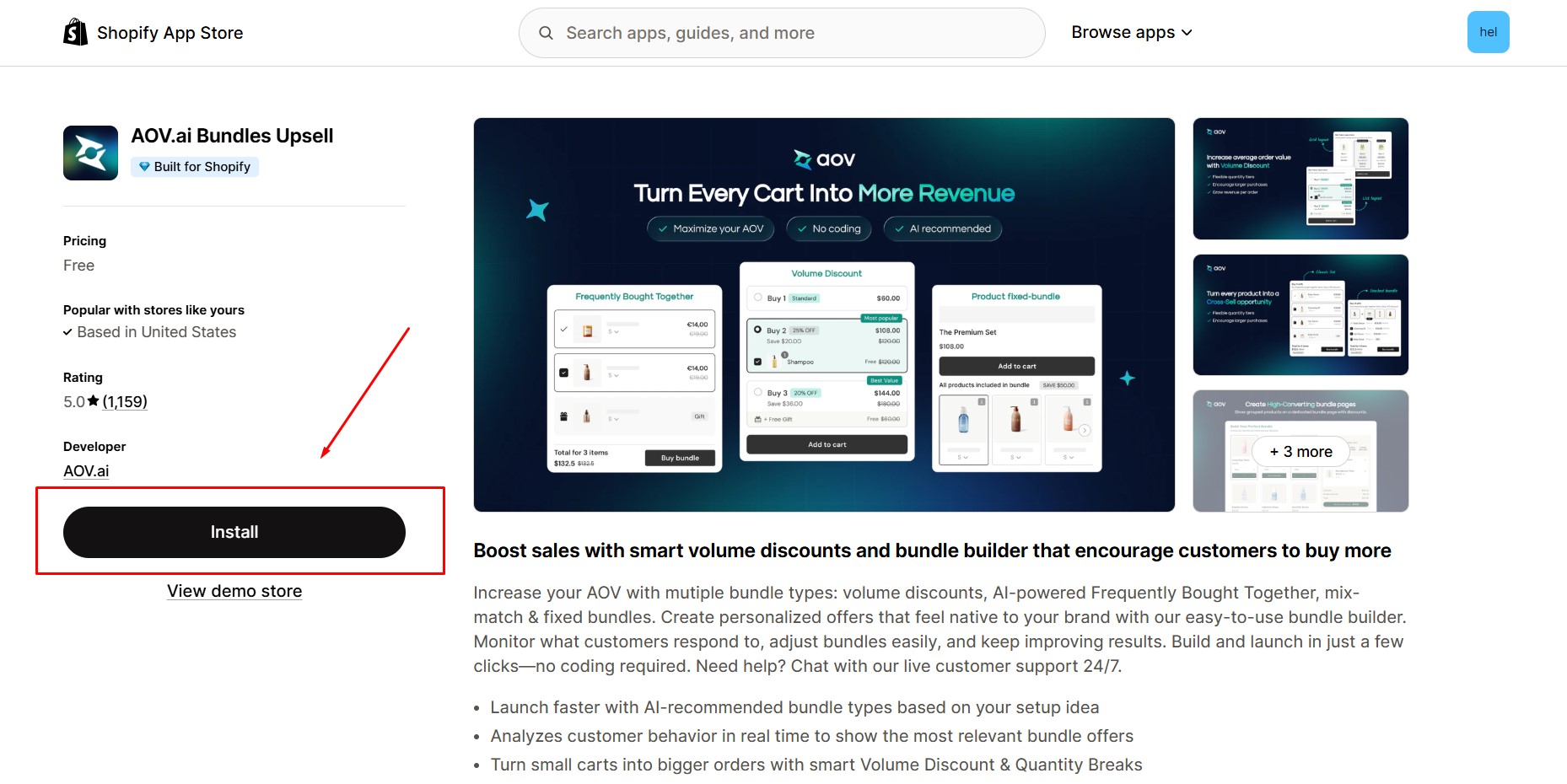
Step 1: Install AOV.ai Bundles Upsell in the Shopify App Store.
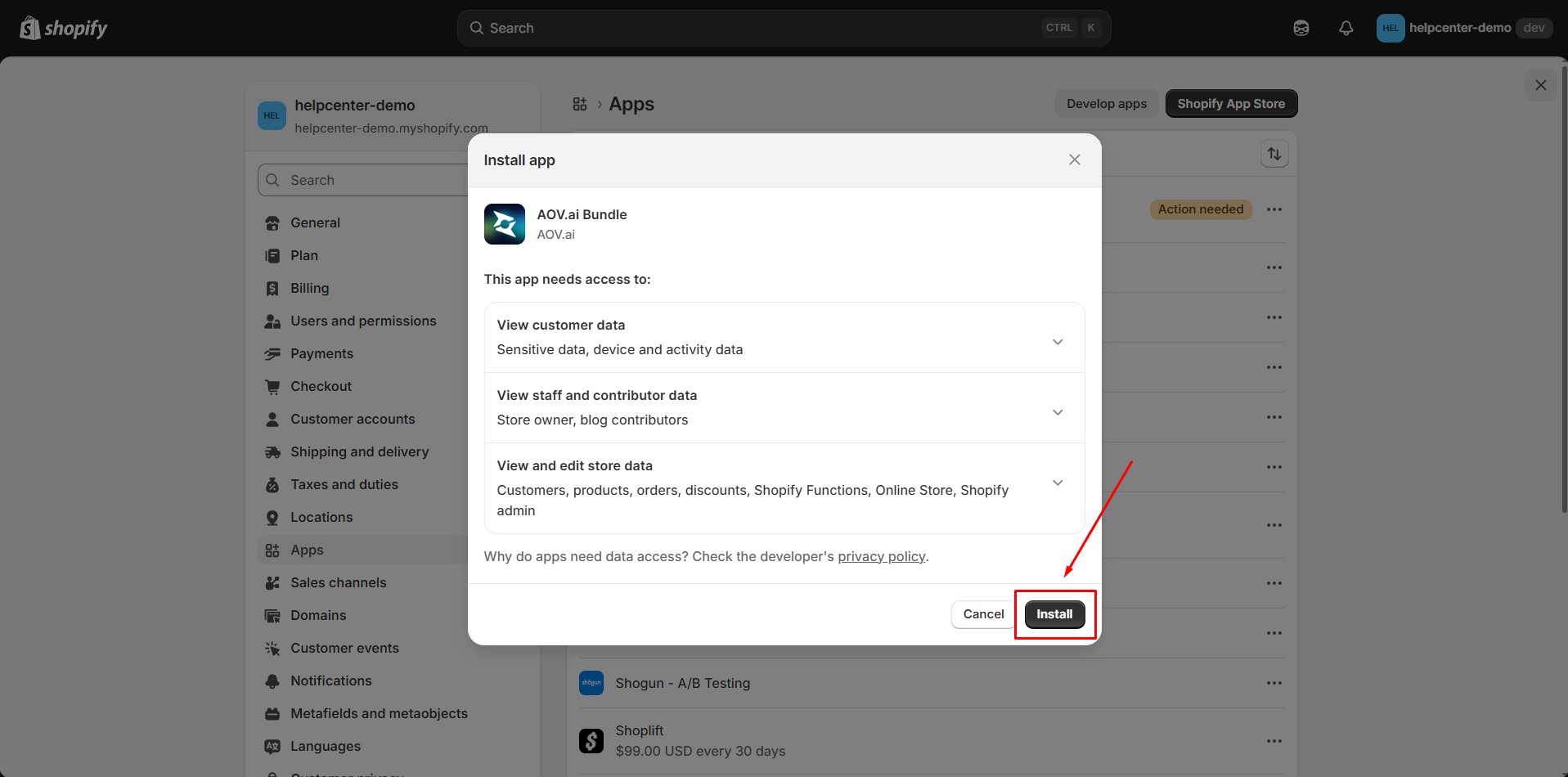
Step 2: Provide the app with access to the required data.
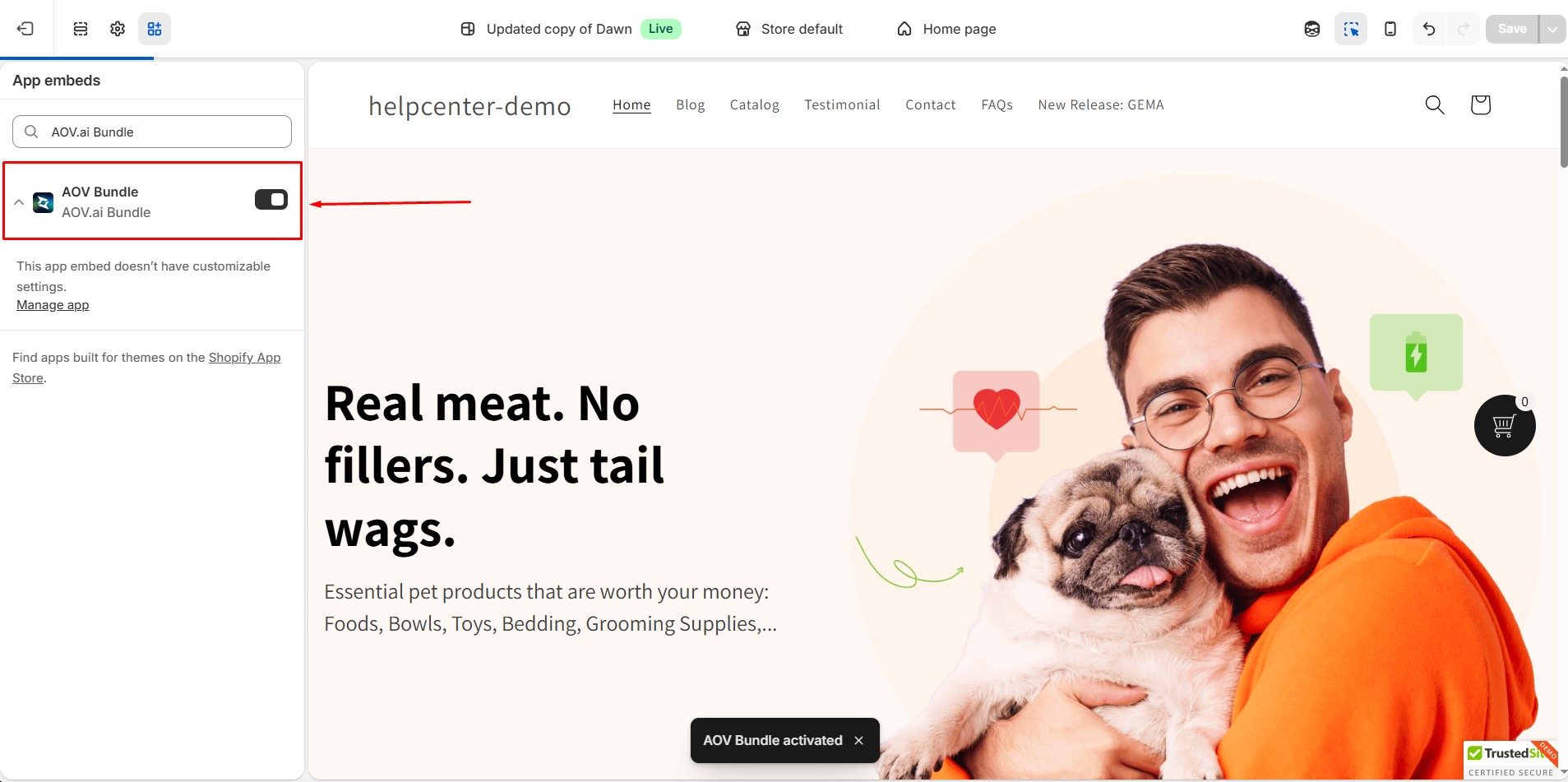
Step 3: Open the app embeds and enable the app in the Shopify Editor. Then, click “Save”.
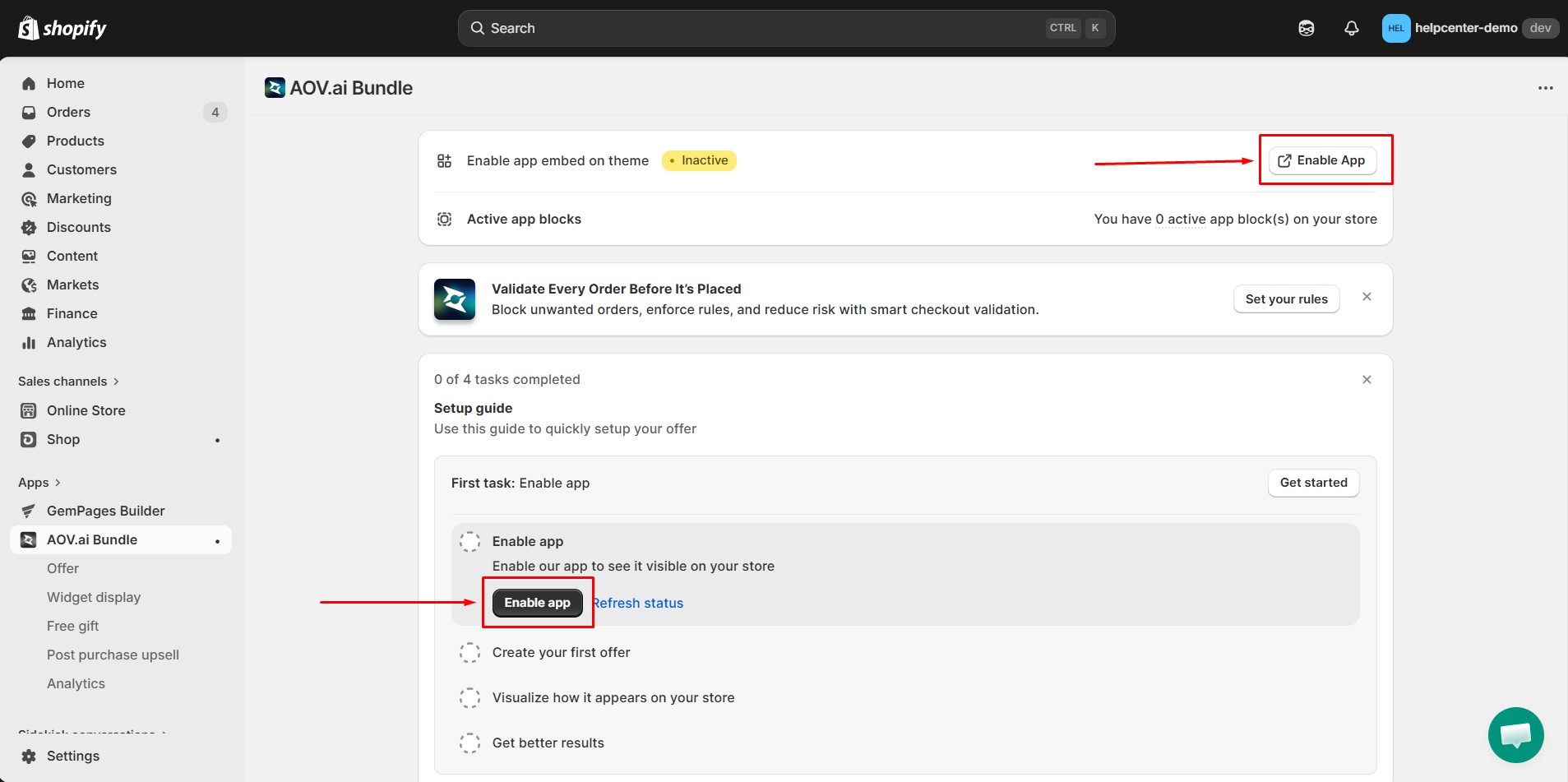
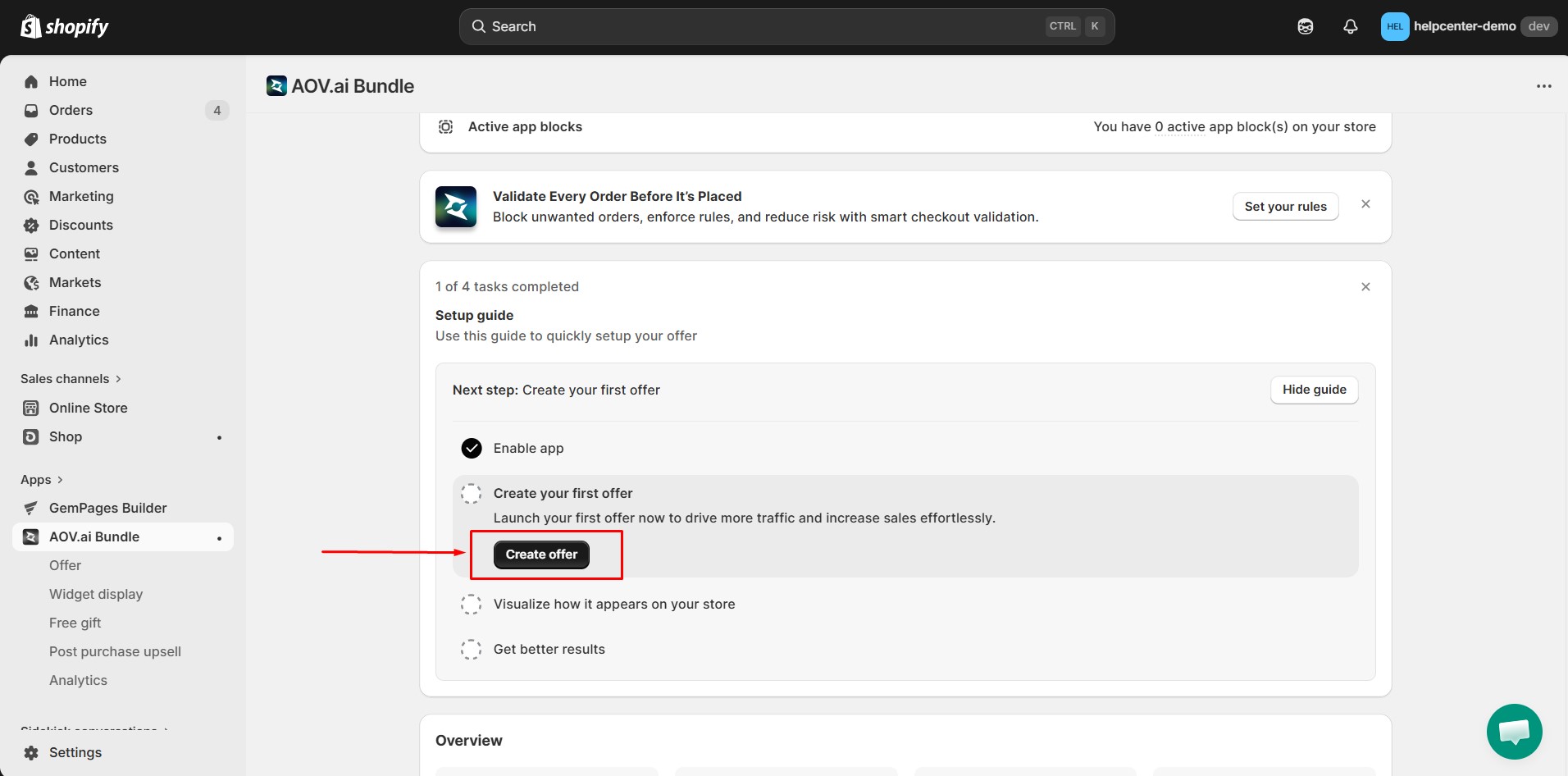
Step 4: Open the AOV.ai Bundles Upsell app dashboard. Click Create Offer to start building a new bundle.
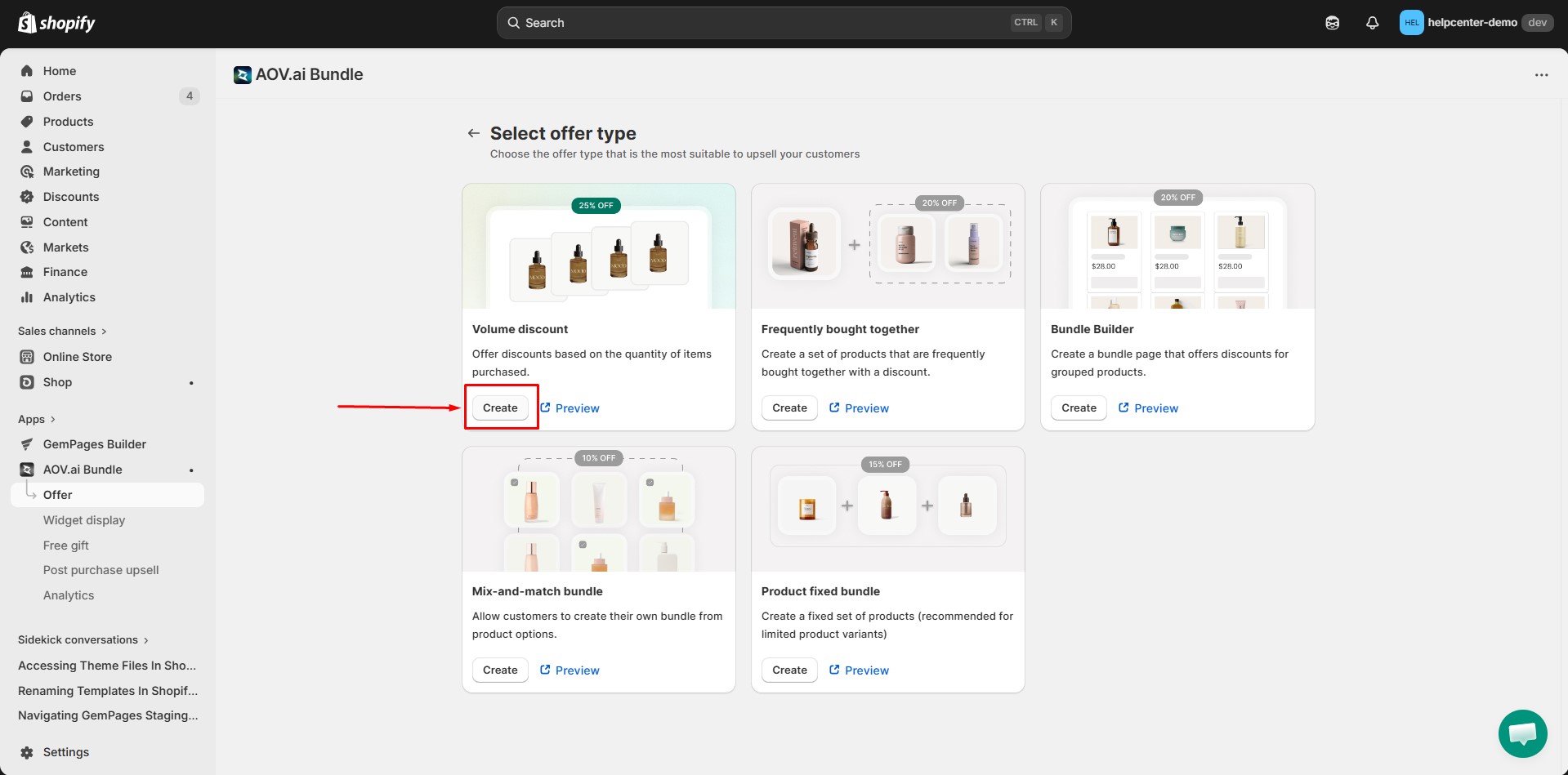
Step 5: Select offer type. Choose the offer type that is the most suitable to upsell your customers.
AOV.ai provides several offer types:
- Volume discount: Offer discounts based on the quantity of items purchased.
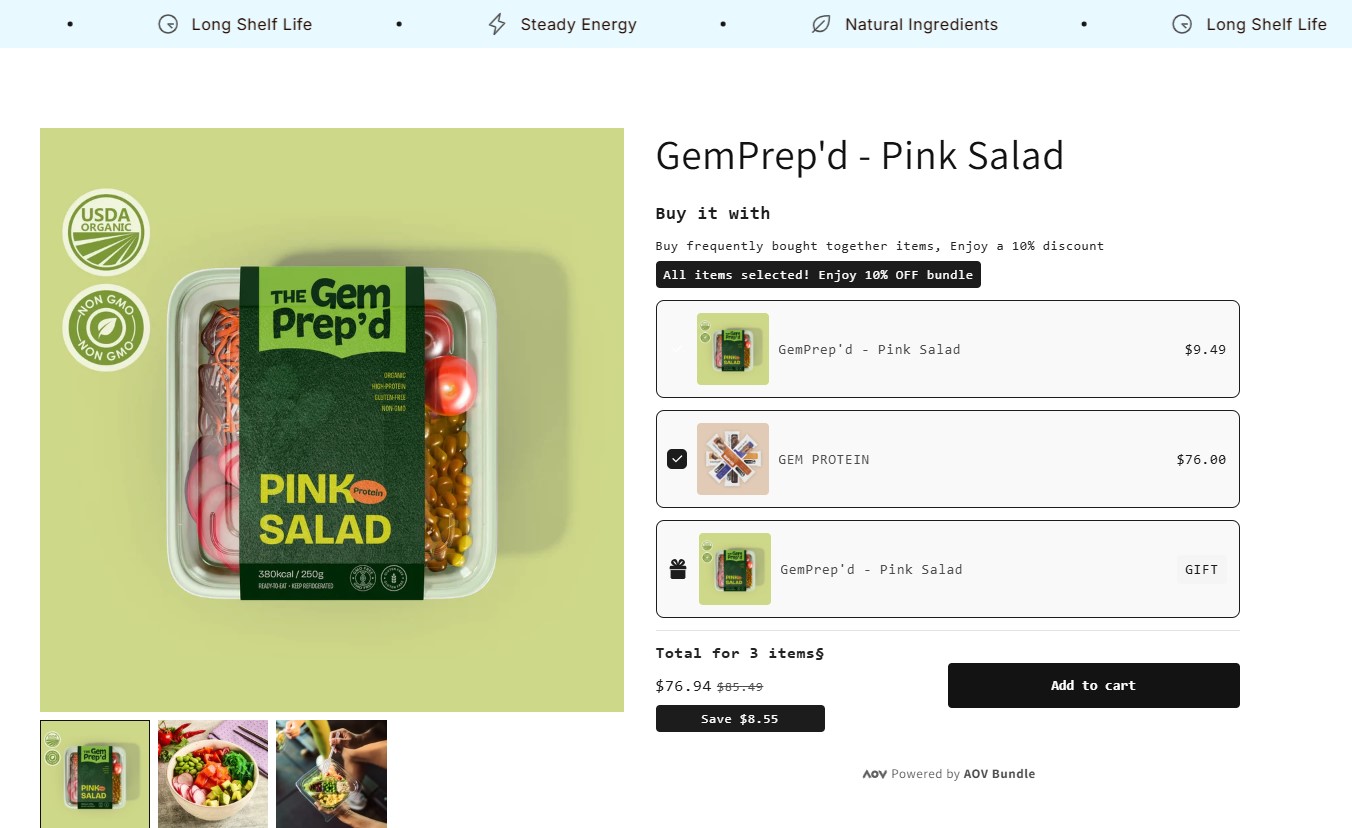
- Frequently bought together: Create a set of products that are frequently bought together with a discount.
- Bundle Builder: Create a bundle page that offers discounts for grouped products.
- Mix-and-match bundle: Allow customers to create their own bundle from product options.
- Product fixed bundle: Create a fixed set of products (recommended for limited product variants)
Click the offer type that you want to create.
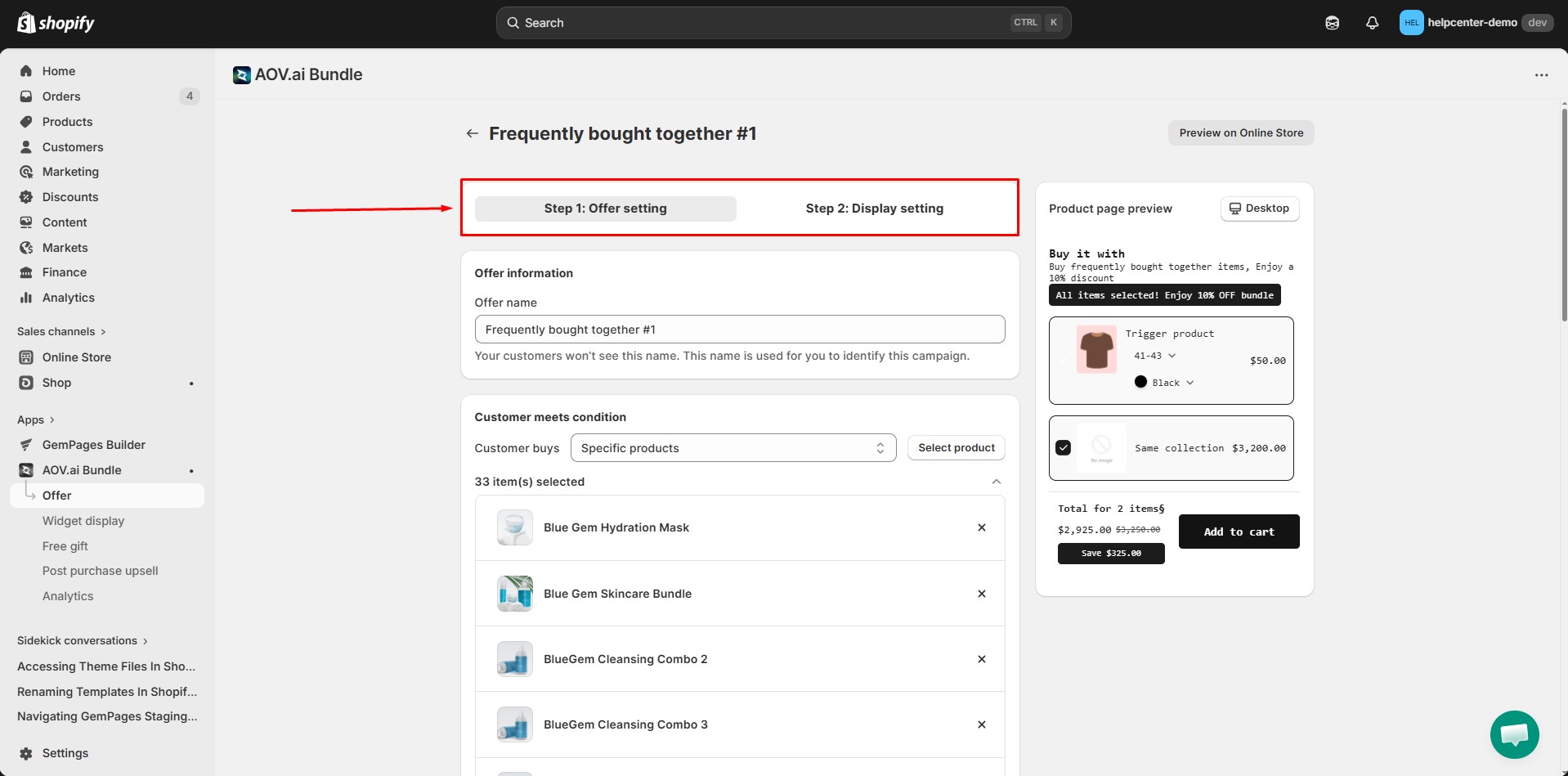
Step 6: After selecting the offer type, you will be redirected to the configuration page.
Here, you can:
- Select products to include in the bundle
- Set discount values
- Customize bundle titles
- Configure display behavior
- Adjust layout settings
Each offer type includes different configuration options.
For detailed configuration instructions, refer to the official guide: https://docs.avada.io/aov-bundle-upsell
Once finished, click Save to create your bundle.
How to Add AOV.ai Bundles Upsell to GemPages v7?
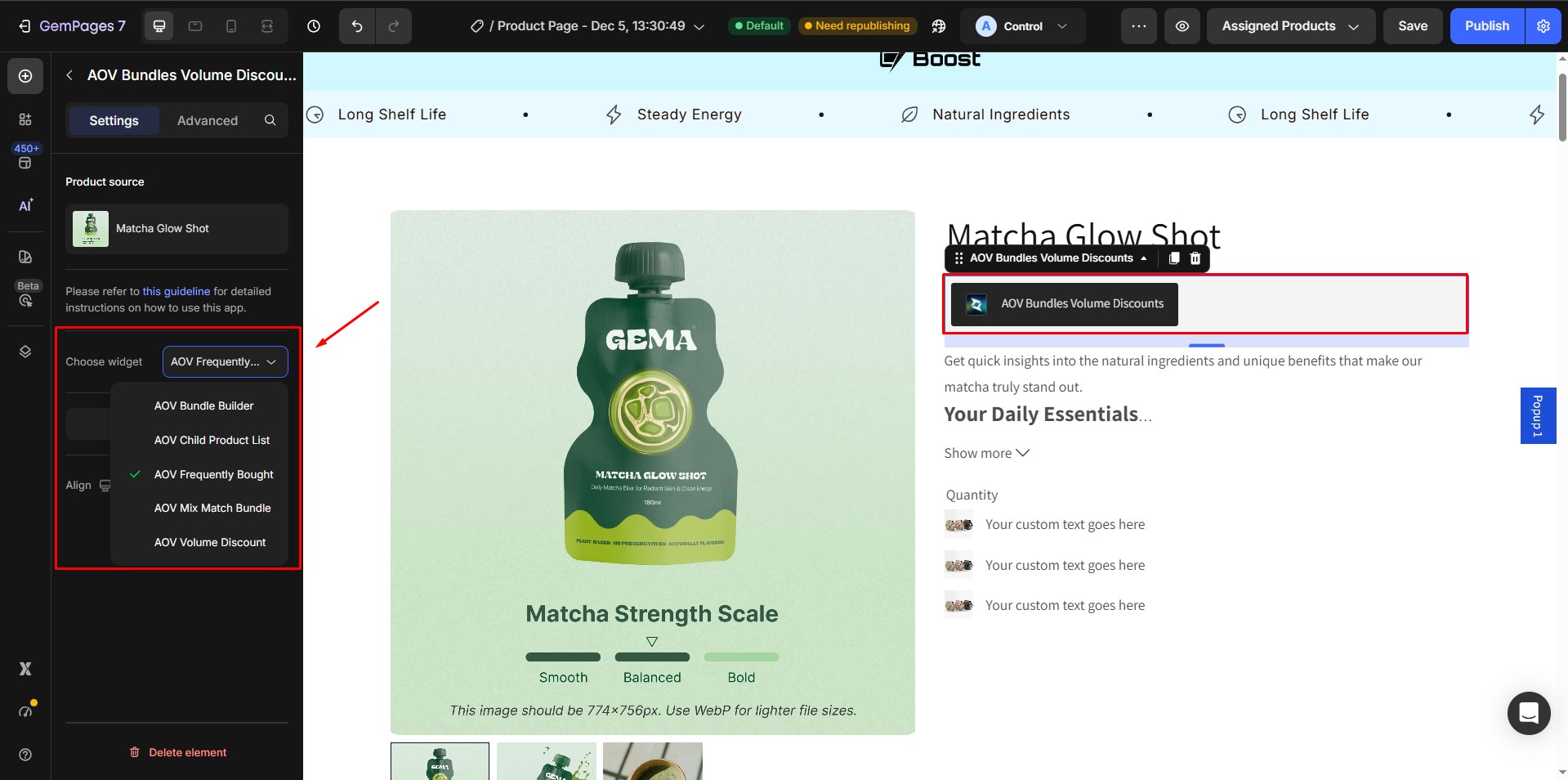
In the GemPages Editor, open the page where you want to display the bundle. Use the search bar to find the app, then drag and drop the element onto the design area.
After placing the element, choose the widget type that matches the offer you previously created in AOV.ai.
Once everything is configured:
- Click Save
- Click Publish
Your bundle offer will now appear on the live page.
Note:
- The Volume Discount widget is only supported on Product pages.
- You can only add one AOV.ai bundle widget per page.


Thank you for your comments