


When building contact forms in GemPages, you may want the placeholder text inside your Email Field or Text Field to appear centered for a cleaner and more balanced design.
By default, placeholder text is aligned to the left. However, you can easily customize it with a small CSS snippet. In this guide, you’ll learn how to center placeholder text inside input fields using Custom Code.
Step 1: Select the Input Field Element
Open your page in the GemPages editor.
Inside your contact form, click the Email Field or Text Field element where you want to center the placeholder text.
Step 2: Open the Custom Code Panel
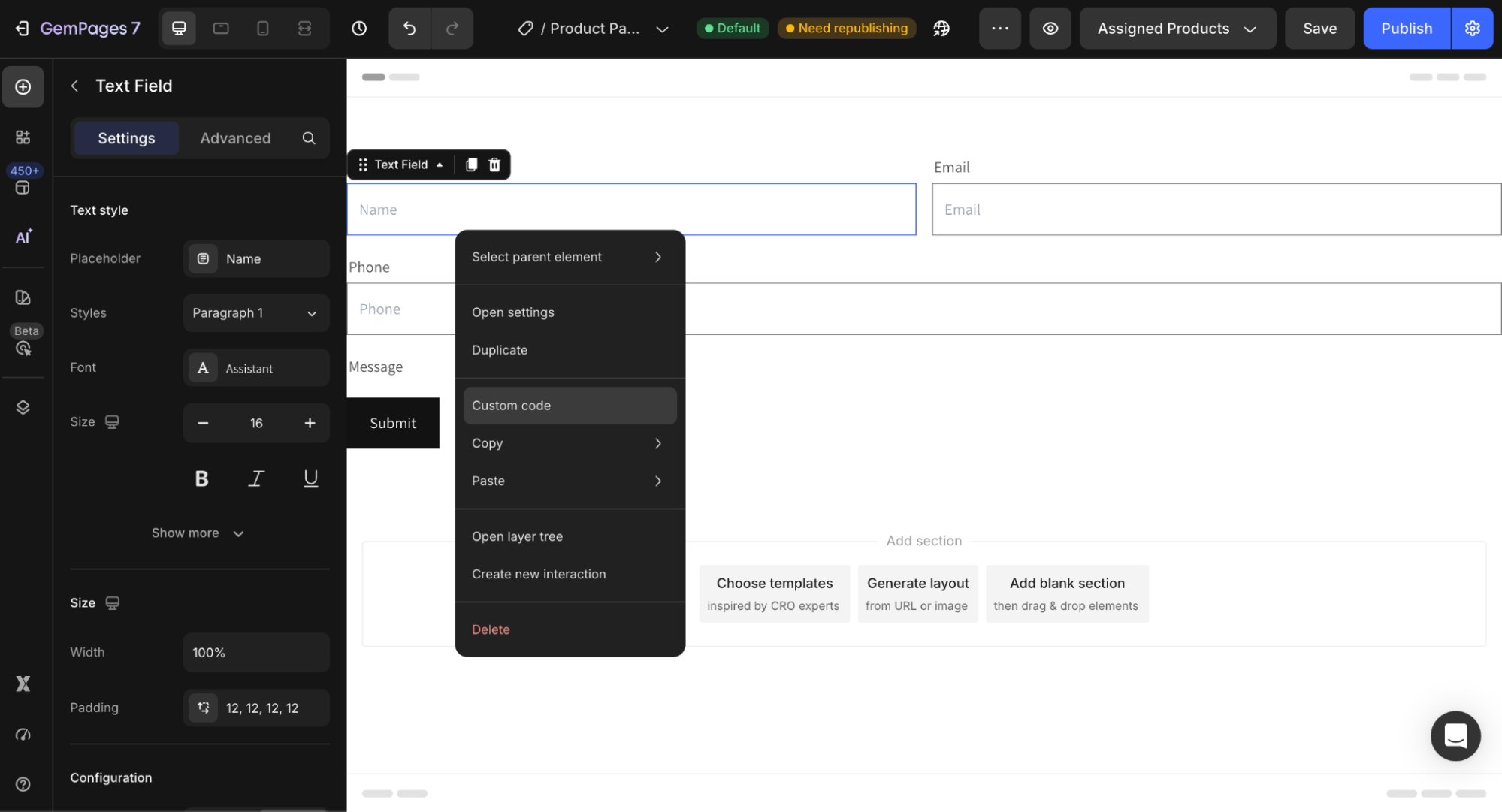
Right-click the selected element. Then choose Custom Code. This will open the custom code editor for that specific element.
Step 3: Add the CSS Code
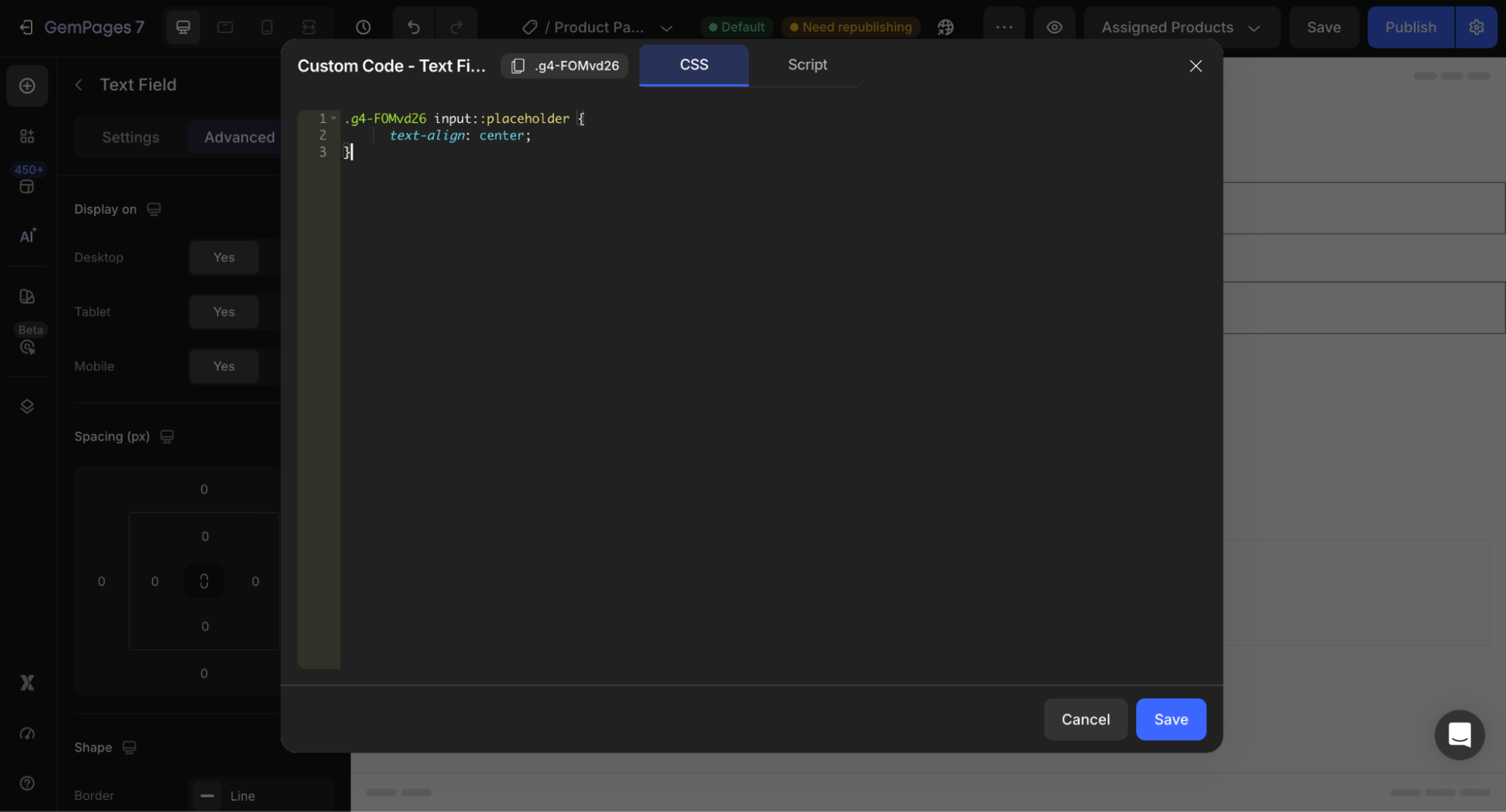
Paste the following code into the Custom Code box:
ElementClass input::placeholder {

  text-align: center;

}
Important Note
Replace ElementClass with the actual class name of your element.
You can find the element class at the top-left corner of the editor when selecting the element.
Example:
.gf-input-123 input::placeholder {

  text-align: center;

}
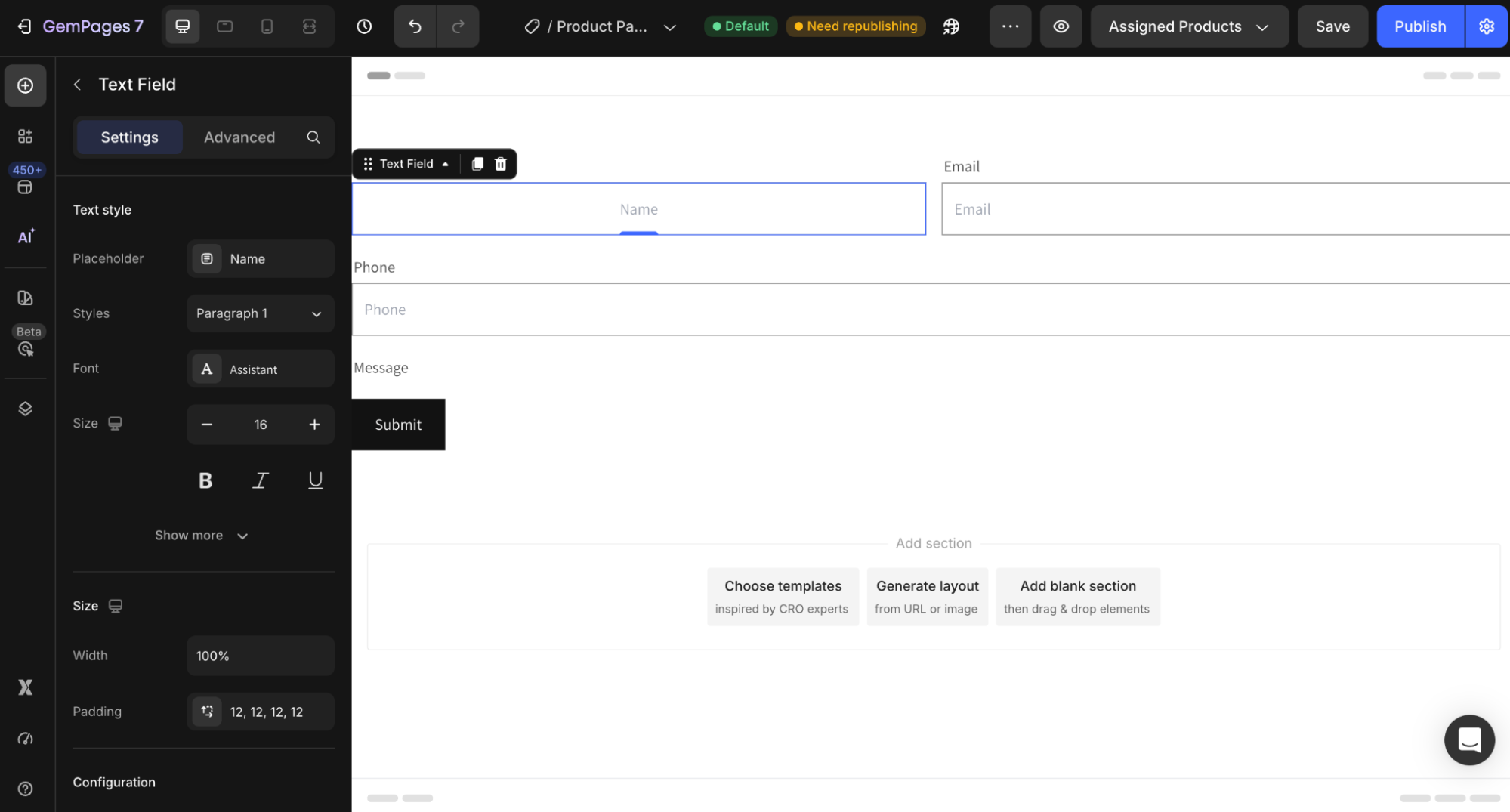
Result:


Thank you for your comments