


This article shows you how to use Custom Code to remove the empty space that may appear above and below a hosted video with a 9:16 aspect ratio in GemPages.
When you use Video Hosting in a Hero Banner and set the video aspect ratio to 9:16, you may notice empty space at the top and bottom of the video.
This happens because the video does not completely fill the available container while maintaining its original aspect ratio.
You can use Custom Code to make the video fill the entire Hero Banner and remove these empty spaces.
Step 1: Open the Custom Code panel
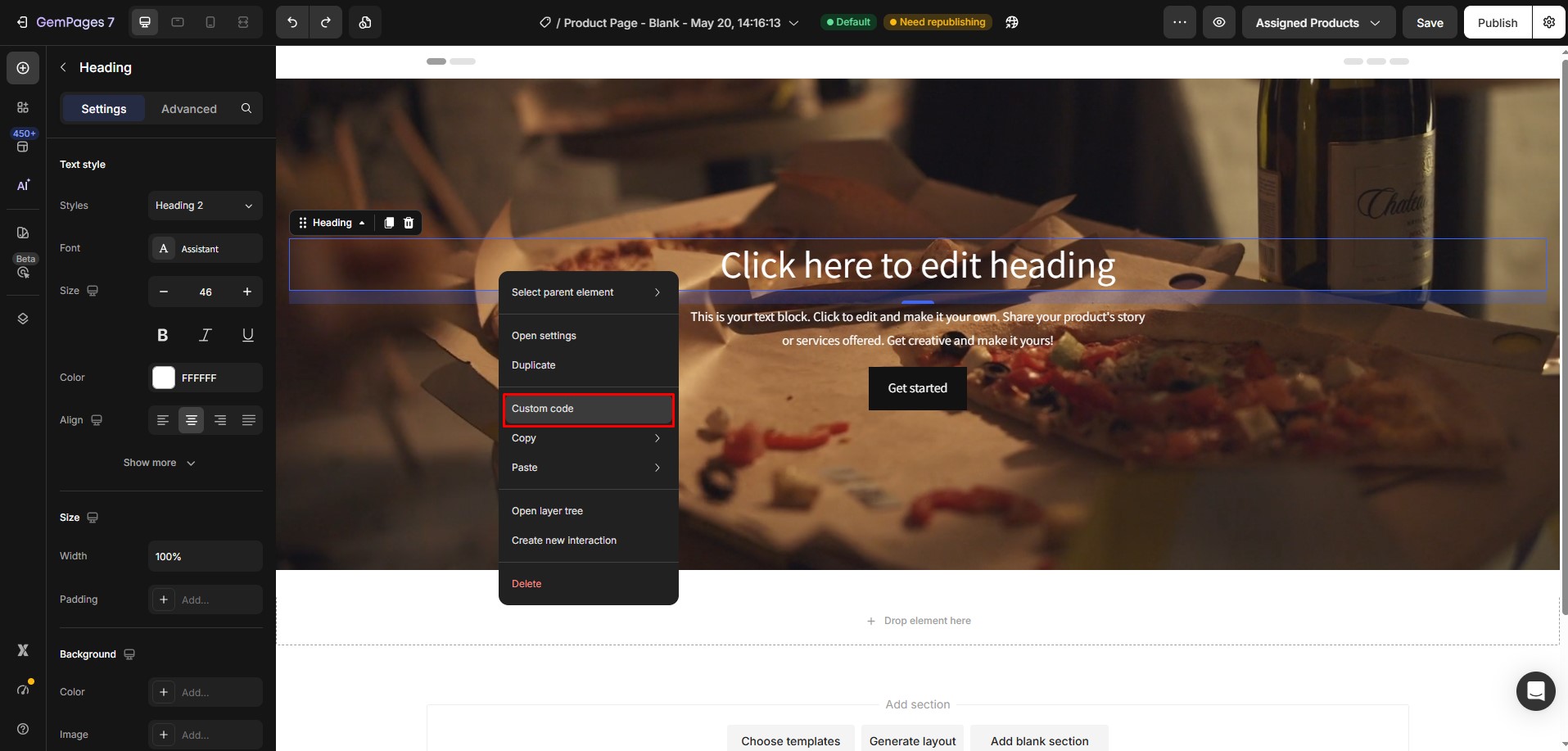
In the GemPages editor, locate the Hero Banner that contains your hosted video.
Then, right-click the Hero Banner element and select Custom Code.
Step 2: Paste the CSS code
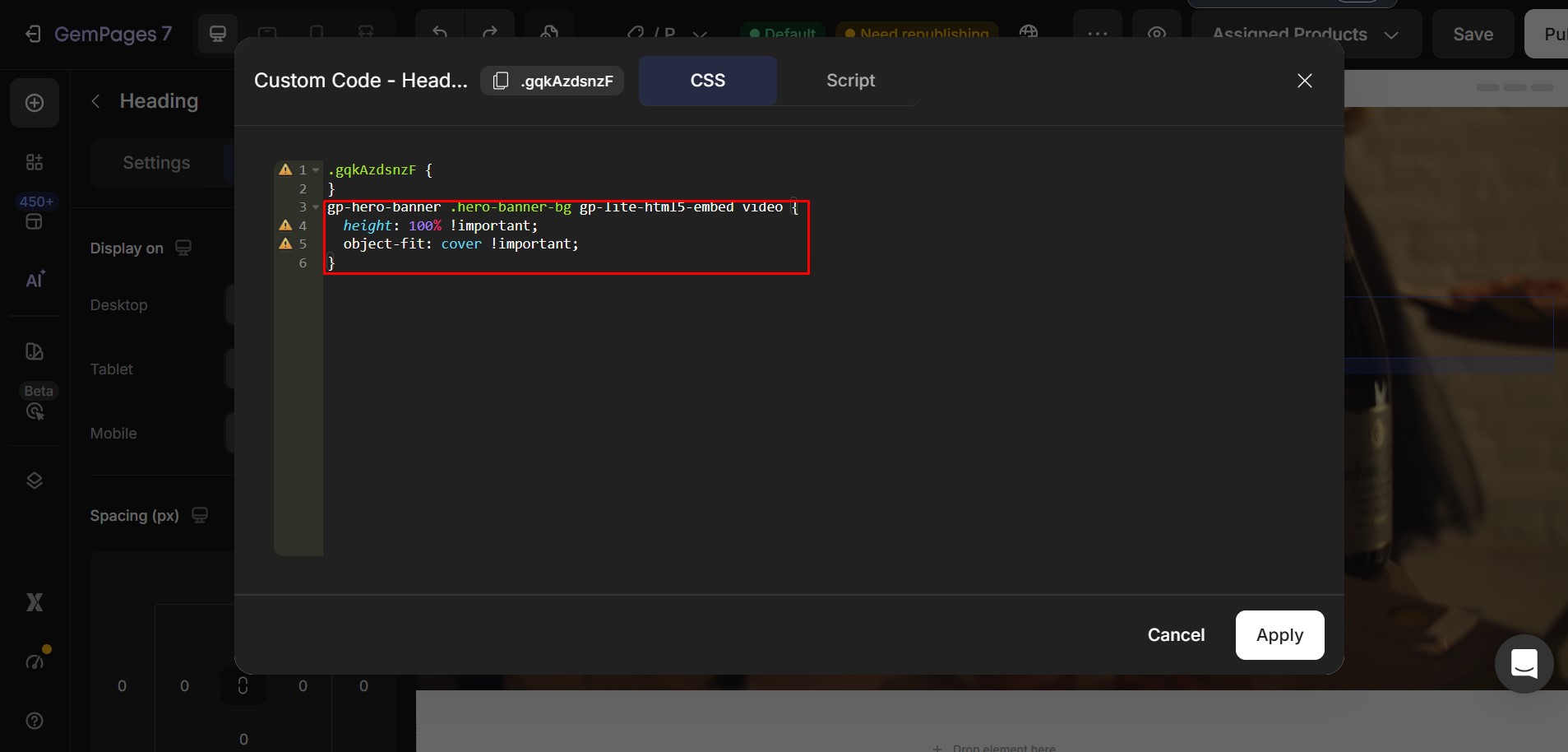
Paste the following code into the Custom Code box:
gp-hero-banner .hero-banner-bg gp-lite-html5-embed video {

  height: 100% !important;

  object-fit: cover !important;

}
Step 3: Apply the changes
Click Apply to save the Custom Code.
Save and publish your page to verify that the video now fills the Hero Banner without leaving empty space at the top or bottom.


Thank you for your comments