


About BF Size Chart & Size Guide
BF Size Chart & Size Guide is a Shopify app that allows merchants to create and customize size charts effortlessly for various product categories. It provides a seamless way to add size guides for clothing, shoes, jewelry, and other products, ensuring customers find the perfect fit.
Key features:
- Multiple Size Charts: Create size charts based on product types, categories, or customer groups.
- Customization Options: Adjust fonts, colors, display positions, and sizes to match your brand.
- Smart Widget Support: Embed size charts on product pages through a button or automatic display.
- Measurement Guide Integration: Offer illustrated measuring instructions for customer convenience.
- User-Friendly Management: No coding skills required, with an intuitive interface for easy setup.
How to Install & Set Up BF Size Chart & Size Guide?
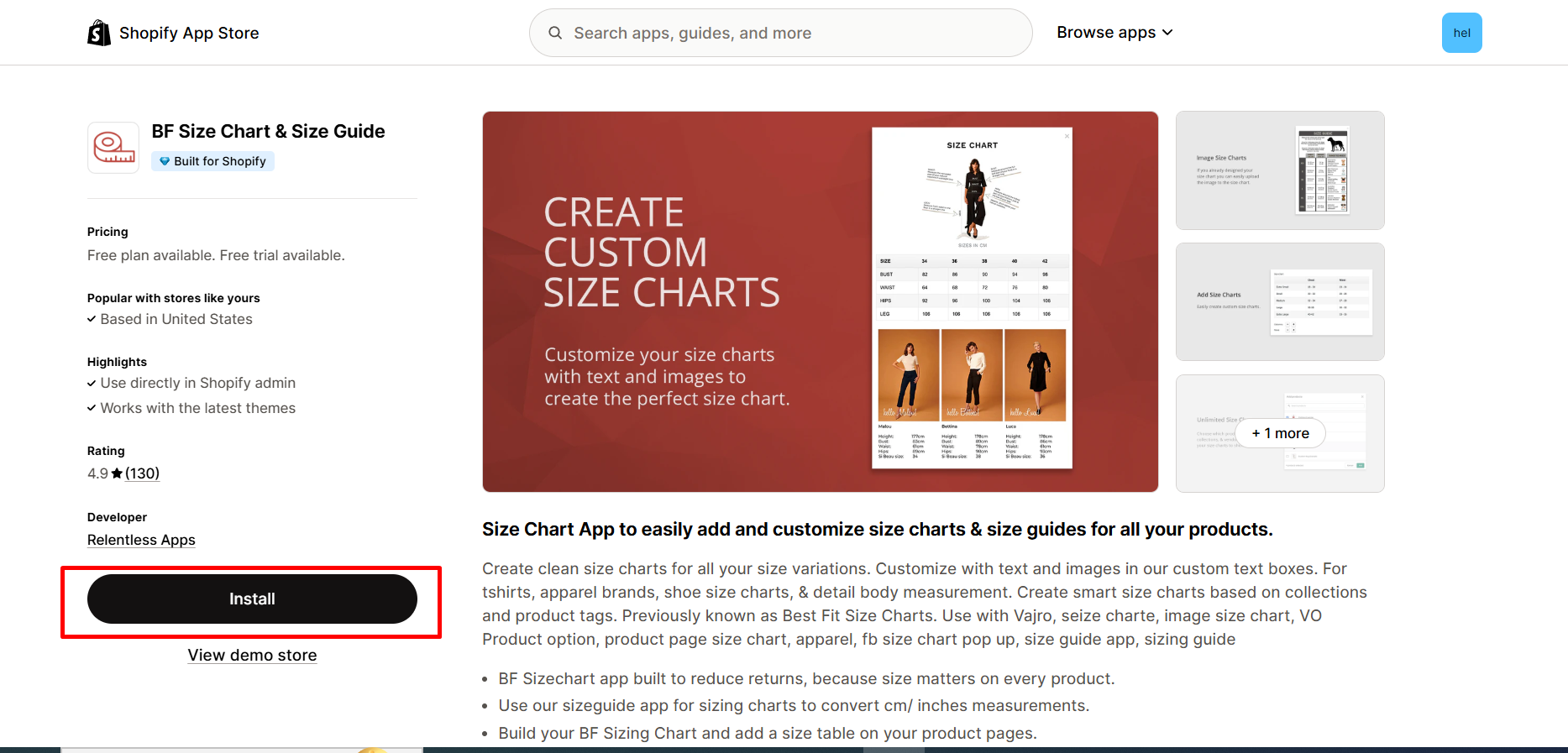
Step 1: Install BF Size Chart & Size Guide in the Shopify App Store.
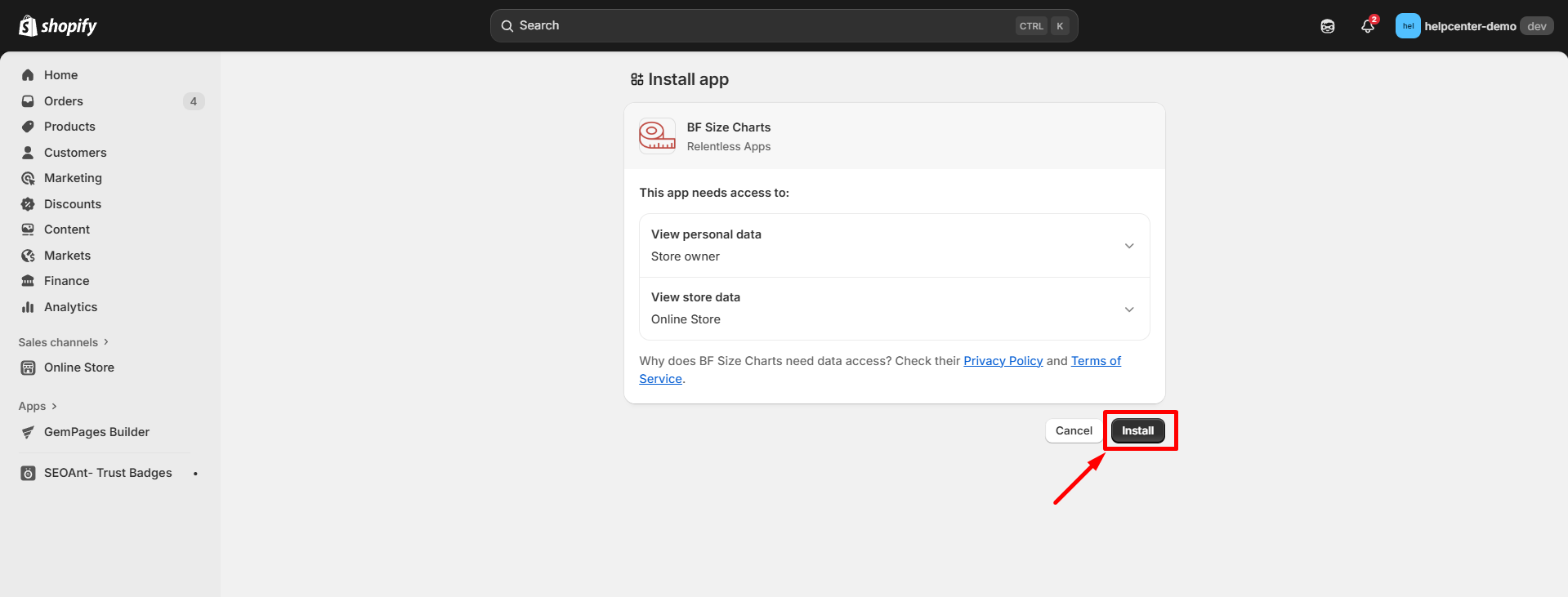
Step 2: Provide the app with access to the required data.
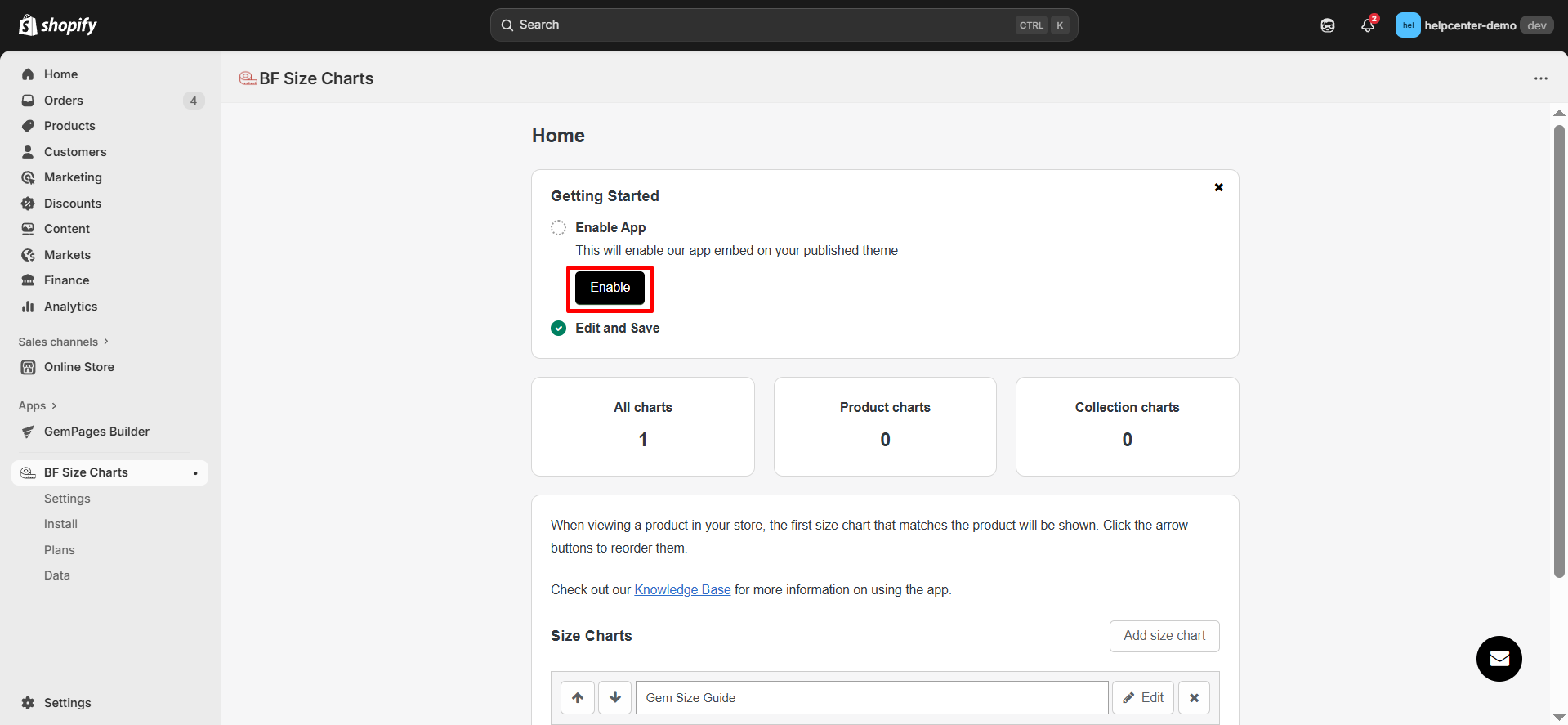
Step 3: Activate the app in your theme editor.
- Click “Enable” to be redirected to your current theme’s editor.
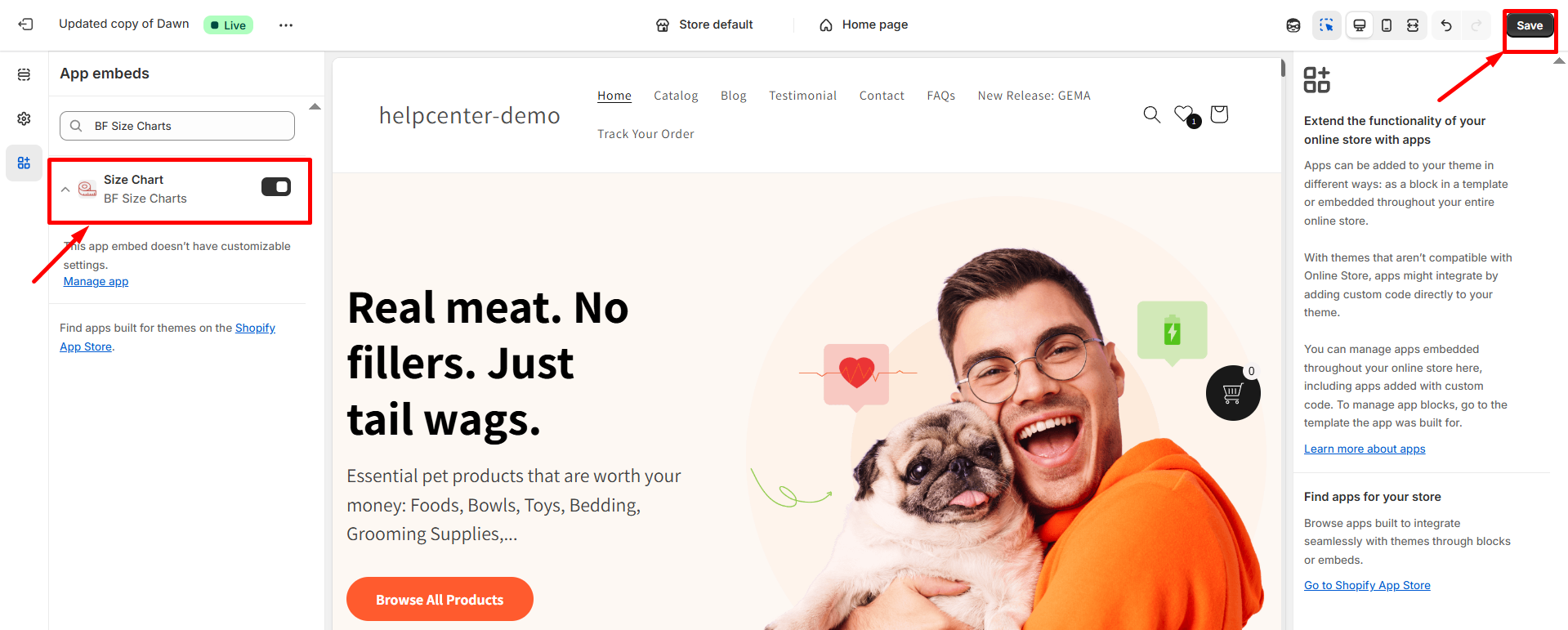
- In the left panel, toggle the button ON, then click “Save” to enable the app.
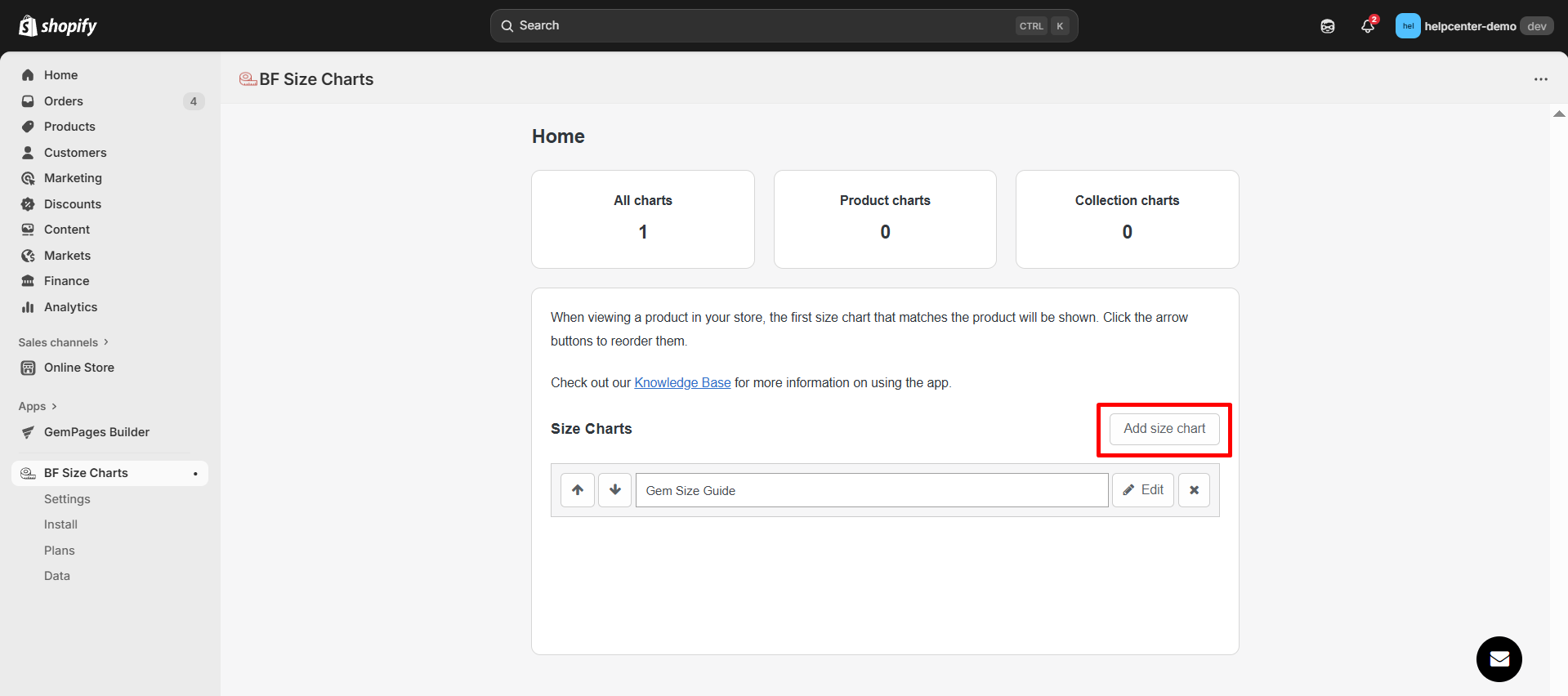
Step 4: Open the BF Size Chart & Size Guide app. Get started by clicking on the “Add size chart” button to create a new size chart.
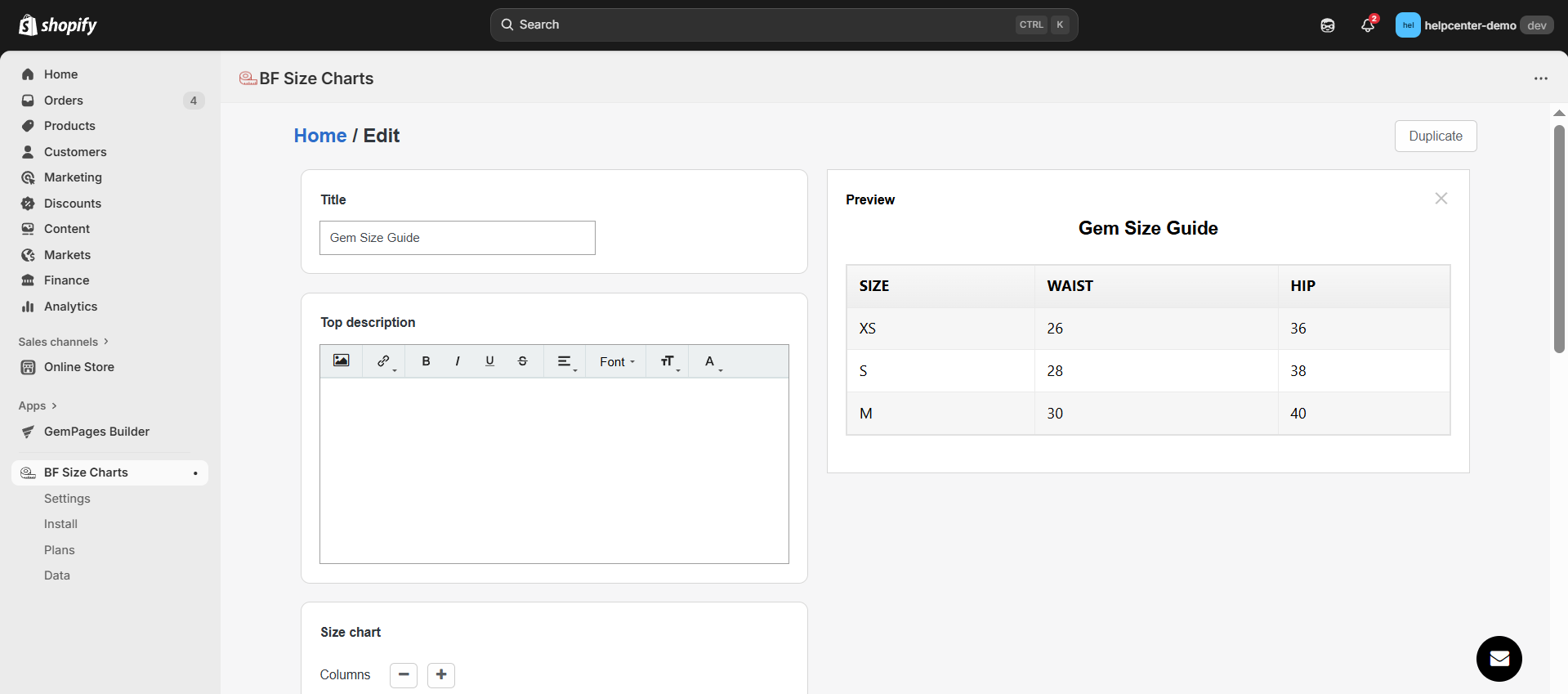
Step 5: Customize the Size Chart.
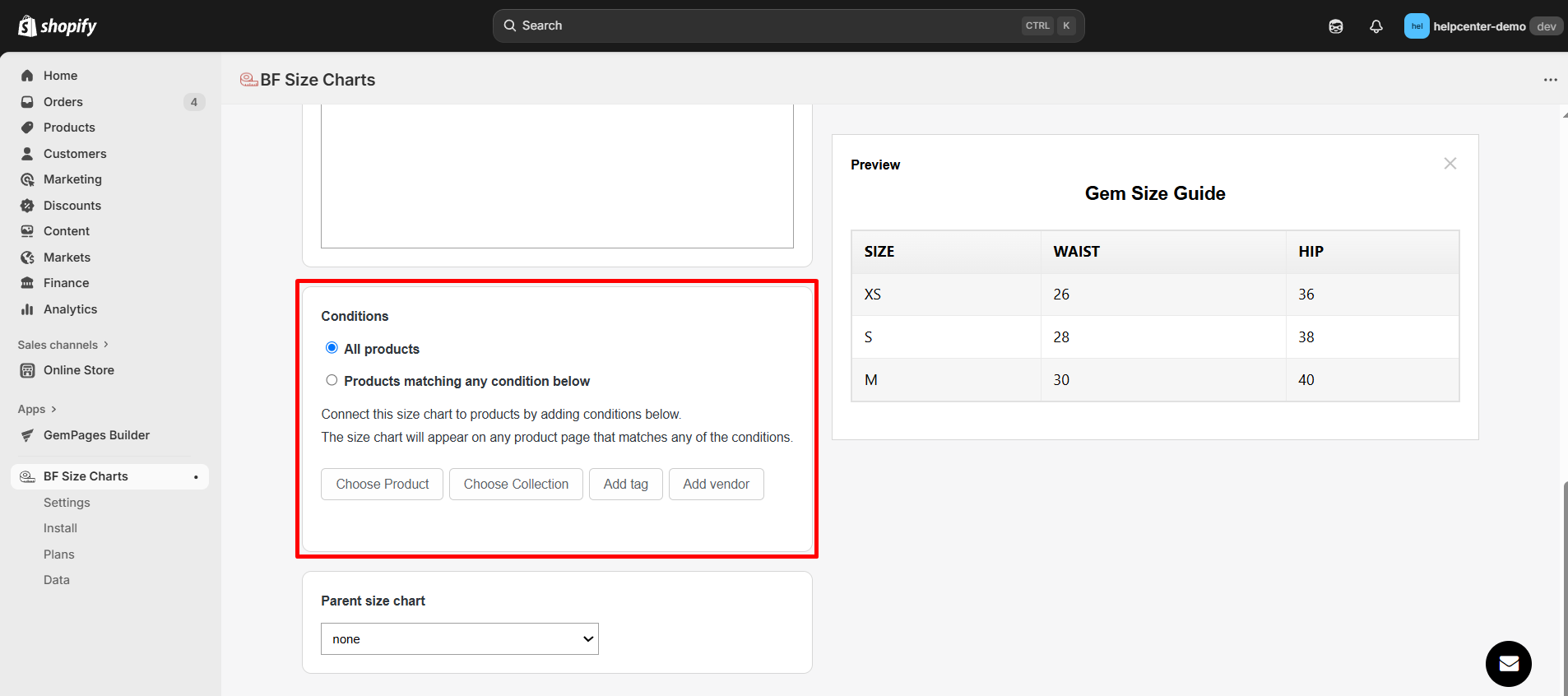
Step 6: Assign the Size Chart to Products. You can choose between:
- All Products: Applies to every product.
- Specific Products: Select products based on tags, collections, or conditions.
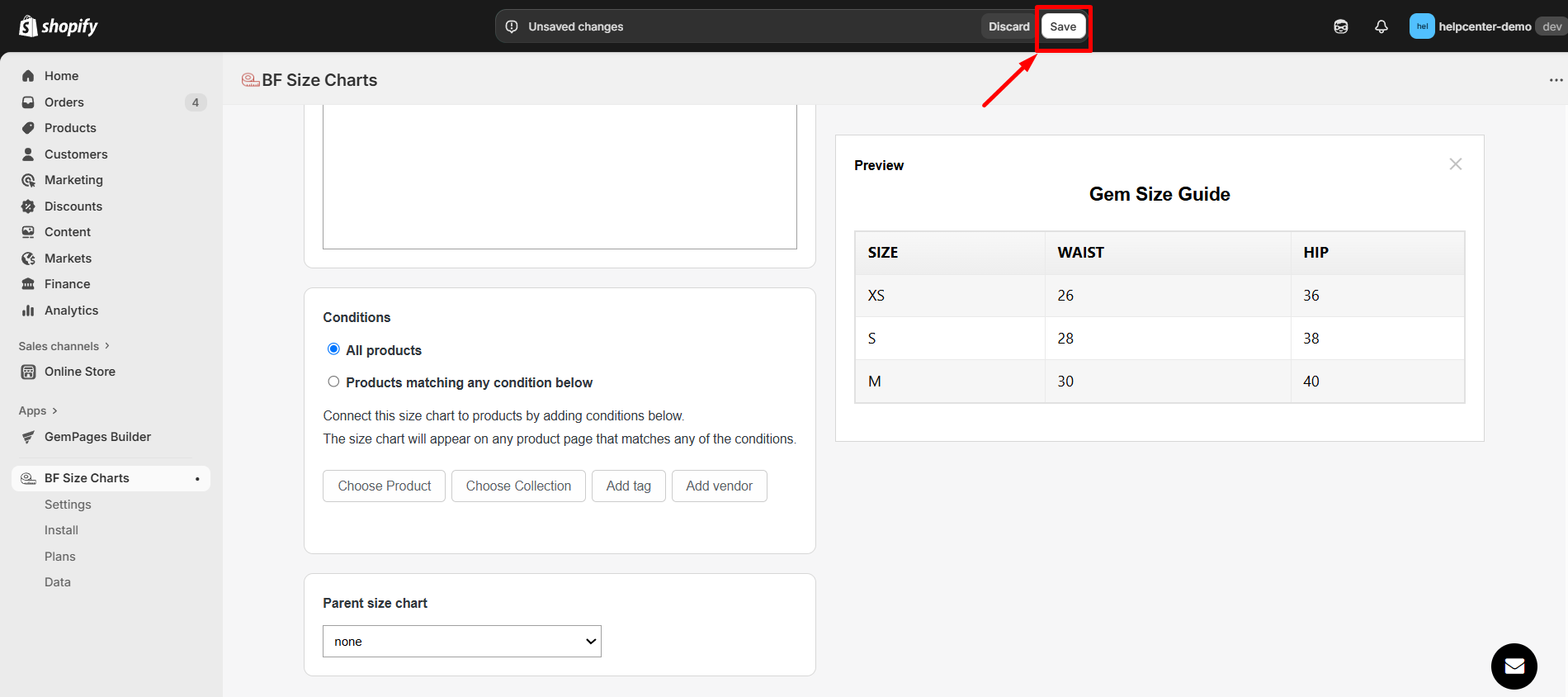
Step 7: Click “Save” to finalize your settings.
How to Add the BF Size Chart & Size Guide app element to GemPages v7?
Step 1: In the GemPages Editor, open the assigned product page for the product you want to add size charts to.
Use the search bar to find the app, then drag and drop the element onto the design area.
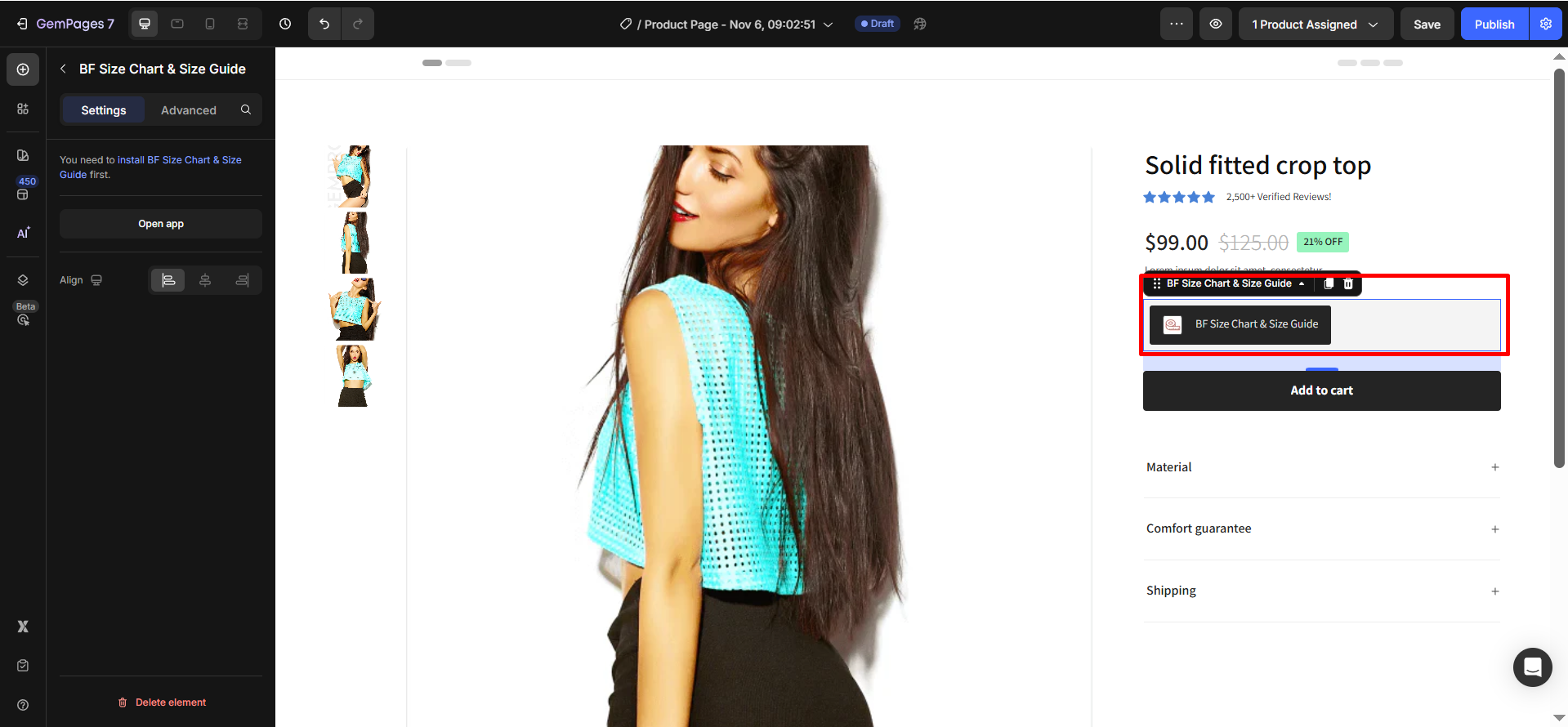
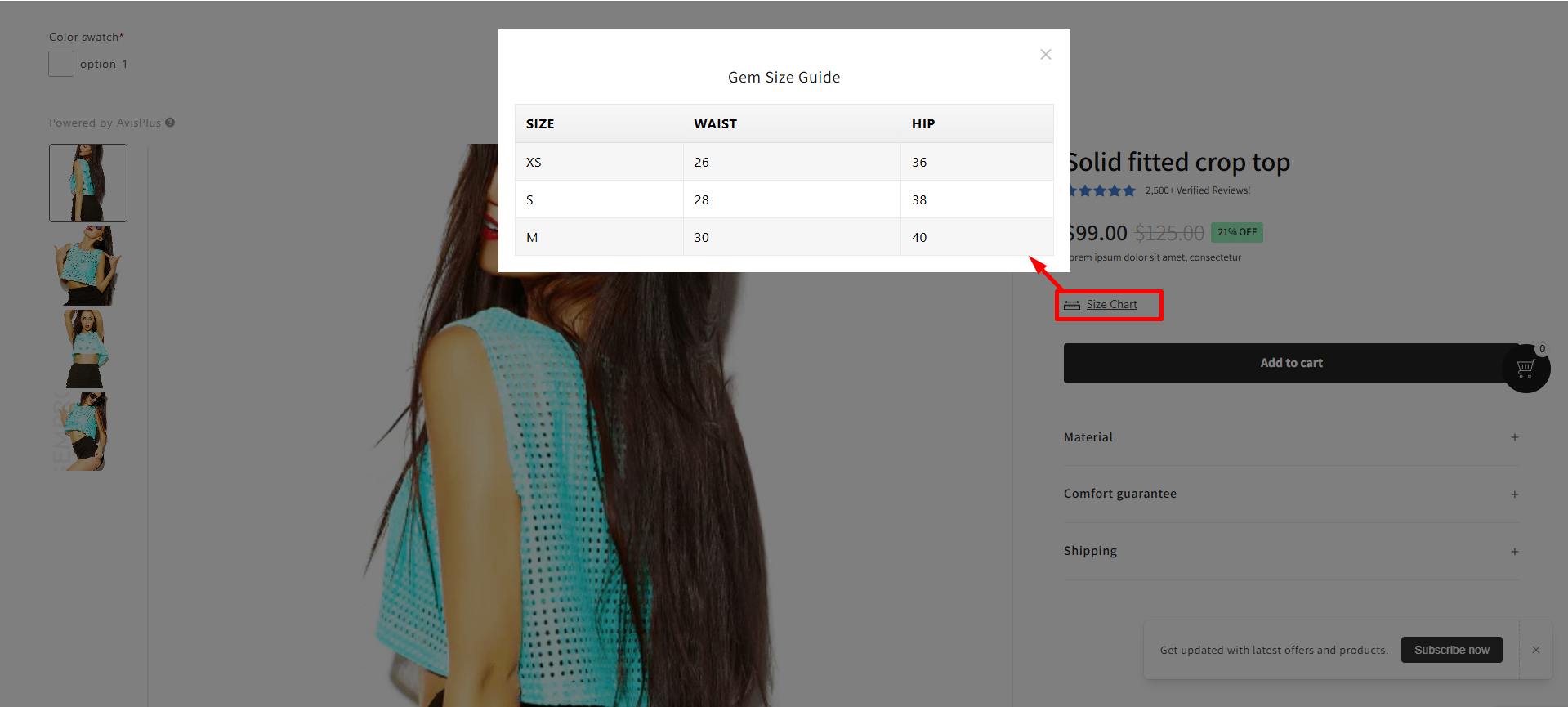
Step 2: Click “Publish” and view your live page to check the widget.
Result:
Important note:
- The app does not work with the preview page in GemPages.
- It can only be used on the product page type, not all page types.
- Users cannot use multiple BF Size Chart & Size Guide elements on one page.
- All features of this application have been integrated into GemPages.


Thank you for your comments