


About EcoBoostify Shop Videos Reels
EcoBoostify Shop Videos Reels is a conversion-focused video tool that helps you turn viewers into customers. It uses short, high-impact videos to capture attention, display real customer feedback, and show your products in action.
The app is lightweight, fast to set up, and does not affect your store’s loading speed. It works especially well for fashion, beauty, home décor, and tech brands that want to increase time-on-page and simplify the buying journey.
Key Features of EcoBoostify Shop Videos Reels
Here are some key features of this app:
- Buy Now: Customers can purchase directly from the video.
- Mobile-friendly: Videos adjust beautifully on any device.
- High performance: Optimized and tested with Google Insights and GTmetrix.
- UGC import: Add TikTok videos or upload your own in one click.
- Multiple layouts: Choose from Carousel, Inline, Highlight, Stacked, Stories, or Grid.
How to Install & Set Up EcoBoostify Shop Videos Reels?
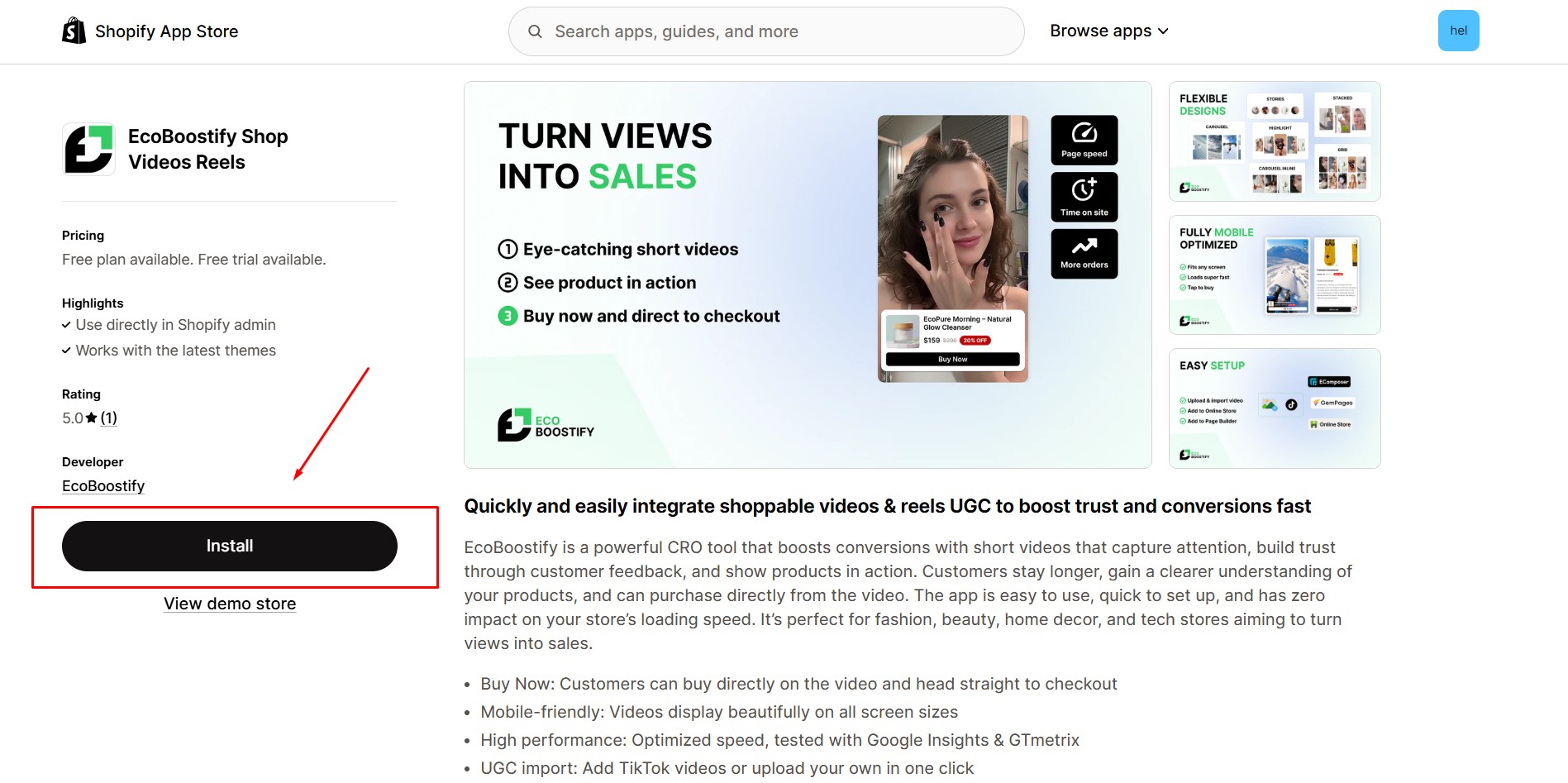
Step 1: Install EcoBoostify Shop Videos Reels in the Shopify App Store.
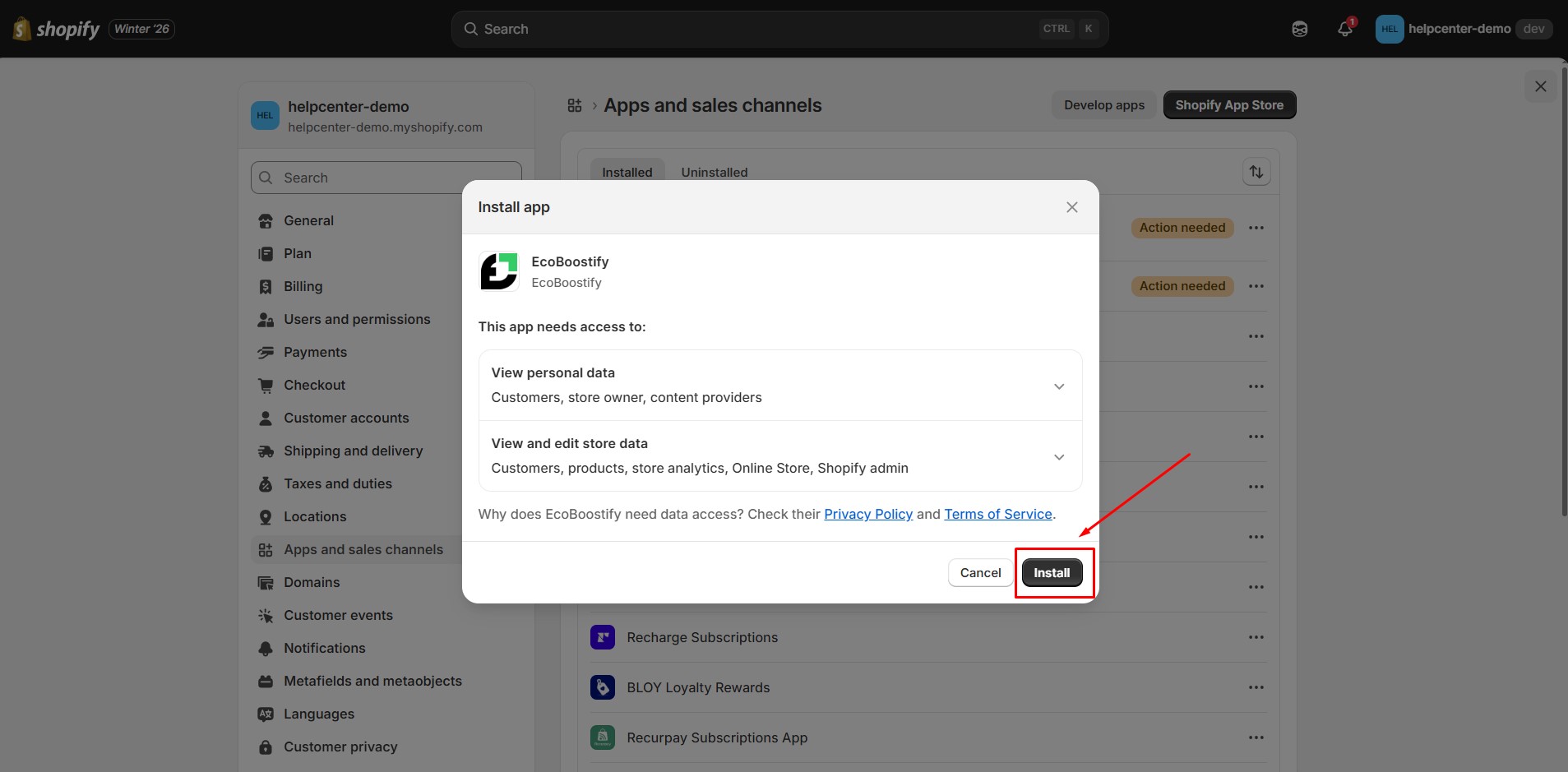
Step 2: Provide the app with access to the required data.
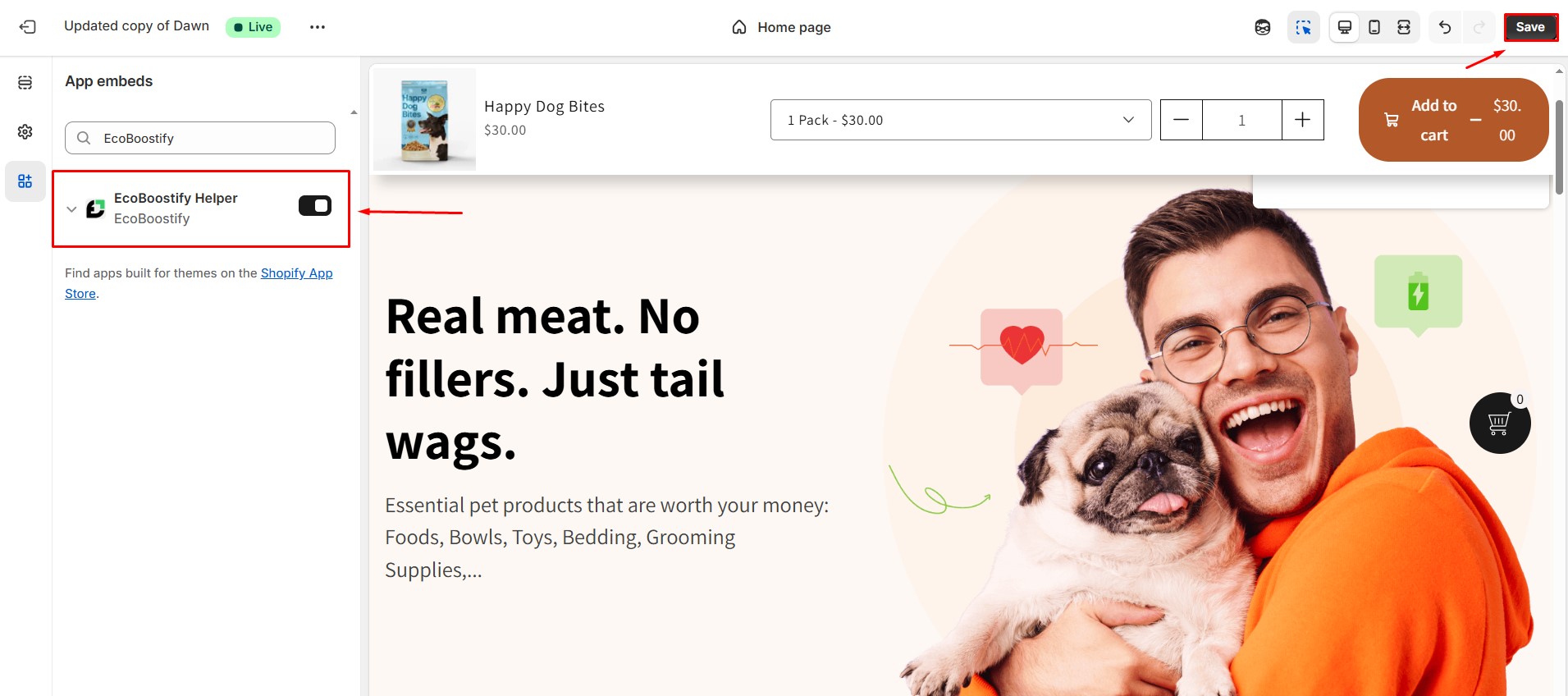
Step 3: Go to Online Store > Themes. Open your current theme’s Customize settings. Navigate to App embeds and switch on the EcoBoostify Helper toggle.
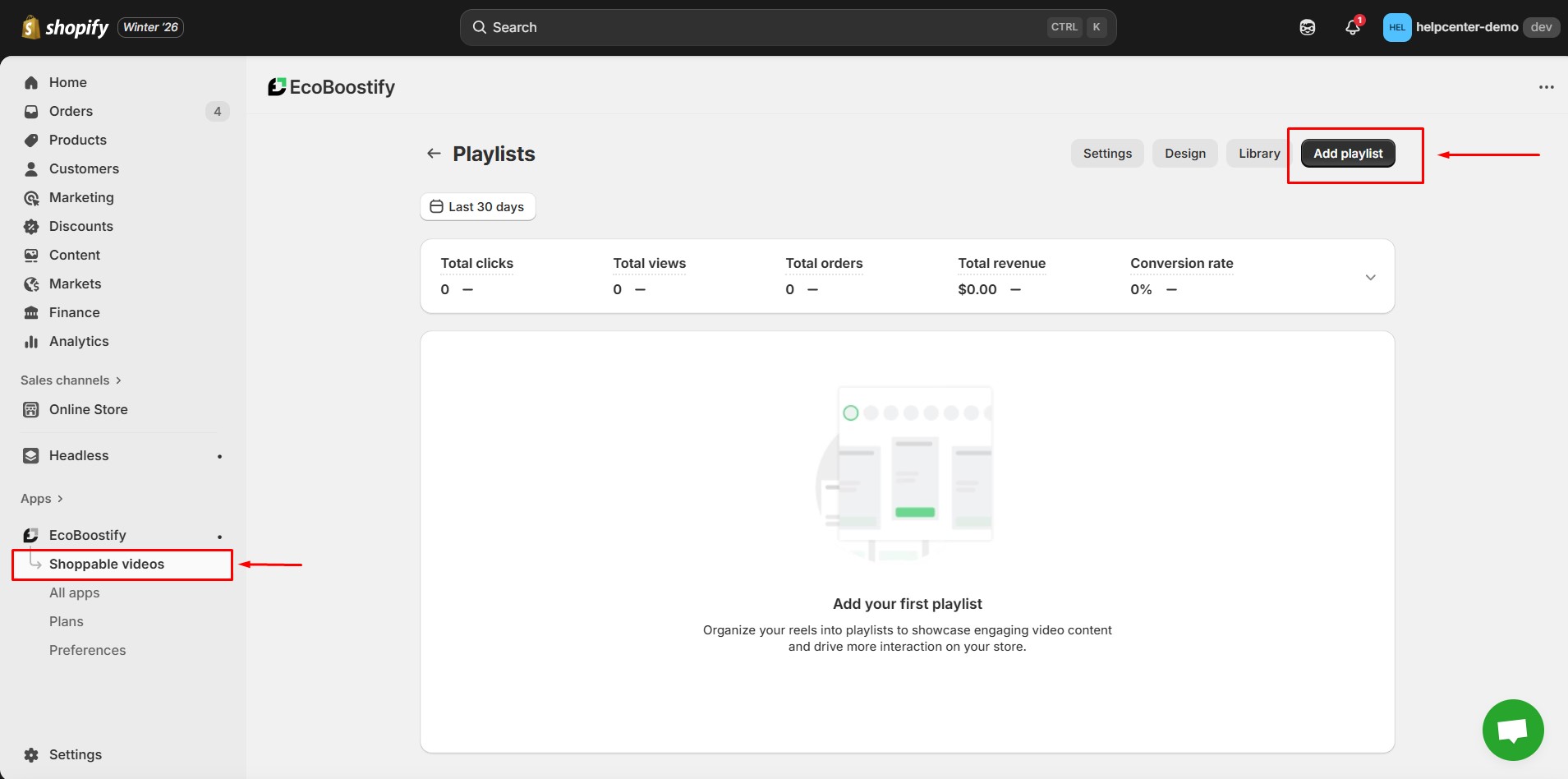
Step 4: Return to the EcoBoostify dashboard. Open the Shoppable Videos tab and click Add playlist.
Step 5: Enter a title for your playlist, then choose a display style. You can select from: Carousel, Stories, Grid, Carousel Inline, or Highlight.
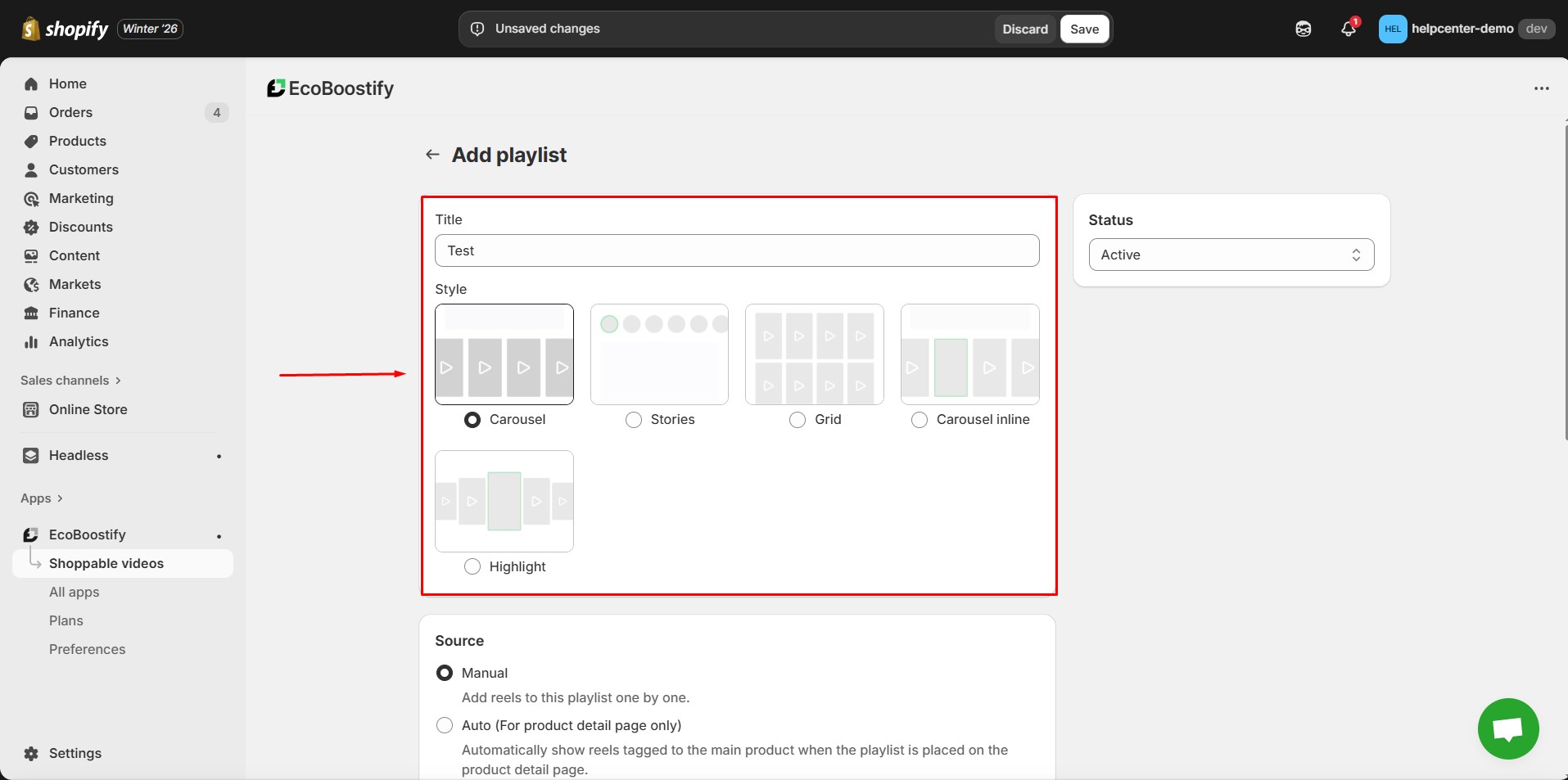
Step 6: Select a source for your playlist:
- Manual: Upload and add each reel individually (MP4 files only).
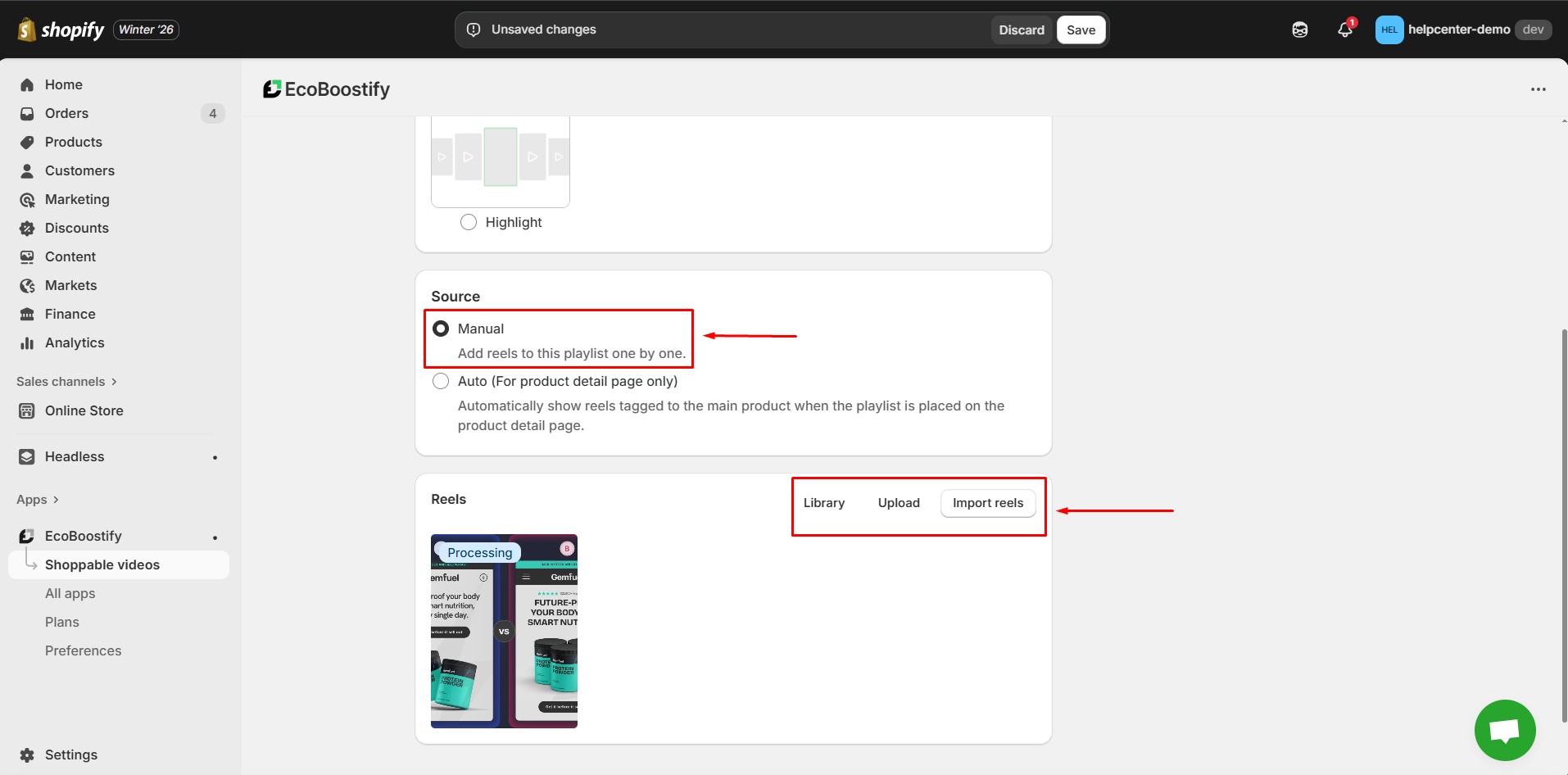
- Auto: Automatically show reels that are tagged to the product when the playlist is displayed on a product page.
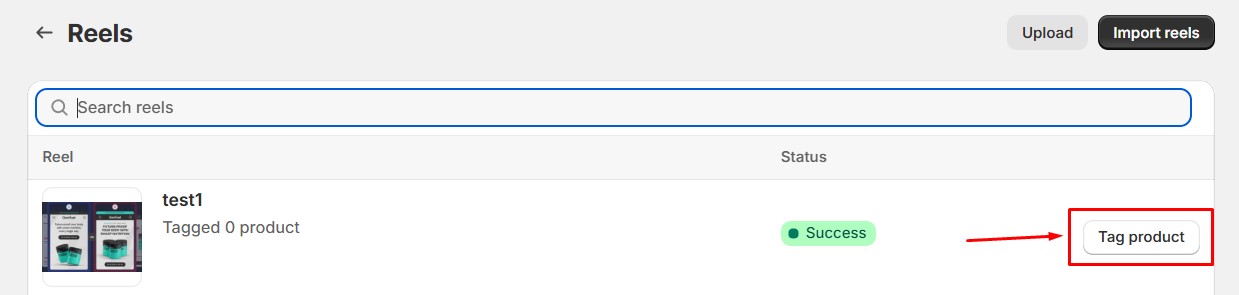
If using Auto, set it up as follows:
- Go to the App Library.
- Select a Reel.
- Tag the Product to that reel.
Step 7: Click Save once your playlist setup is complete.
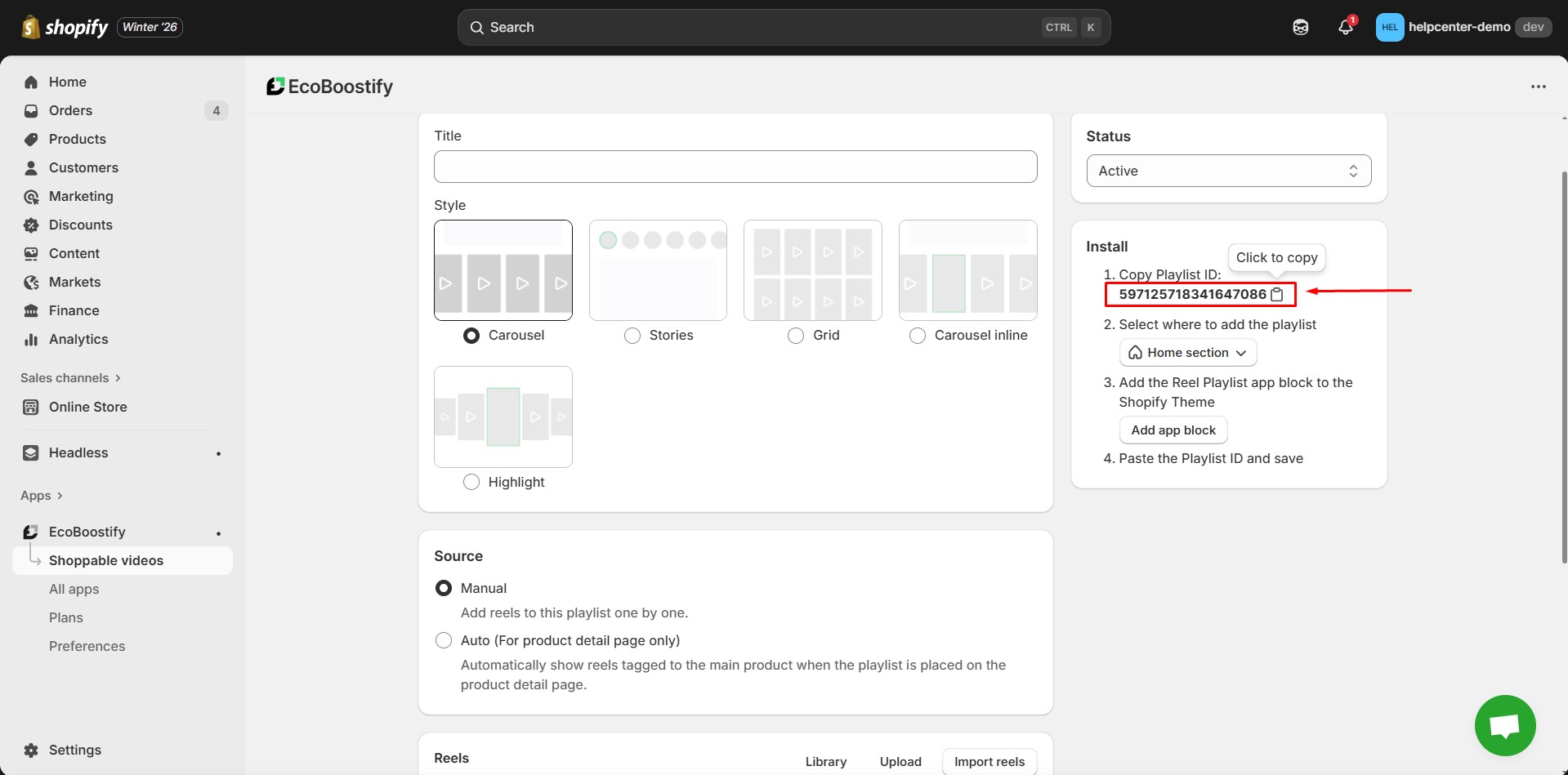
Step 8: After saving, locate the Playlist ID and copy it. You will need this ID when embedding the playlist in GemPages.
How to Add EcoBoostify Shop Videos Reels to GemPages V7?
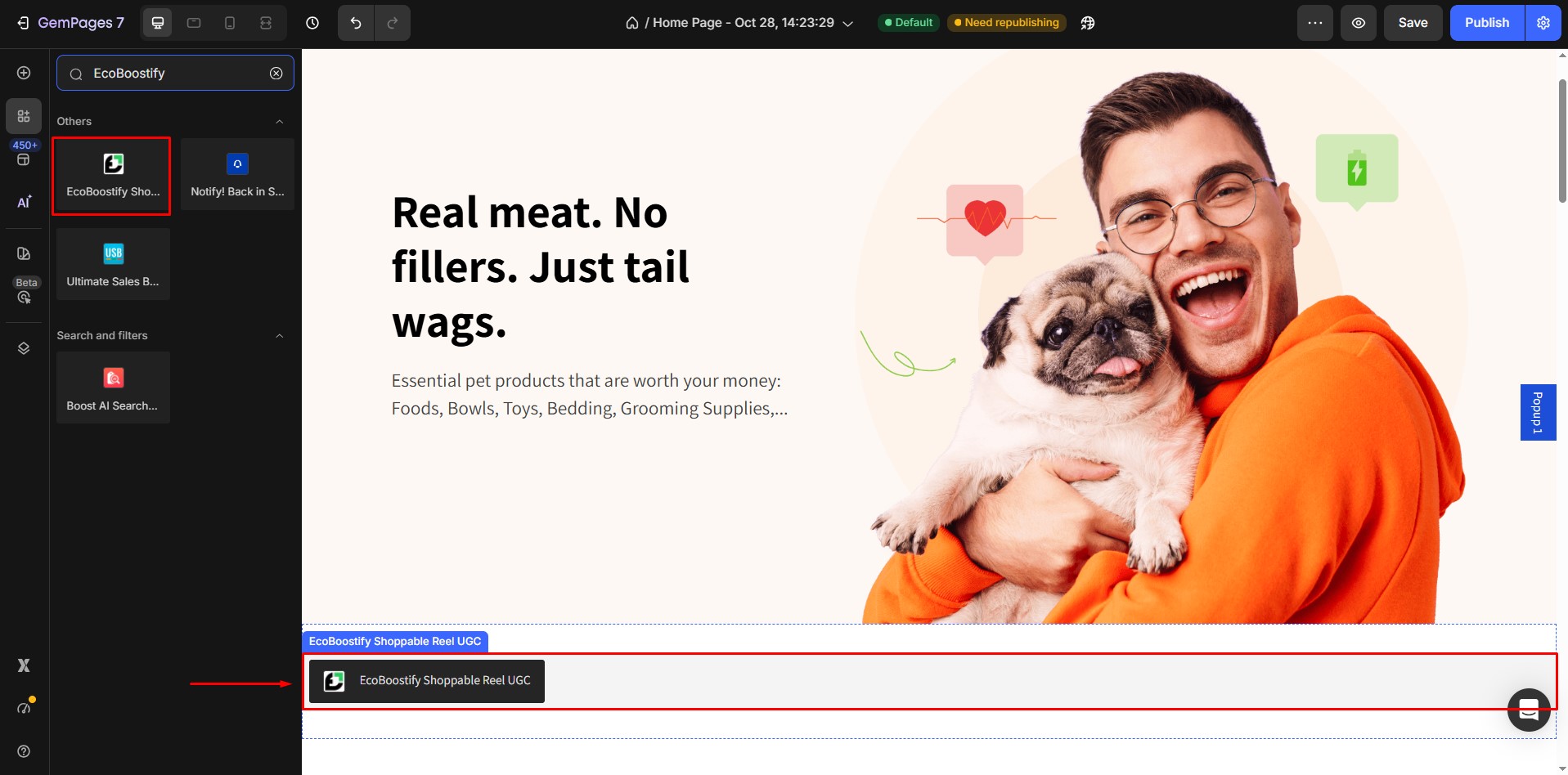
Step 1: In the GemPages Editor, open the page for the reel. Use the search bar to find the app, then drag and drop the element onto the design area.
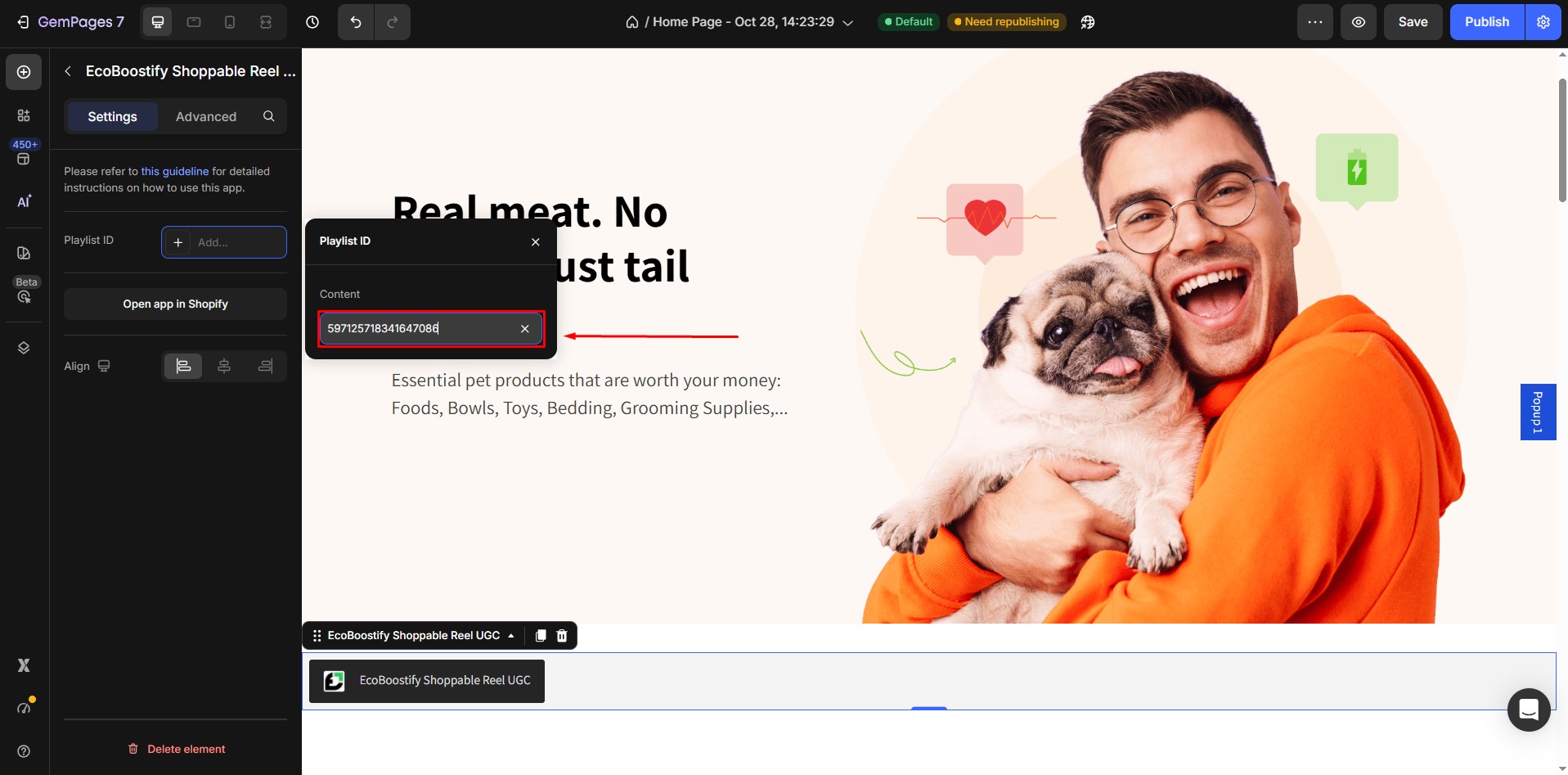
Step 2: In the element settings, paste the Playlist ID you copied from the EcoBoostify dashboard.
Step 3: Click Save, then Publish to apply the changes to your live store.


Thank you for your comments