


When working with long or complex pages in GemPages, you may have multiple sections stacked together. If all sections keep their default names, it can become difficult to identify and manage them later.
To make your workflow more organized, you can rename sections using meaningful names. This helps you quickly locate sections, especially when working inside the Layer Tree or editing large layouts.
Why Rename Sections?
Renaming sections is especially useful when:
- Your page contains many sections
- You are working with complex layouts
- Multiple team members are editing the same page
- You want to quickly identify specific sections
- You frequently use the Layer Tree to navigate layouts
For example, instead of seeing generic names like:
- Section 1
- Section 2
- Section 3
You can rename them into:
- Hero Banner
- Product Features
- Testimonials
- FAQ Section
This makes navigation much faster and reduces confusion.
How to Rename a Section in GemPages
Follow these steps to rename a section.
Step 1: Select the section you want to rename
From the editor canvas:
- Click on the section you want to rename
- Make sure the correct section is selected before continuing
Once selected, the section settings will appear.
Step 2: Click the Pen (Edit) icon
After selecting the section:
- Locate the Pen icon next to the section name
- Click the Pen icon
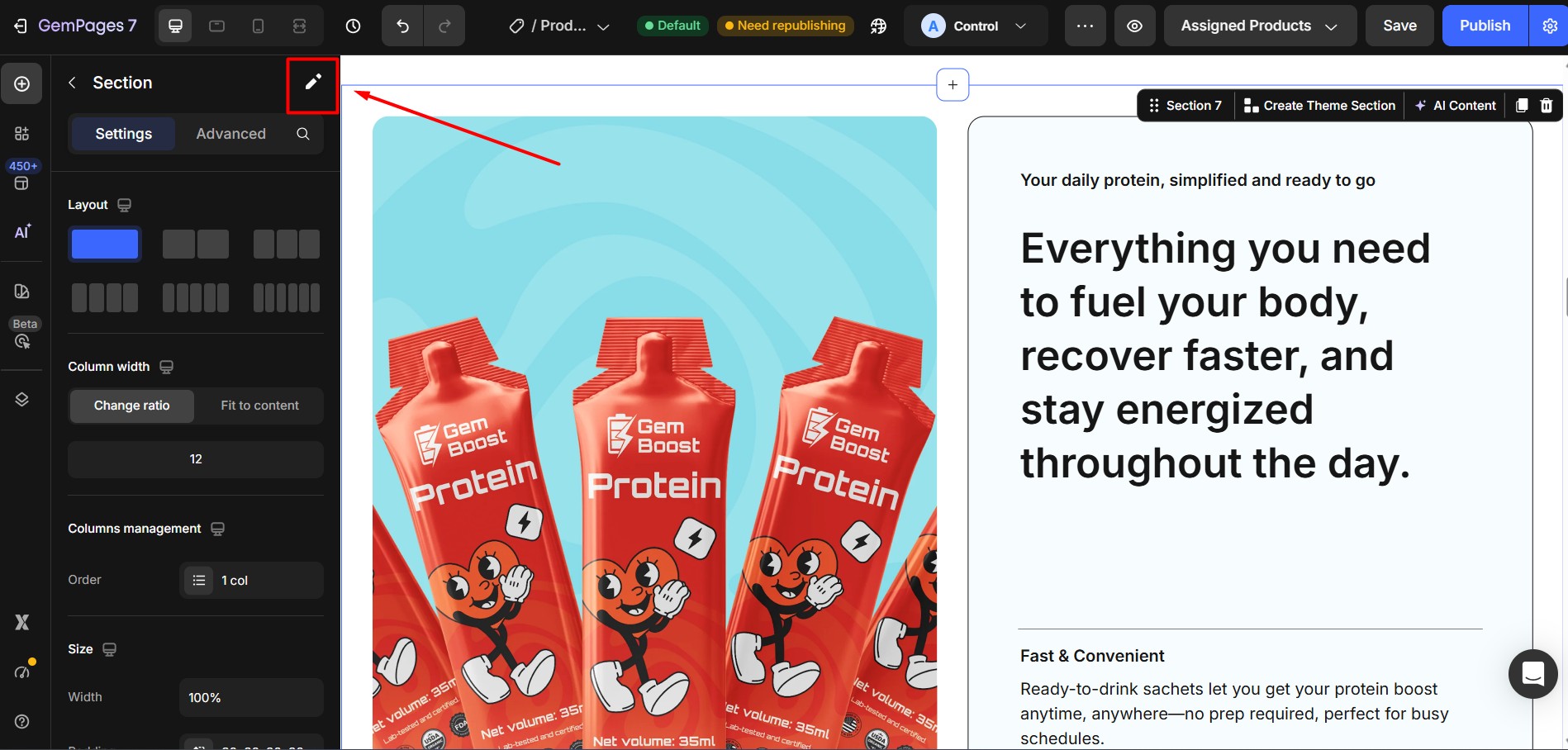
This will open the rename input field.
Step 3: Enter a new section name
Type the new name for your section.
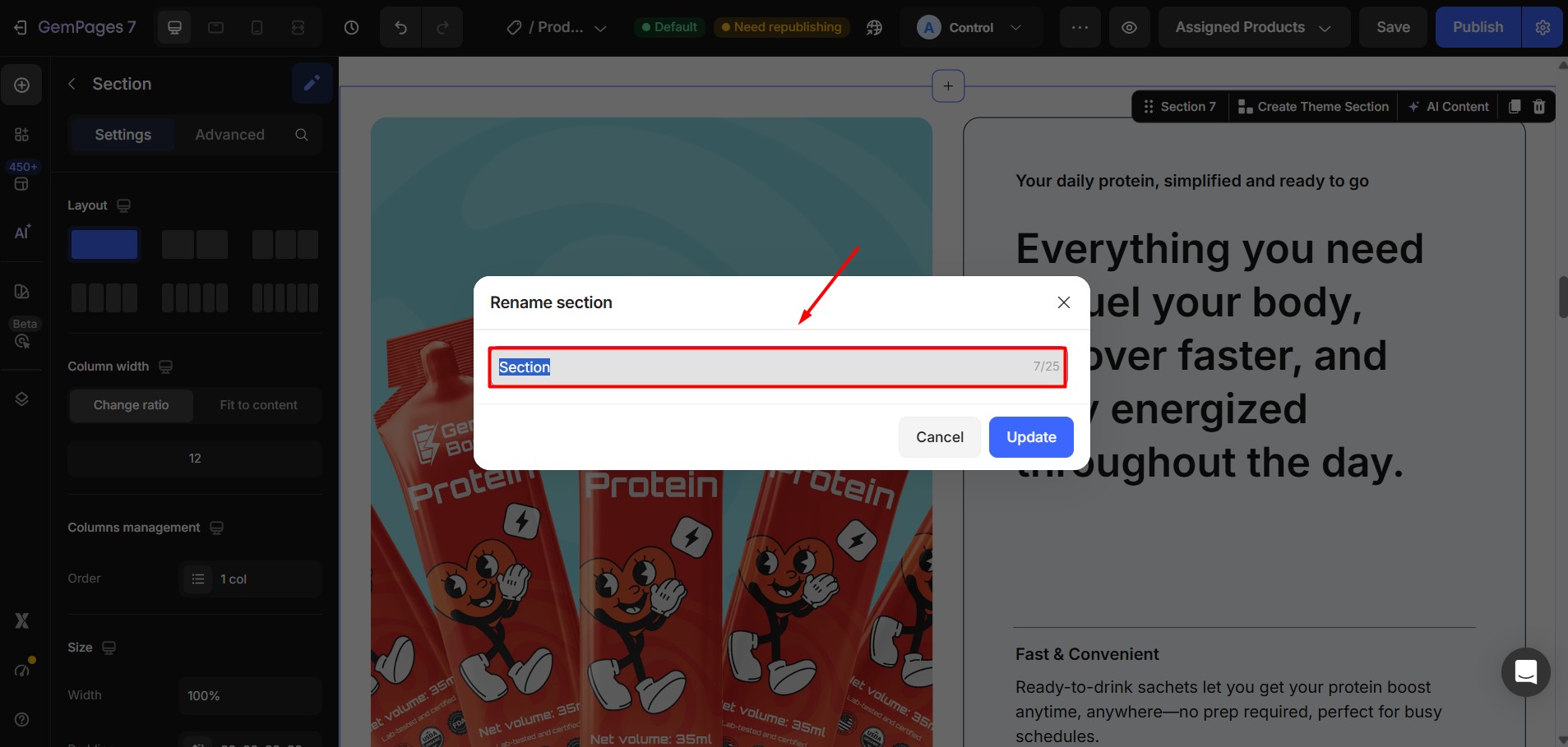
Good naming examples:
- Hero Banner
- Product Grid
- Feature Highlights
- Customer Reviews
- Footer Links
Try to use names that clearly describe the content inside the section.
Step 4: Click Update
After entering the new name, click Update to save the changes. Your section name will now be updated and visible in the editor.
Best Practices for Naming Sections
Using a consistent naming system can make your workflow much smoother.
Here are some recommended practices:
Use descriptive names: Choose names that describe the purpose of the section.
Instead of:
- Section 1
- Section 2
Use:
- Hero Banner
- Product Features
Keep names short and clear: Since the limit is 25 characters, avoid long phrases. For example:
Good:
- Promo Banner
- Pricing Table
Avoid:
- This Section Contains Our Main Promotional Banner
Use consistent naming patterns: If your page contains repeated section types, use a naming structure.
Example:
- Feature Block 1
- Feature Block 2
- Feature Block 3
This keeps your layout organized and easy to scan.


Thank you for your comments