


Carousel arrows help visitors navigate between slides inside a Carousel element. However, in some cases, you may want to hide the left arrow, right arrow, or both to create a cleaner design experience.
This article will show you how to hide Carousel arrows in GemPages using simple custom CSS code, no coding experience required.
When Should You Hide Carousel Arrows?
Here are some common use cases where hiding Carousel arrows can improve your store design and user experience:
1. Create a Cleaner Mobile Layout
On smaller screens, arrows may take up too much space or overlap your content. Hiding them can make the Carousel look cleaner and easier to view.
2. Use Autoplay Instead of Manual Navigation
If your Carousel automatically slides between items, visitors may not need manual navigation arrows.
3. Build a Minimal Design
Some brands prefer a clean and modern look without visible navigation controls.
4. Prevent Manual Sliding
In some promotional sections or announcement sliders, you may want users to view content in a fixed sequence without clicking arrows.
5. Use Alternative Navigation Methods
You may already be using:
- Dots navigation
- Swipe gestures on mobile
- Auto-scroll functionality
In these cases, arrows may become unnecessary.
How to Hide Carousel Arrows in GemPages
Step 1: Select the Carousel Element
Inside the GemPages editor, click the Carousel element that contains the arrow you want to hide.
Step 2: Open the Custom Code Panel
Right-click the Carousel element, then select Custom.
The Custom Code panel will appear.
Step 3: Add the Custom CSS Code
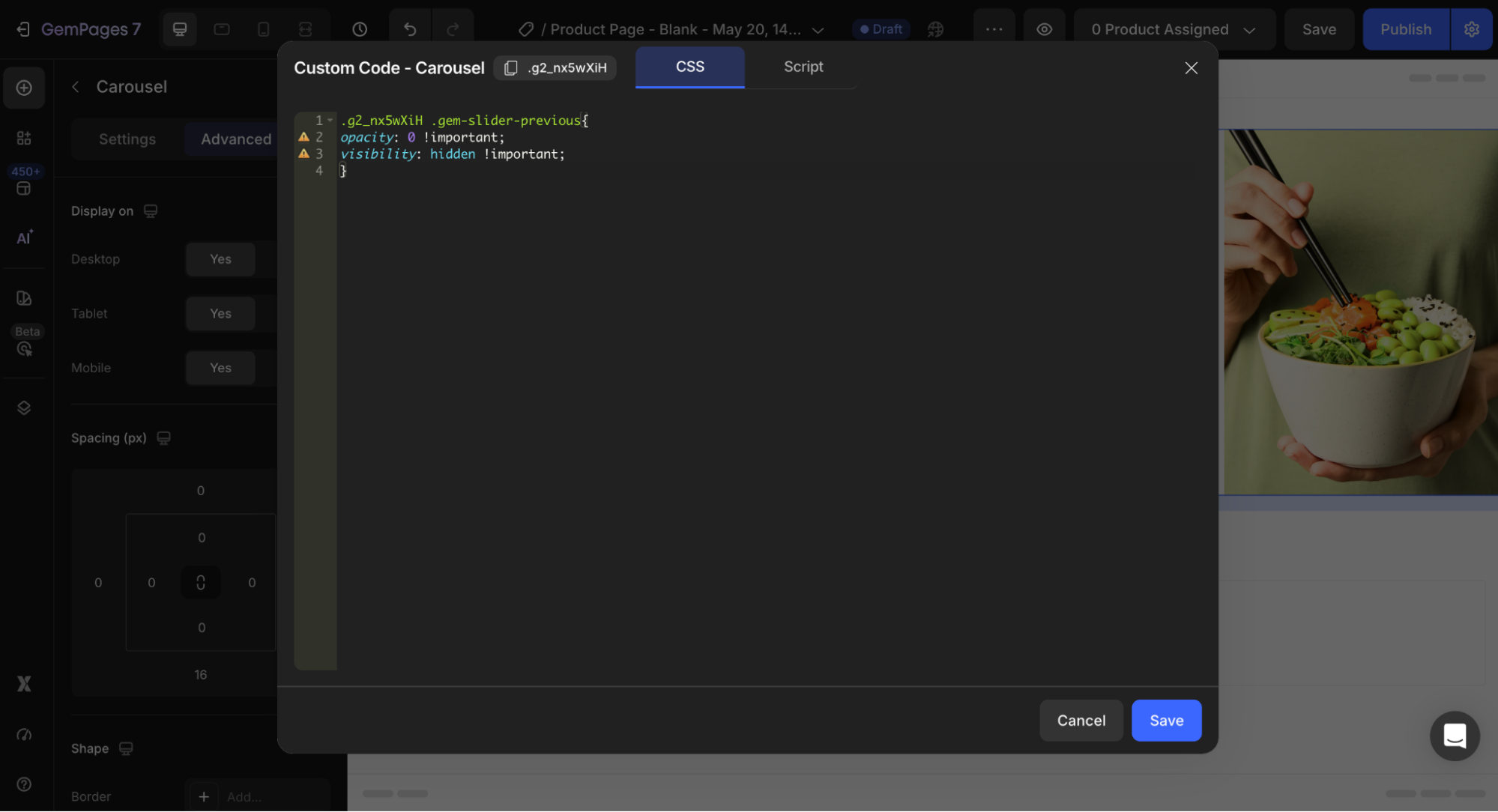
1. Hide the Left Arrow
Add the following code into the Custom Code field:
.gTgcgeWuMC .gem-slider-previous{

 opacity: 0 !important;

 visibility: hidden !important;

}
2. Hide the Right Arrow
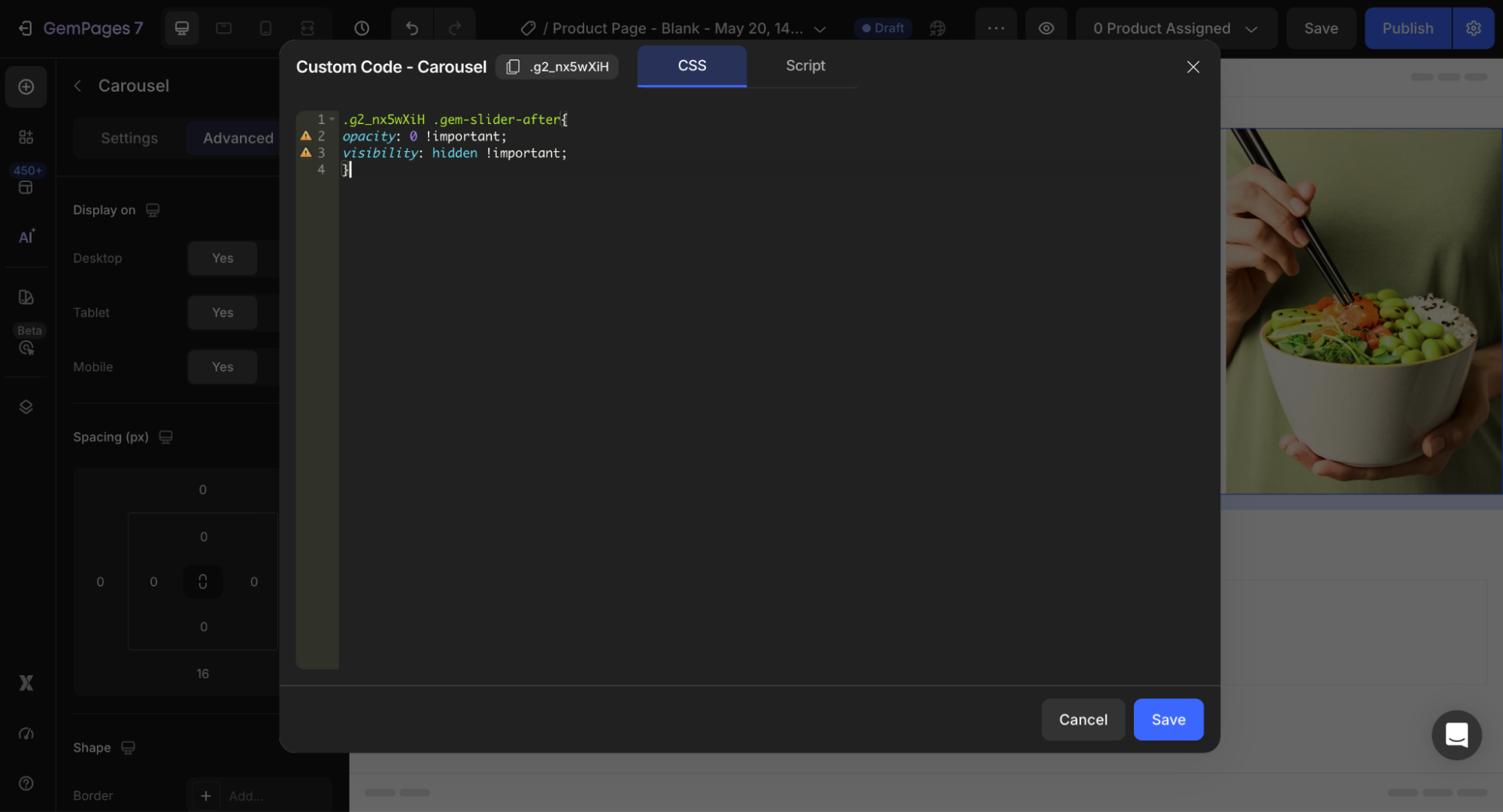
Add this code to hide the right arrow:
.gTgcgeWuMC .gem-slider-after{

 opacity: 0 !important;

 visibility: hidden !important;

}
Note:
Replace .gTgcgeWuMC with your actual Carousel element ID.
You can find the element ID at the top of the Custom Code panel.


Thank you for your comments