


About Volume Discounts — Dealeasy
Volume Discounts — Dealeasy is a powerful all‑in‑one discount and upsell app designed to boost your store’s AOV through:
- Volume discounts and quantity breaks
- Mix & Match bundles and fixed‑price bundles
- Cart progress bar (free shipping, free gifts, rewards bar)
- BOGO (Buy One Get One) and tiered discount offers
- Automatic or manual free gifts
- Free products based on cart value or quantity
How to Install & Set Up Volume Discounts — Dealeasy?
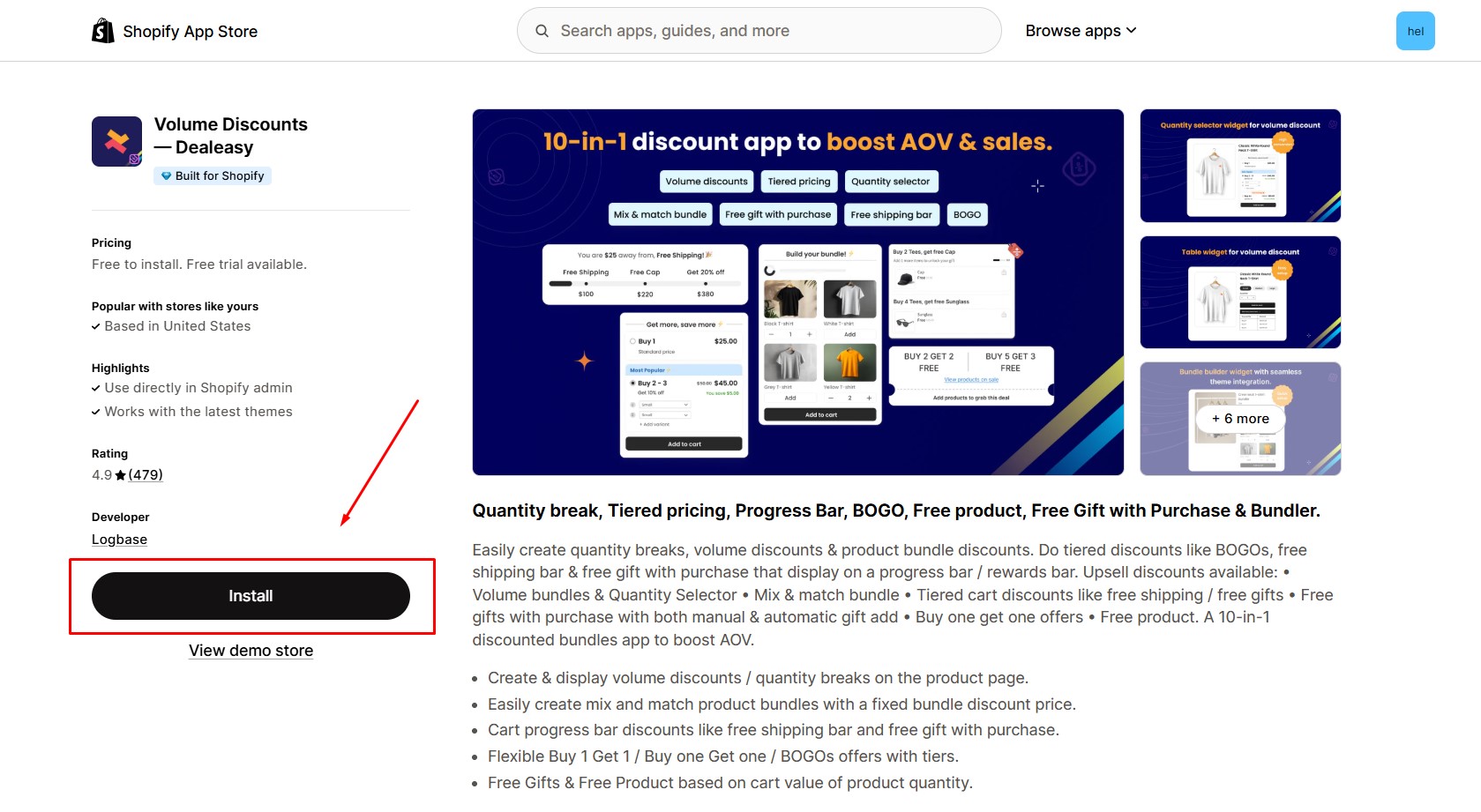
Step 1: Install Volume Discounts — Dealeasy in the Shopify App Store.
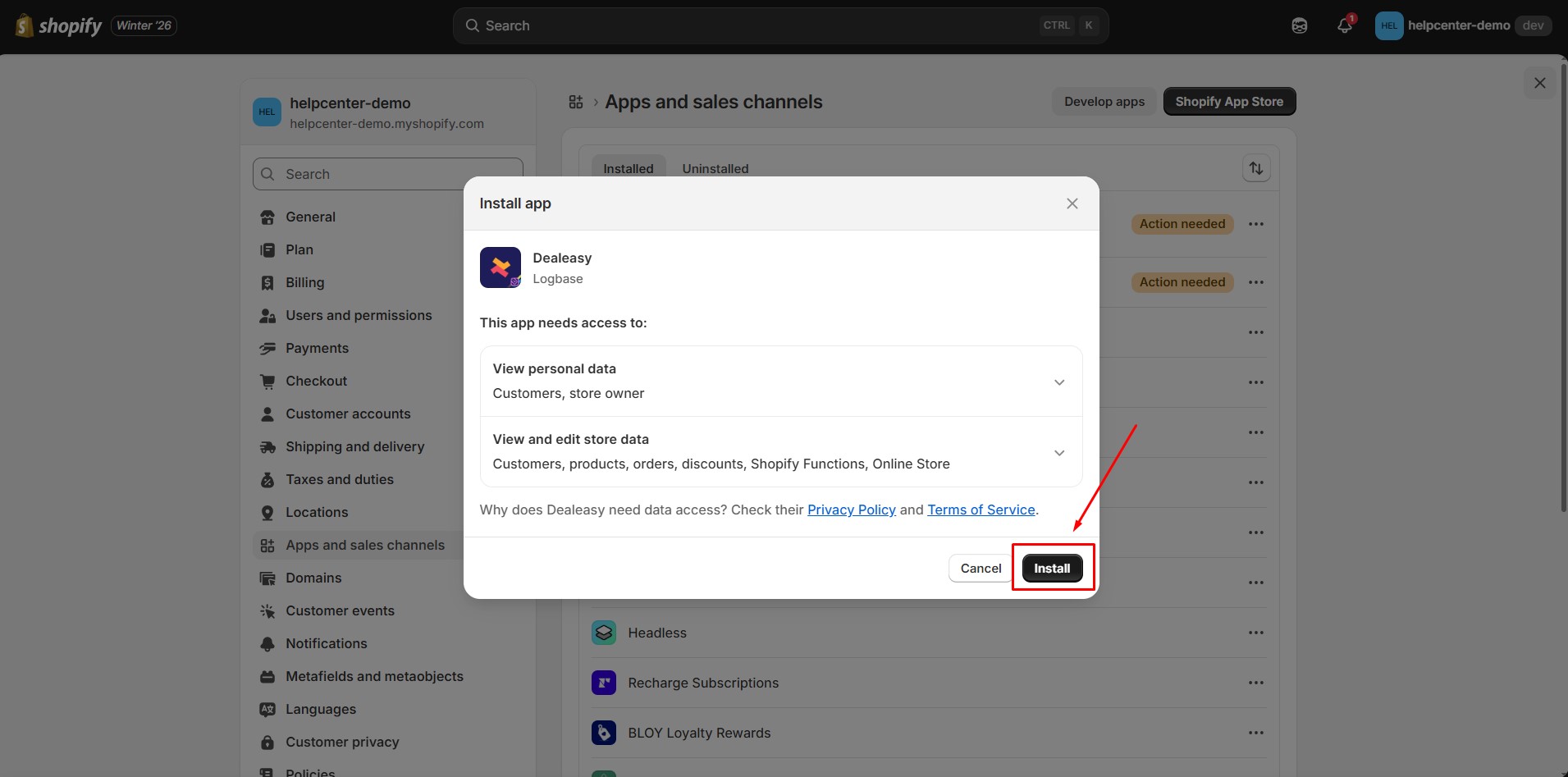
Step 2: Provide the app with access to the required data.
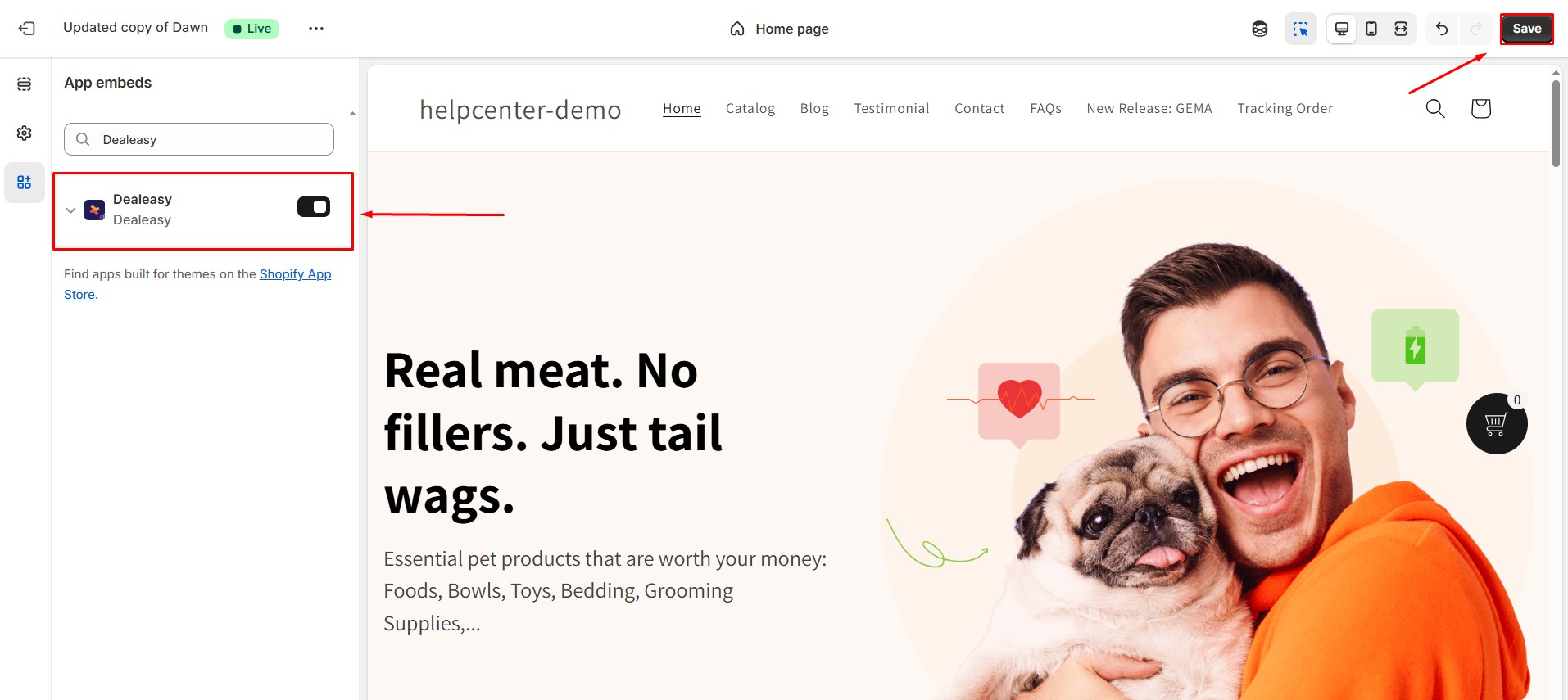
Step 3: Go to Online Store > Themes. Open your current theme’s Customize settings. Navigate to App embeds and switch on the Dealeasy toggle.
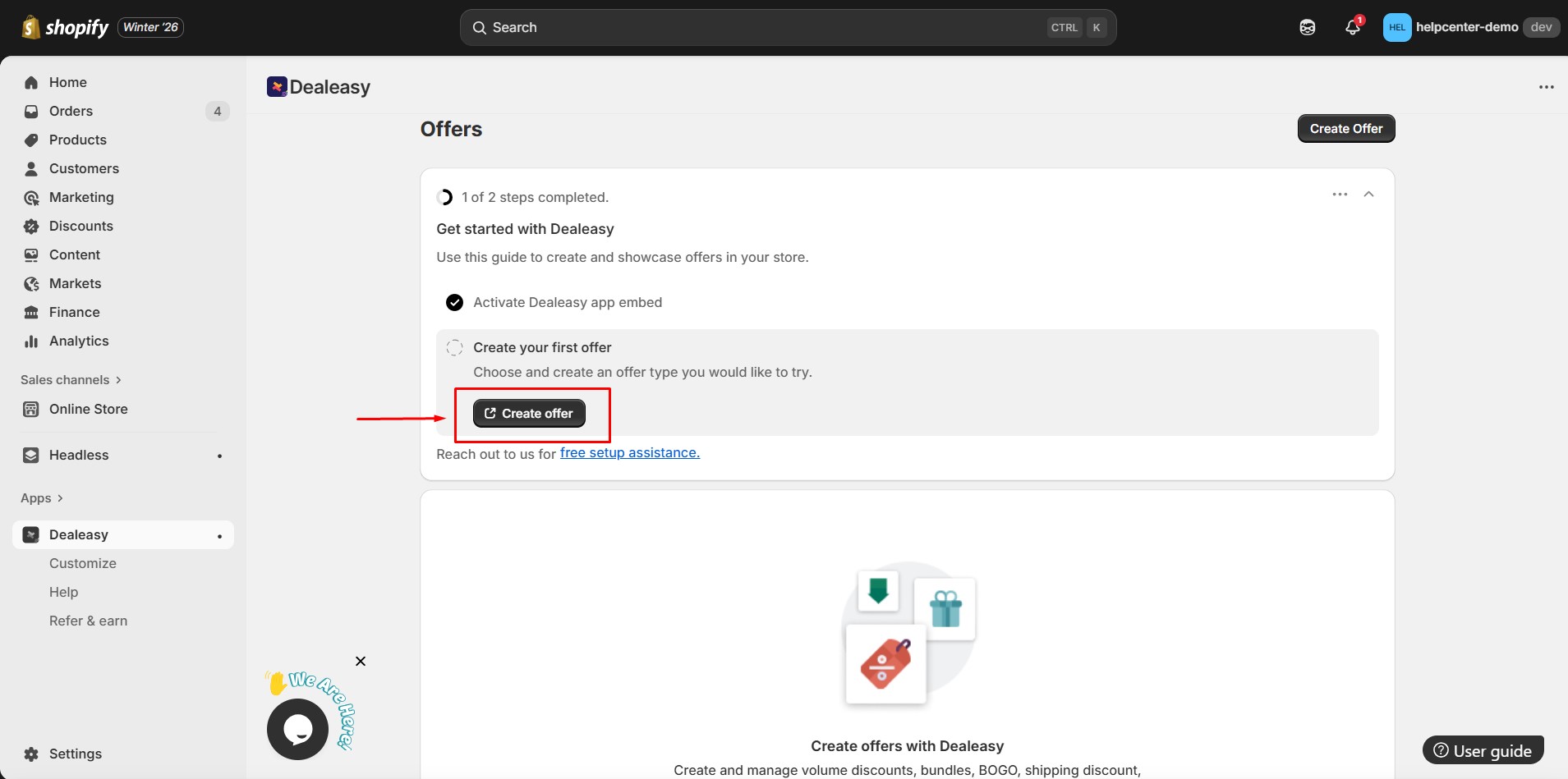
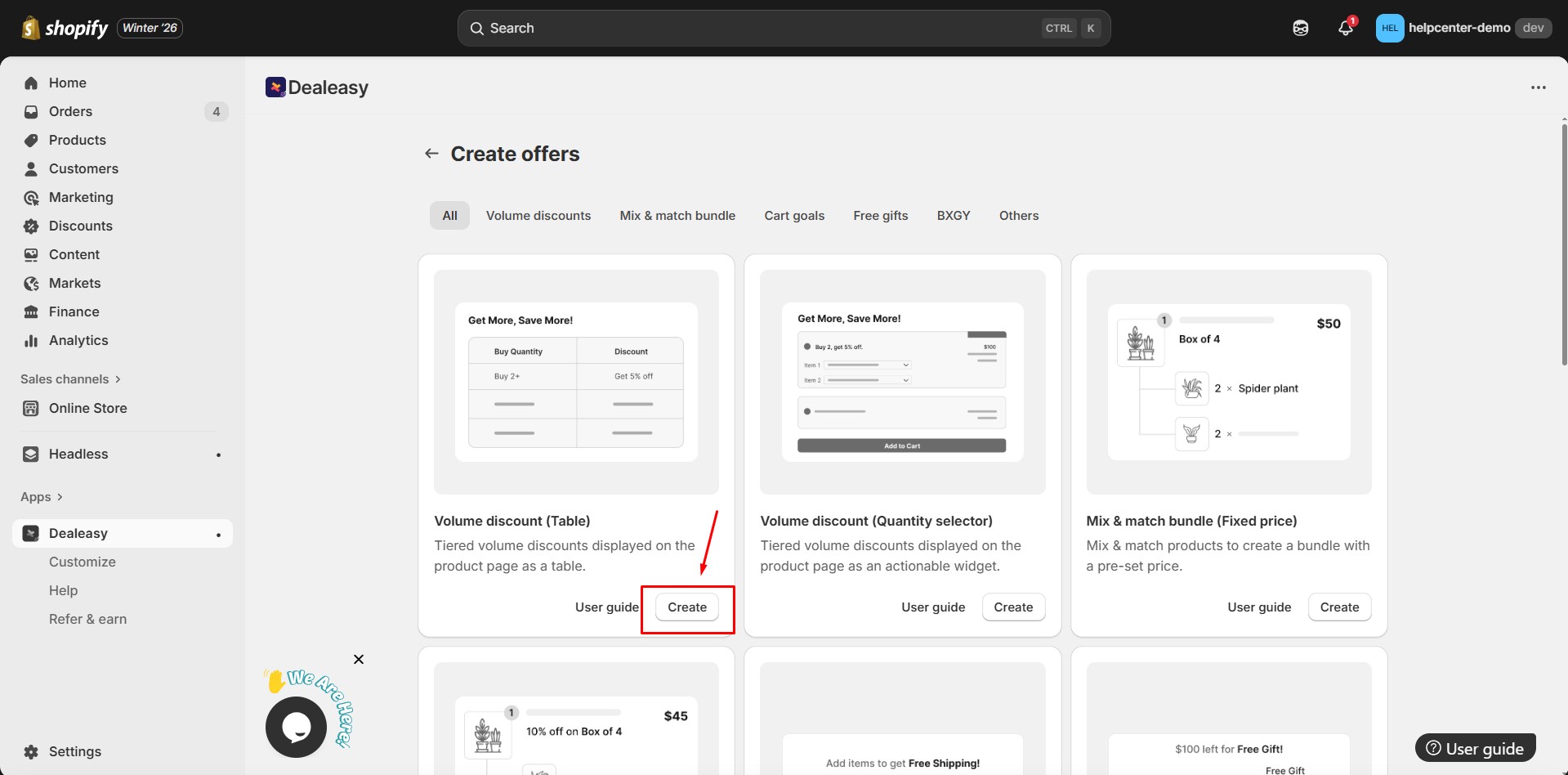
Step 4: Return to the Dealeasy dashboard. Click Create offer.
Step 5: Choose the type of offer you want to create, such as:
- Quantity Breaks
- Mix & Match Bundle
- BOGO Offer
- Free Gift Offer
- Progress Bar Discount
Click Create to begin.
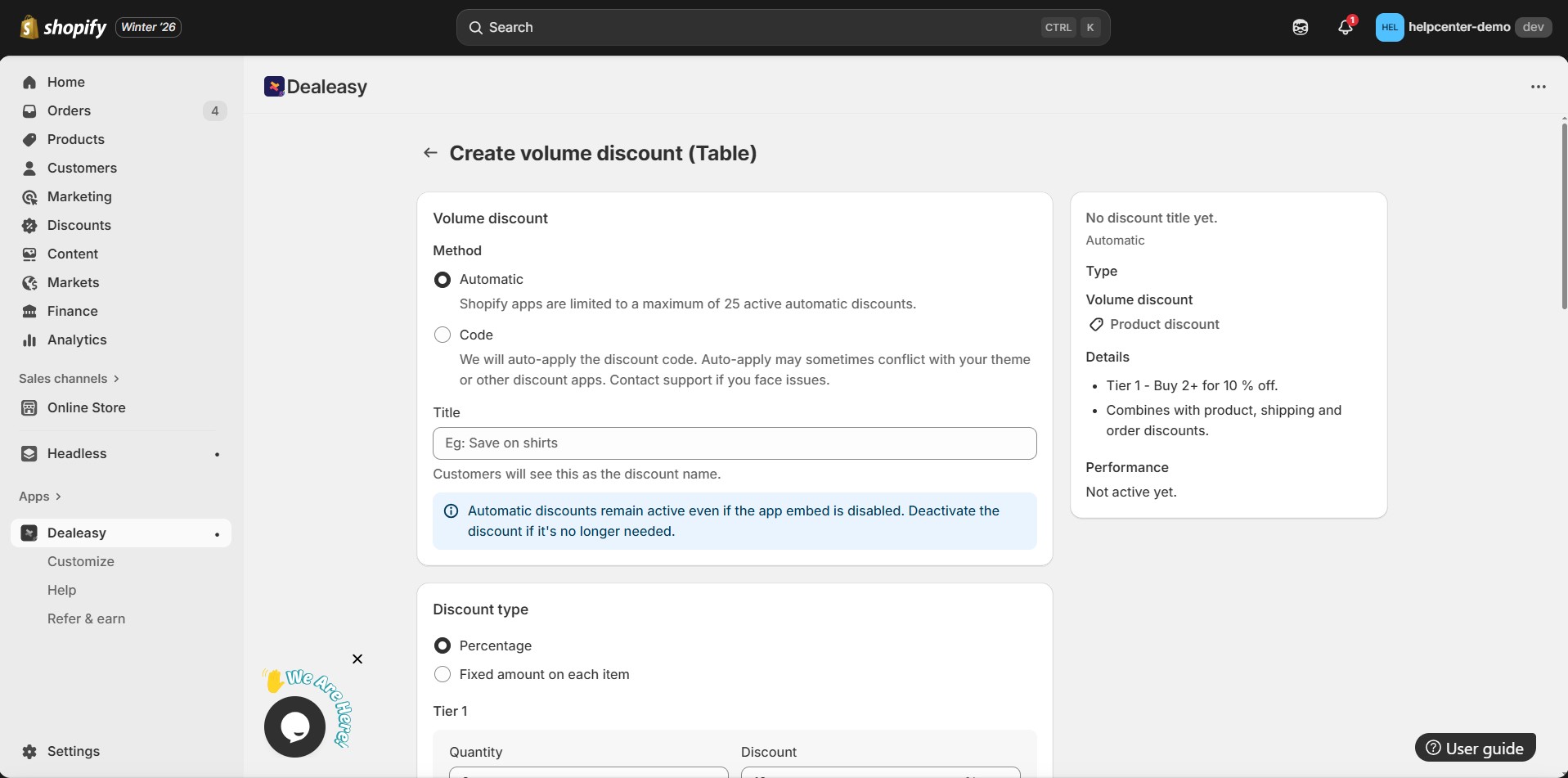
Step 6: Set up all required fields, including:
- Discount method (percentage, fixed amount, replace price)
- Discount type
- Applies to (specific products or collections)
- Quantity tiers / bundle rules
Etc.
When done, click Save.
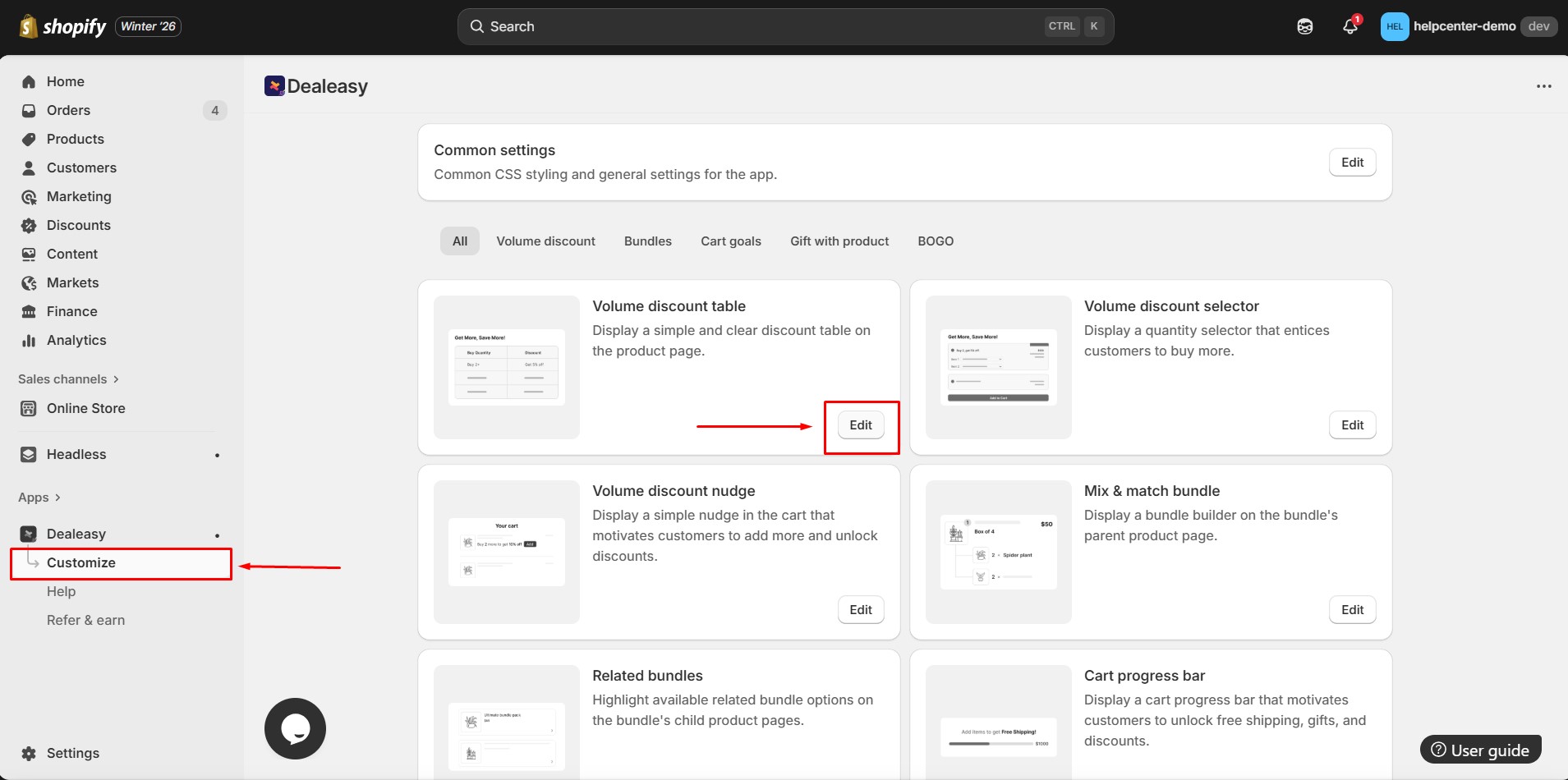
Step 7: Return to the app dashboard. Go to the Customize tab. Click Edit next to the widget you want to style.
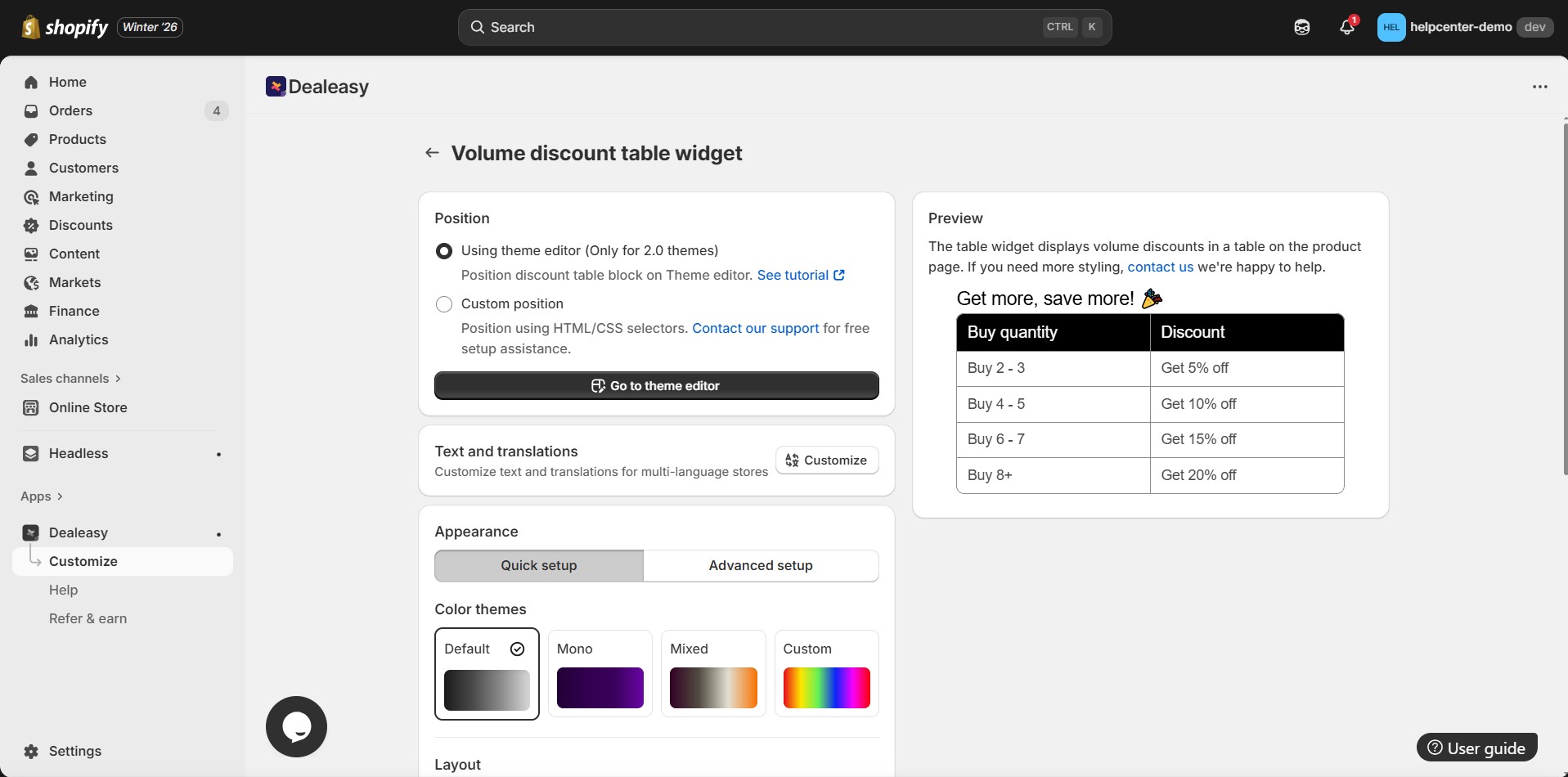
Step 8: Adjust widget appearance. A real‑time preview appears on the right side. When finished, click Save.
How to Add Volume Discounts — Dealeasy to GemPages V7?
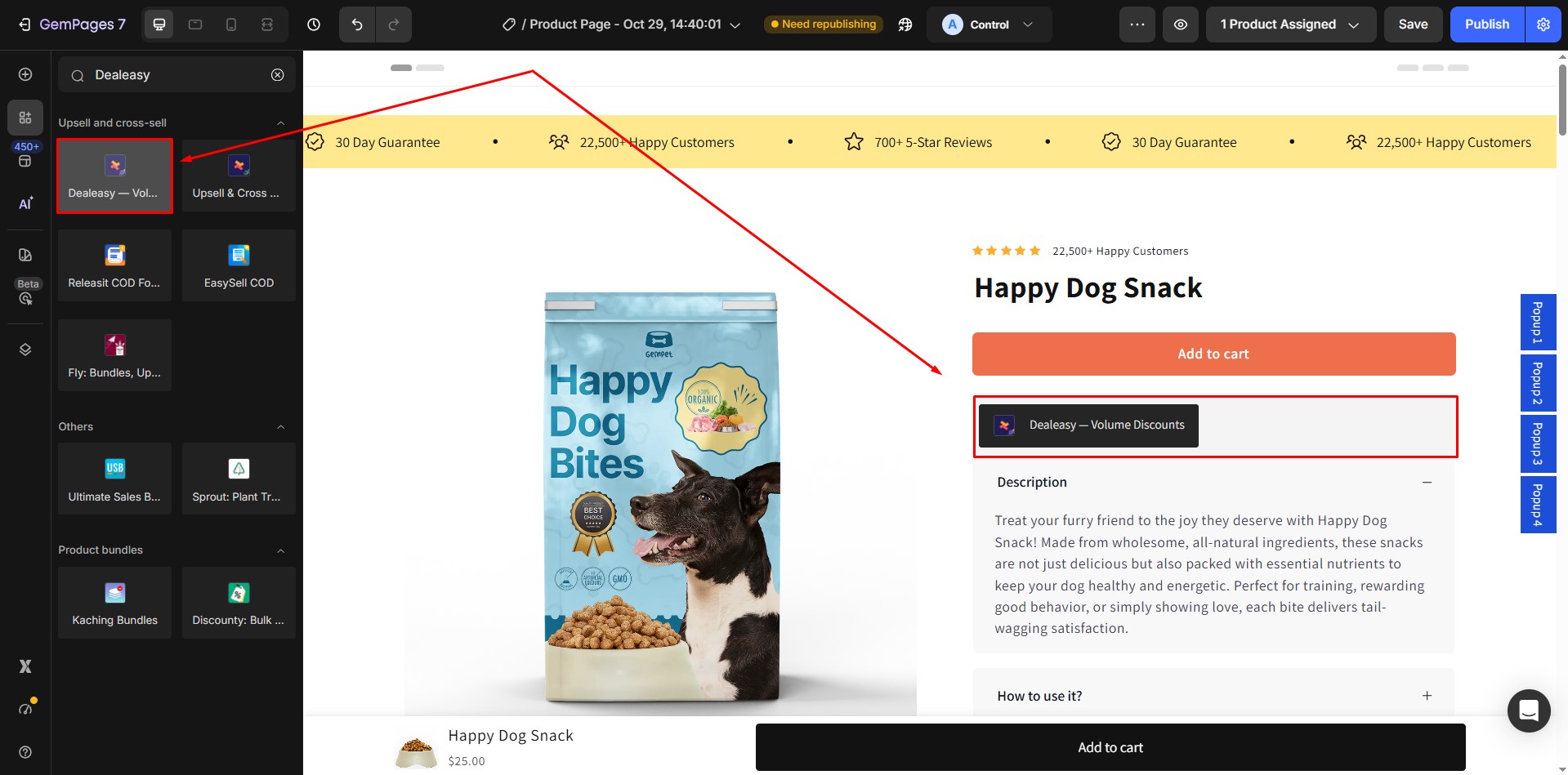
Step 1: In the GemPages Editor, open the product page you want to add widget. Use the search bar to find the app, then drag and drop the element onto the design area.
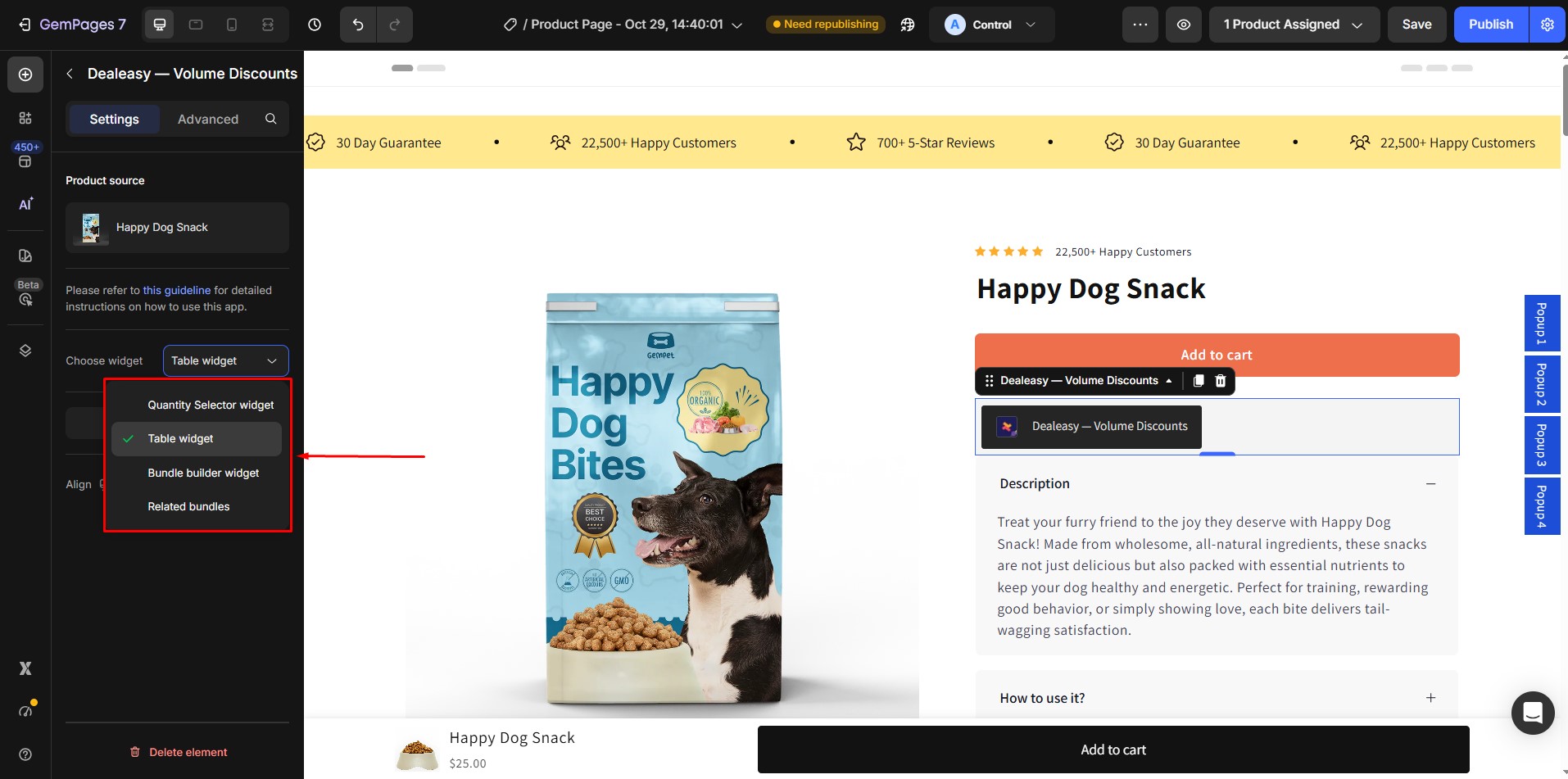
Step 2: In the settings panel, choose the widget you created earlier.
Step 3: Click Save, then Publish to apply the changes to your live store.


Thank you for your comments