


The Dynamic Checkout Button is a fast checkout option that allows customers to purchase products directly using accelerated payment methods such as:
- Shop Pay
- PayPal
- Google Pay
- Apple Pay
Instead of going through the regular cart flow, customers can quickly complete their purchase with a single click.
In Shopify, the Dynamic Checkout Button usually appears below the Add to Cart button on product pages. If you want to learn more about the Dynamic Checkout Button and how it works in GemPages and Shopify, check this article:
What is a Dynamic Checkout Button in Shopify?
Dynamic Checkout Button Element
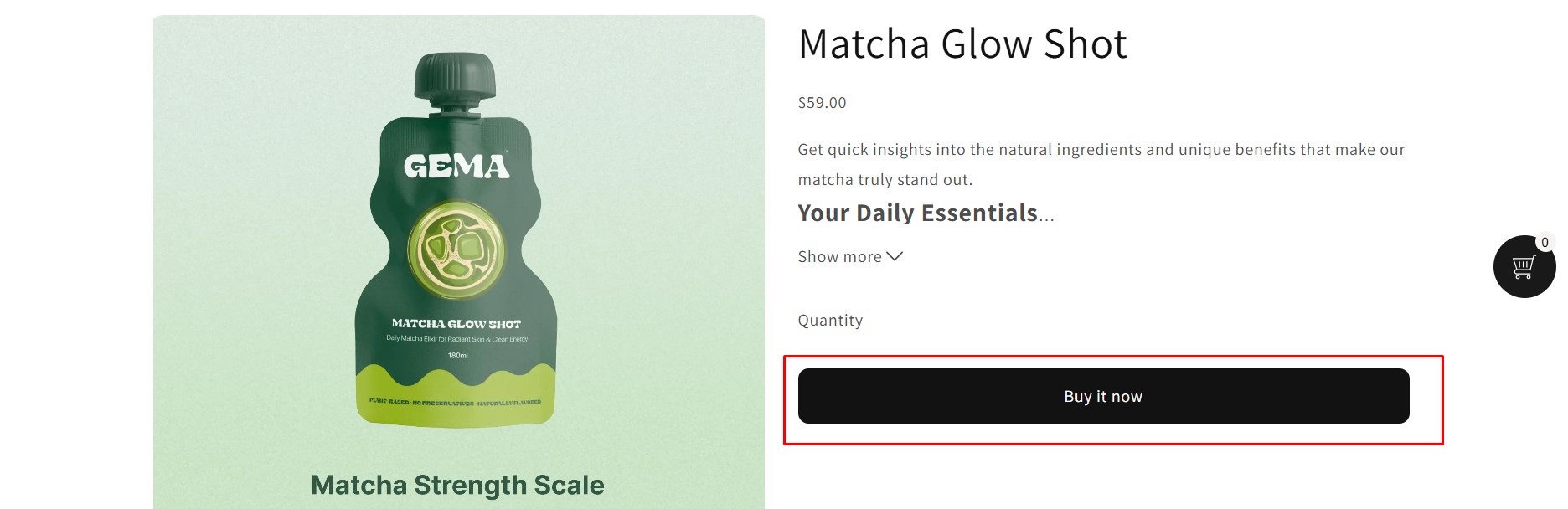
This article shows you how to customize the Dynamic Checkout Button by adding rounded corners using custom CSS.
Step 1: Open the Custom Code Area
- Open the page editor in GemPages.
- Click on the section containing the Dynamic Checkout Button.
- Right-click the element or container.
- Select Custom Code.
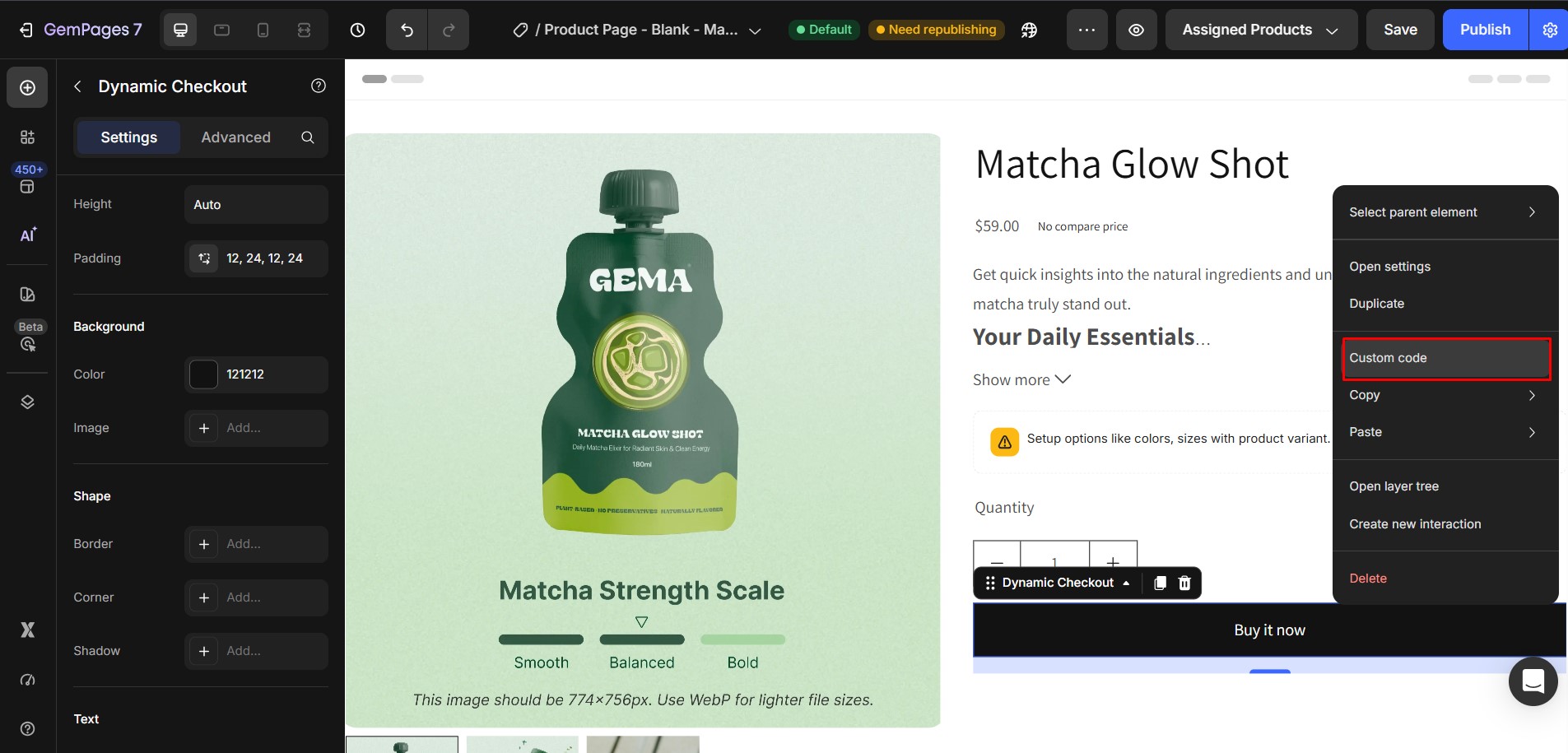
This opens the custom code editor.
Step 2: Paste the Custom CSS
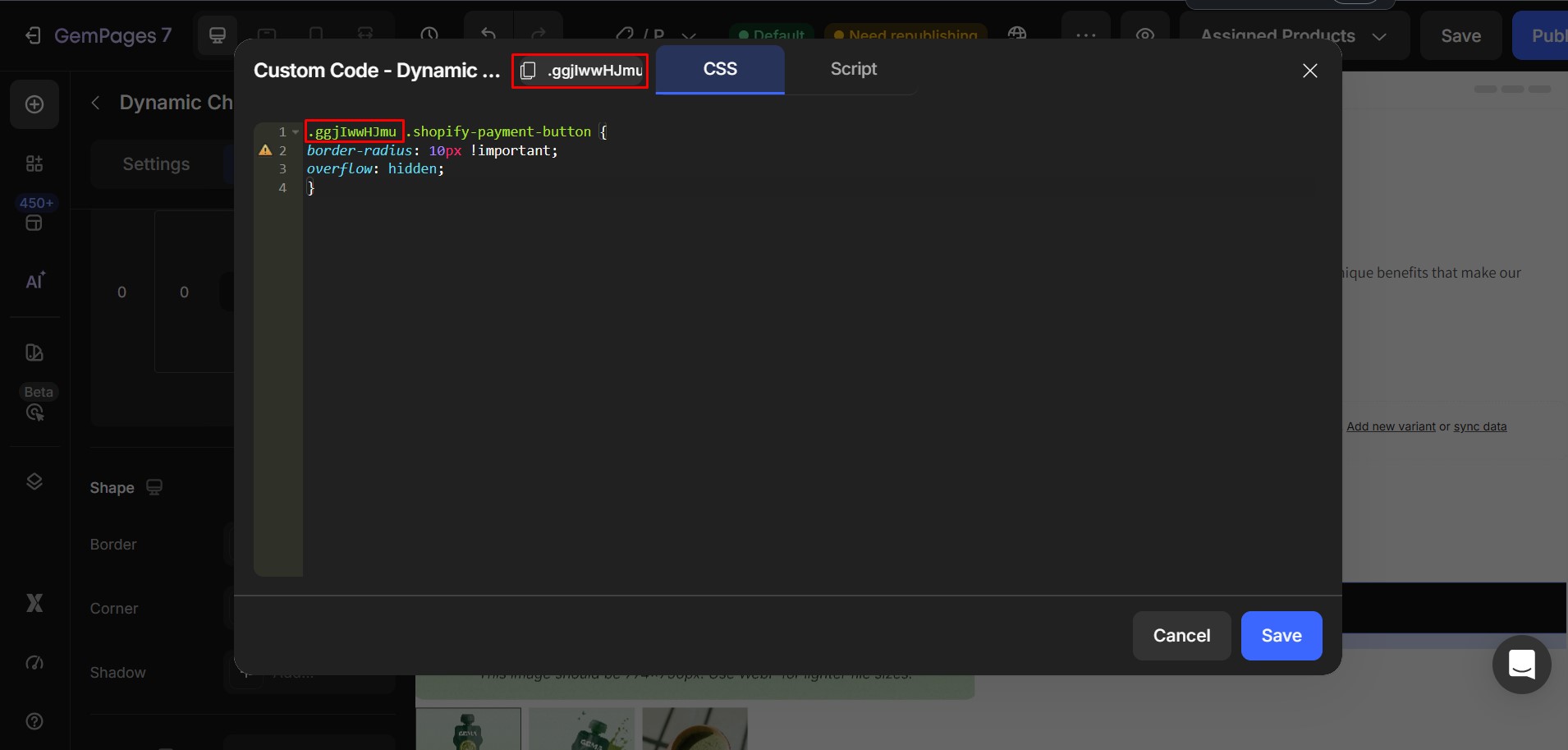
Paste the following code into the Custom Code area:
.xxxxxxx .shopify-payment-button {

border-radius: 10px !important;

overflow: hidden;

}
Then replace .xxxxxxx with your actual element class.
Step 3: Save and Publish


Thank you for your comments