


About Zotek TikTok Pixel Meta Pixel Feed
Zotek tracks across multiple pixels and platforms — Meta, TikTok & Snapchat—to boost ROAS and scale your store confidently. Leverage Conversion API to bypass iOS 14 limits and ensure precise attribution across all of your ad campaigns. Access real-time reports, UTM insights, and advanced event data for smarter, data-driven decisions. Start optimizing with ease, setup takes 2 minutes—no coding needed!
Key Features of Zotek TikTok Pixel Meta Pixel Feed
Here are some key features of this app:
- Track Unlimited TikTok Pixel, Snapchat and Facebook/Meta Pixel to Boost your ads
- Integrate Server-side tracking with Conversion API to bypass iOS 14+ & ad blockers
- Enhance ROAS with precise insights from Real-time Report and UTM parameters
- Auto-sync Facebook & TikTok catalogs for up-to-date data Product feed
- Identify best sellers to improve retargeting with Product Analytics feature
- Support EU-GDPR compliance
How to Install & Set Up Zotek TikTok Pixel Meta Pixel Feed?
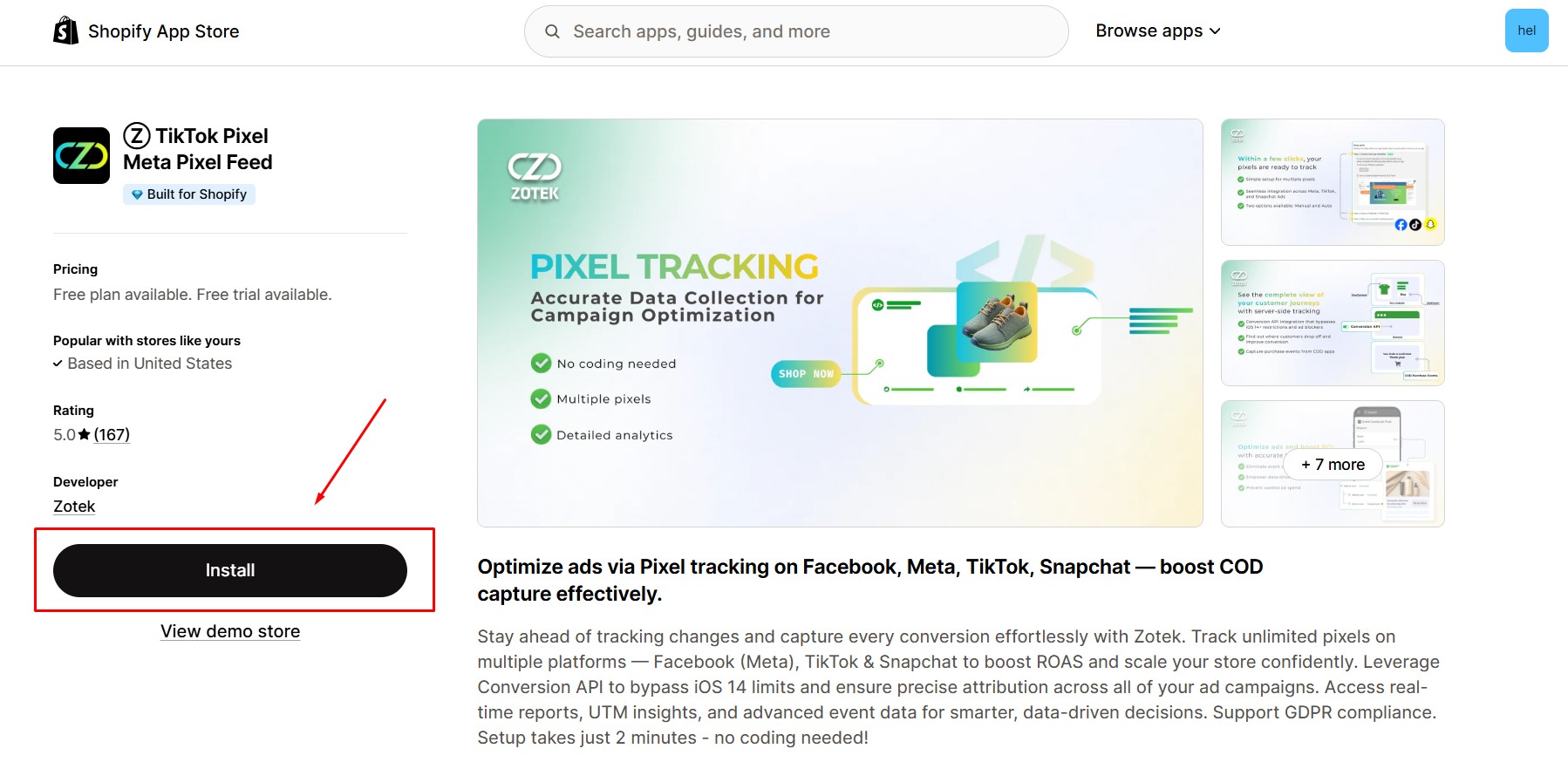
Step 1: Install Ⓩ TikTok Pixel Meta Pixel Feed in the Shopify App Store.
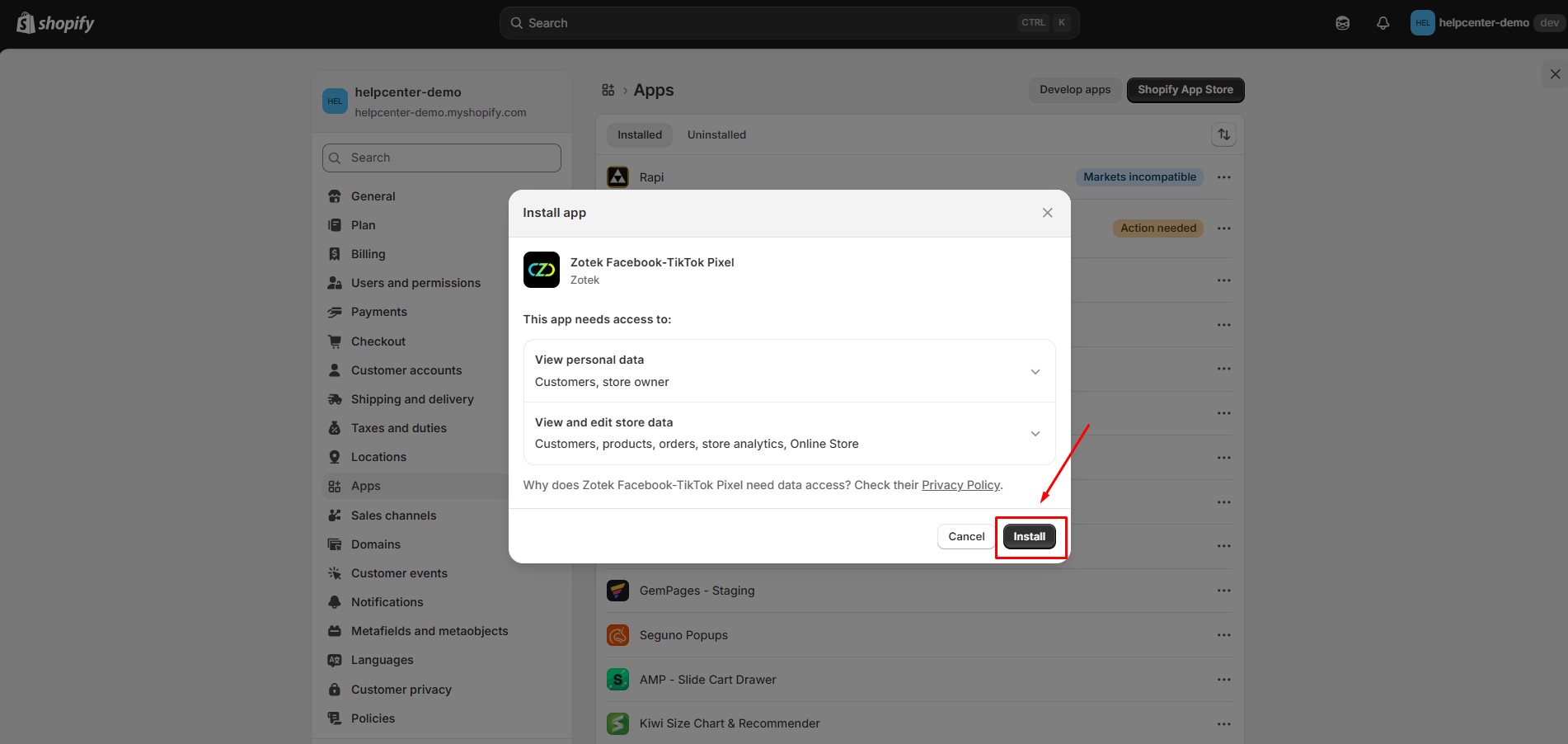
Step 2: Provide the app with access to the required data.
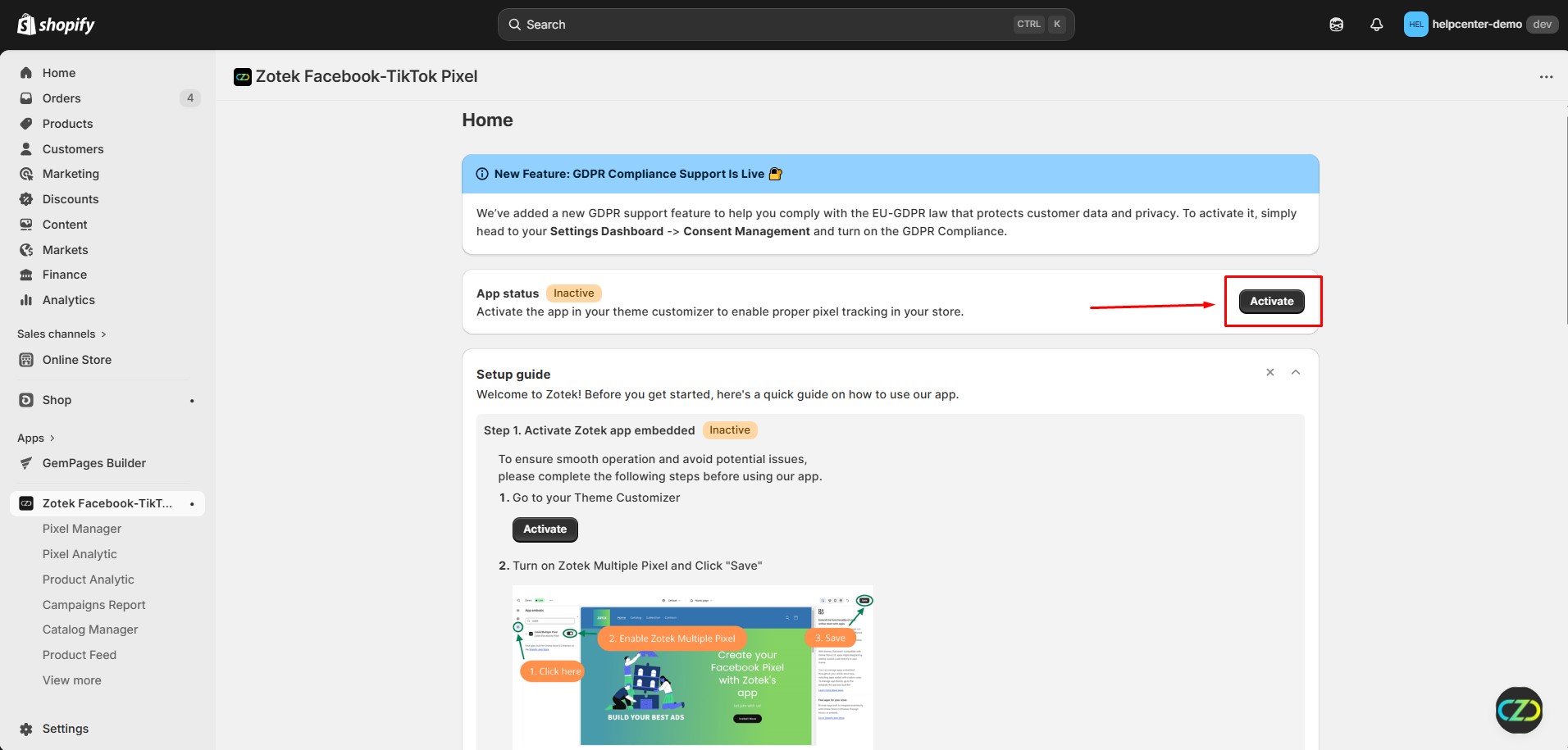
Step 3: Activate the app in your theme customizer to enable proper pixel tracking in your store.
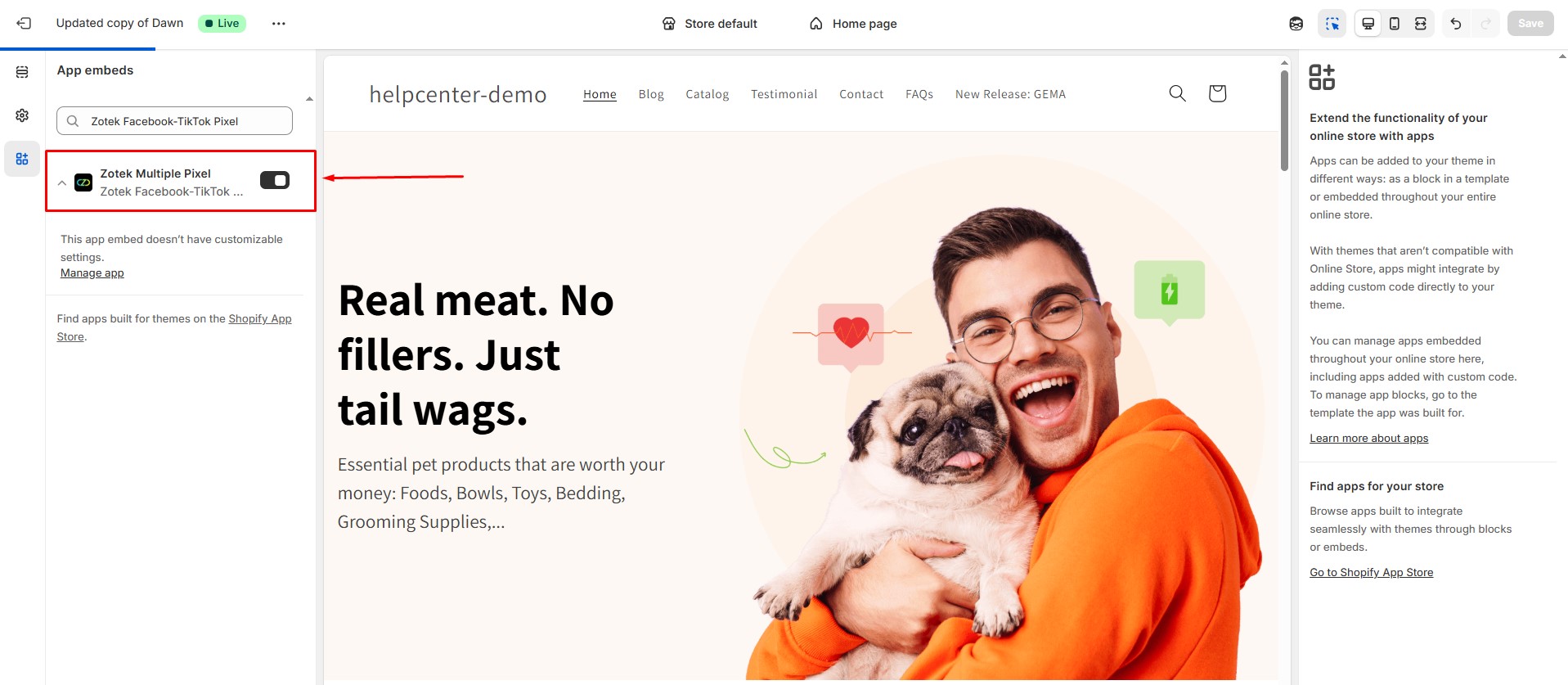
Enable Zotek TikTok Pixel & Meta Pixel. Then click Save to activate the embed so pixel tracking works properly across your storefront.
Step 4: Connect your Zotek’s TikTok Pixel and Meta Pixel Feed app to the Meta destination.
With Zotek, you have two methods for installing pixels: Manual Input Pixel and Auto Input Pixel.
Method 1: Manual Input Pixel
For this approach, copy the Dataset Name and Dataset ID of the datasets you want to use to store data in your online store. Then, paste them into the corresponding fields on the Zotek dashboard:
- From the left sidebar of your Shopify Admin >> navigate to Apps section >> Zotek Tiktok Pixel & Meta Pixel >> then hit Pixel Manager
- Paste your Pixel name and Facebook Pixel ID into these fields.
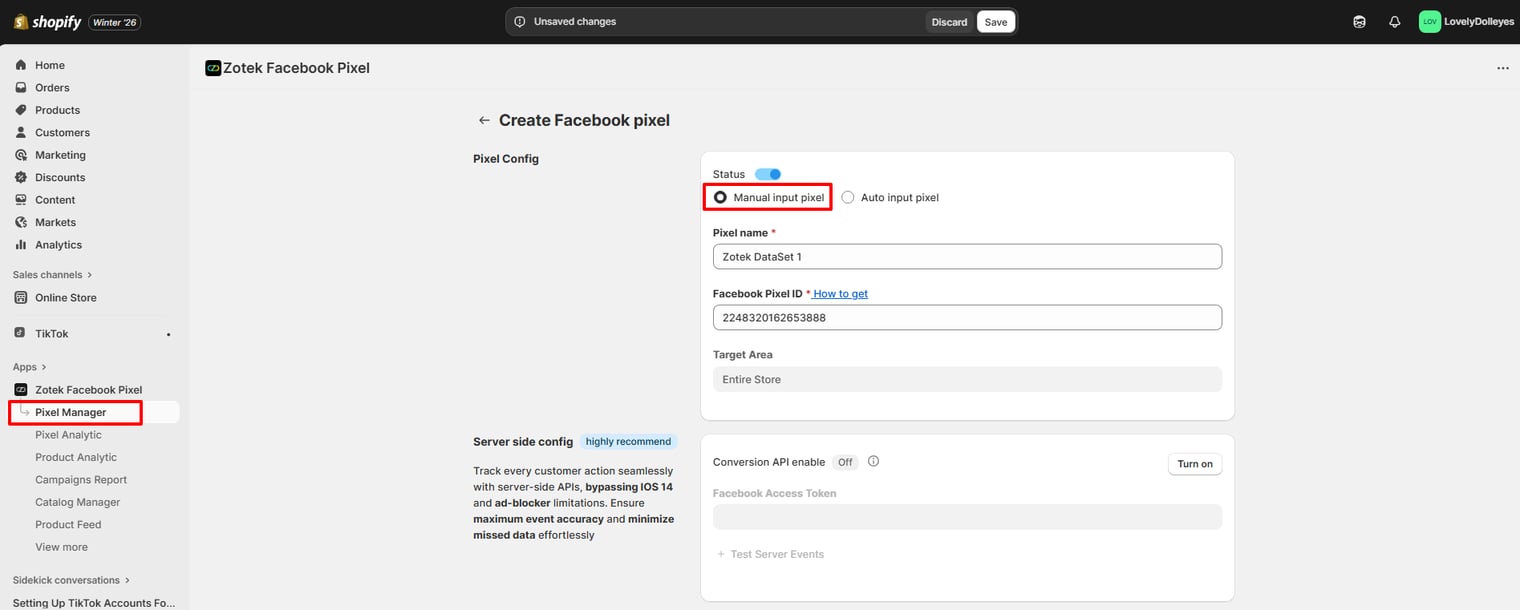
- Hit Save at the top center bar.
Method 2: Auto Input Pixel
- Step 1: Select Auto input pixel. Fill out your Pixel Name >> Select business account >> Select Facebook Pixel ID in the dropdown effortlessly.
- Allow Zotek to connect with your Meta account, enabling us to automatically fill in the necessary information for setting up the pixel on your online store.
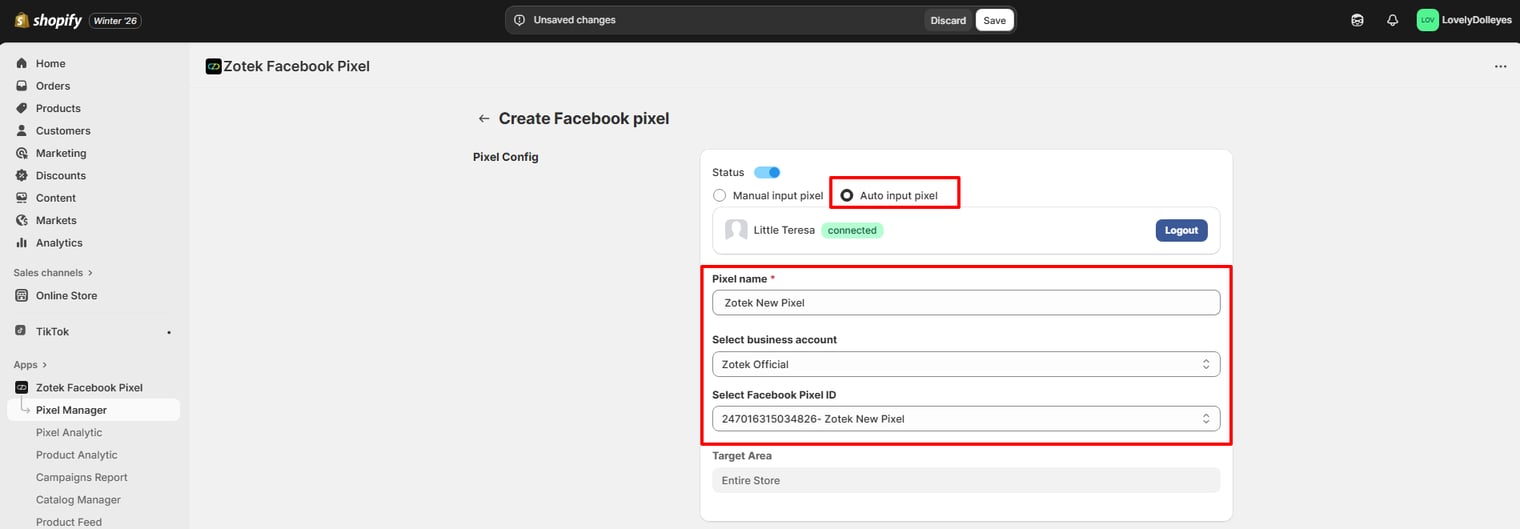
- Choose the following options to enhance and customize your data.
Target Area
These are the tracking targets you can aim for. We offer four options:
- Entire Store: Monitors events on all pages within your online store
- Collections: Tracks actions related to selected collections
- Products: Tracks actions related to selected products
- Countries: Tracks actions related to selected countries.
Events
Zotek assists you in tracking up to 9 different events.
- PageView
- ViewContent
- AddToCart
- InitiateCheckout
- Purchase
- Search
- CollectionView
- AddPaymentInfo
- CartView
See this full description of the events.
How to Add Zotek TikTok Pixel Meta Pixel Feed to GemPages v7?
After installing and configuring the Ⓩ TikTok Pixel Meta Pixel Feed app, pixel tracking will automatically work on pages built with GemPages once the app embed is enabled.
FAQs
1. How many pixels can I install with Zotek?
We support installing from 1 to unlimited, depending on the plan.
2. Do I need to edit codes to add pixels?
100% no coding needed. Everything is fully seamless using dashboard settings.
3. How does Zotek work: tracking server-side or browser-side data?
Zotek—TikTok Pixel Meta Pixel Feed uses a combination of browser-side and server-side tracking to increase Event Match Quality Score and improve attribution of sales to Meta Ads.
CAPI works in parallel with the Meta Pixel to help you boost the performance, measurement, and data collection of your Meta campaigns, including Meta Ads and Instagram Ads.
4. Does Zotek support deduplicating events?
Yes, Zotek already supports a method to deduplicate server-side and browser-side events by comparing event_id. As a result, if your setup is correct, the received events are all deduplicated.


Thank you for your comments