


About the Hero Banner element
The Hero Banner element in GemPages is commonly used to create a large visual section at the top of a page. It usually includes a background image or background color, along with content such as a heading, description, button, or other text elements.
If your Hero Banner background looks too strong and makes the text hard to read, you can use Custom Code to reduce the background opacity and create better contrast for the content inside it.
How to Use Custom Code to reduce the opacity of a Hero Banner background
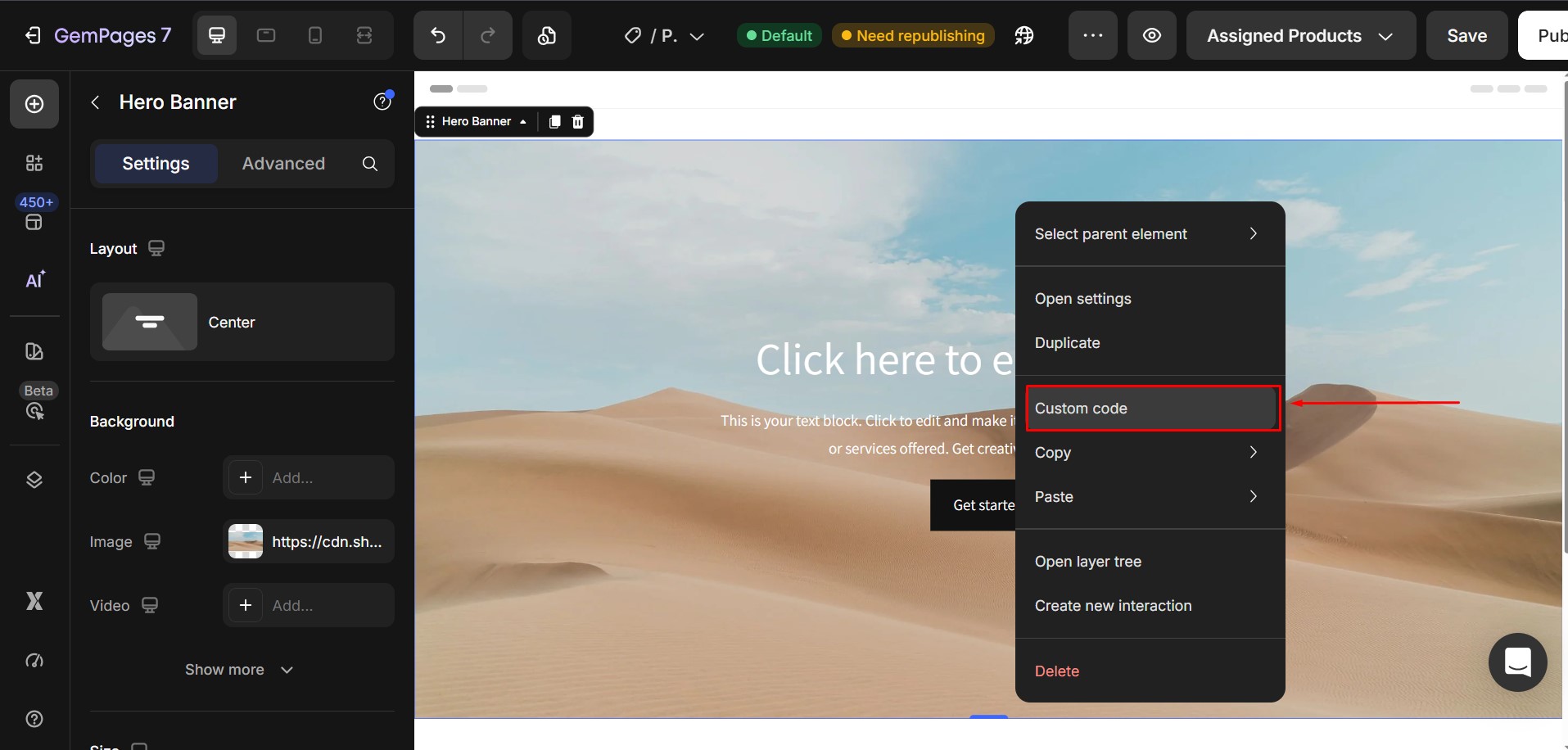
Step 1: Open the Custom Code panel of the Hero Banner element
In the GemPages editor, locate the Hero Banner element that you want to customize.
Then, right-click the Hero Banner element and select Custom Code.
Step 2: Paste the custom code into the Hero Banner
Paste the following CSS code into the Custom Code box:
ElementClass .hero-banner-bg {

  opacity: 0.7 !important;

}
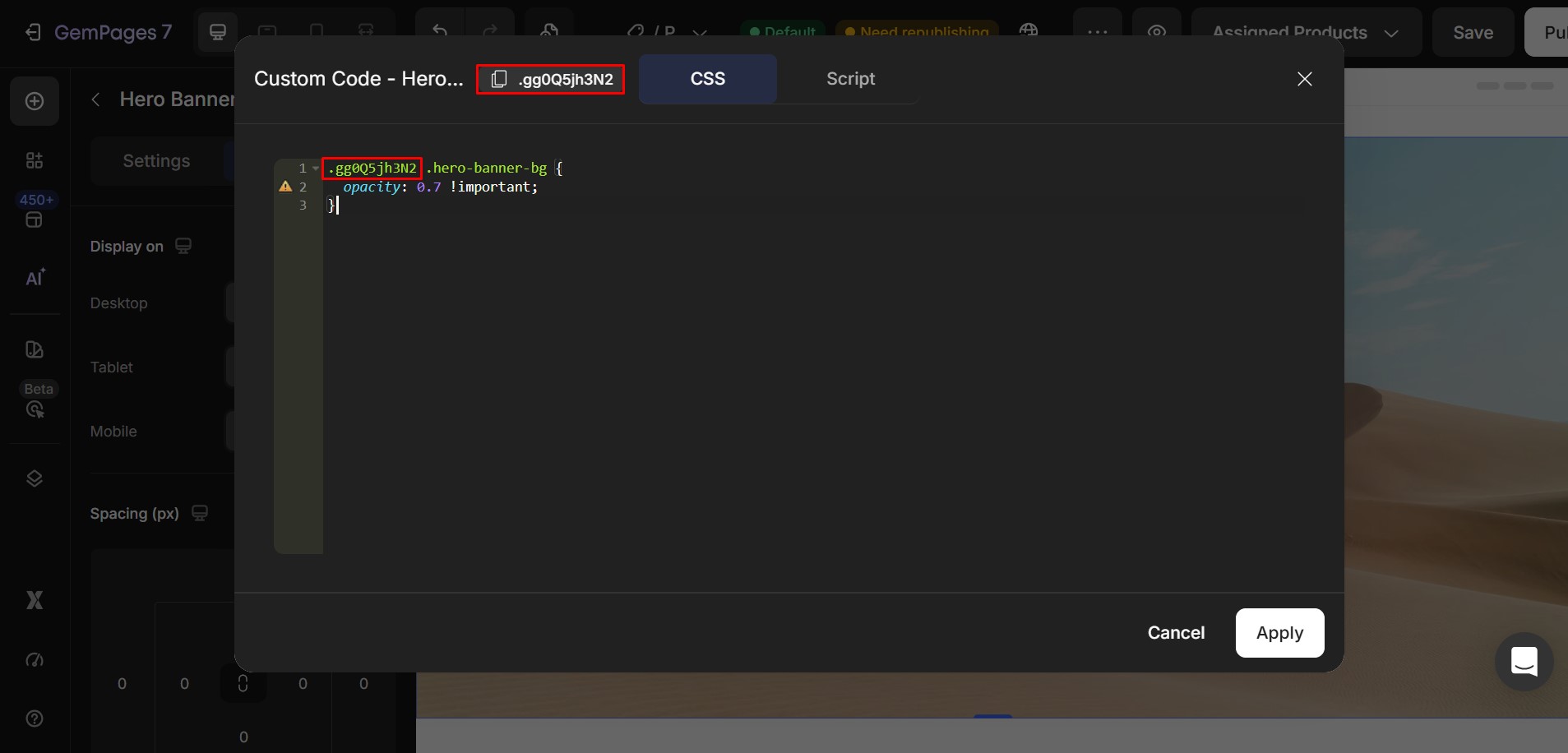
Step 3: Replace ElementClass with the actual class of your Hero Banner
In the code above, ElementClass is only a placeholder. You need to replace it with the actual class of your Hero Banner element.
Your final code should follow this structure:
.your-element-class .hero-banner-bg {

  opacity: 0.7 !important;

}
What does opacity: 0.7 mean?
The opacity property controls how transparent the Hero Banner background appears.
It accepts values from 0 to 1:
- 1 = fully visible, no transparency
- 0.9 = slightly transparent
- 0.7 = moderately transparent
- 0.5 = half transparent
- 0 = fully transparent
In this example:
opacity: 0.7;
the Hero Banner background will still be visible, but it will look softer and less dominant. This helps the text placed on top stand out more clearly.
Example opacity values:
You can adjust the opacity value depending on the result you want:
- opacity: 0.9; → the background remains almost fully visible
- opacity: 0.7; → a balanced option for improving text readability
- opacity: 0.5; → the background becomes noticeably lighter
- opacity: 0.3; → the background becomes very faint
If the text inside your Hero Banner is still difficult to read, try lowering the value further.


Thank you for your comments