


About Discounty: Bulk Discount Sales
Discounty: Bulk Discount Sales is an all-in-one discount management app that helps you create promotional campaigns such as bulk discounts, BOGO offers, flash sales, and free shipping promotions.
With Discounty, you can set up tiered pricing campaigns like:
- Buy 2, Get 10% Off
- Buy X, Get Y (BOGO)
- Volume discounts
- Cart-level discounts
- Free shipping promotions
The app also allows you to display sale badges, apply automatic discounts, and customize discount widgets to match your store’s branding.
Using Discounty together with GemPages helps you increase Average Order Value (AOV) and improve conversion rates by displaying dynamic discount offers directly on your landing or product pages.
Key Features of Discounty: Bulk Discount Sales
Here are some key features of this app:
- Create multiple types of discount campaigns: You can set up bulk discounts, quantity discounts, cart discounts, and volume discounts within a single campaign.
- Run Buy X Get Y (BOGO) promotions: Create promotional offers such as free gifts or special product bundles to encourage customers to purchase more.
- Flexible discount settings: You can apply discounts using: Percentage-based discounts, Fixed amount discounts, Custom sale prices, Compare-at price adjustments.
- Add countdown timers to promotions: Create urgency by setting time-limited campaigns using countdown timers.
- Customize discount widgets and sale badges: Display discount information directly on product pages using customizable widgets and badges.
- Apply order-level discounts and free shipping offers: Use discount codes at checkout to trigger order discounts or free shipping promotions.
How to Install & Set Up Discounty: Bulk Discount Sales?
Follow the steps below to install the app and create your first bundle offer.
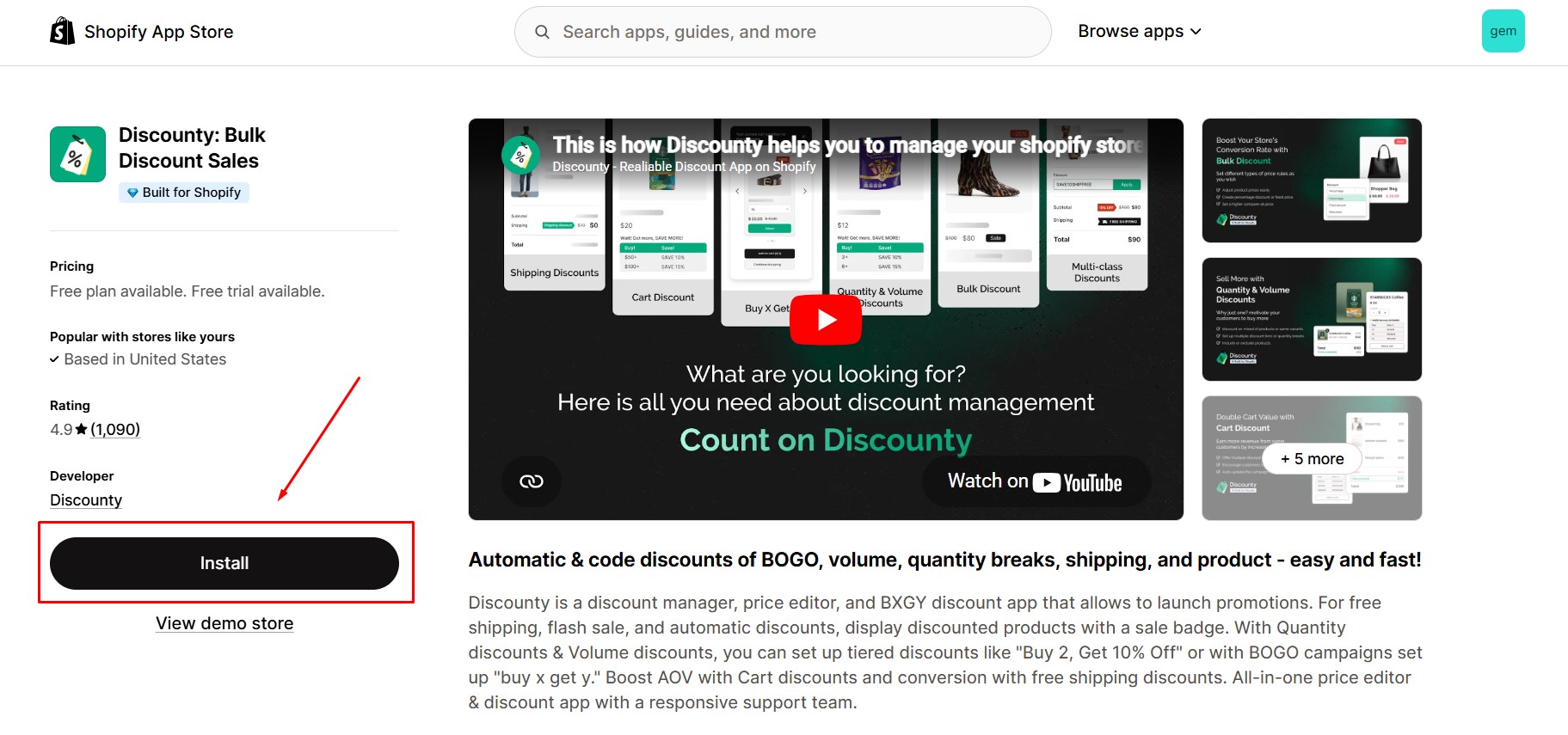
Step 1: Install Discounty: Bulk Discount Sales in the Shopify App Store.
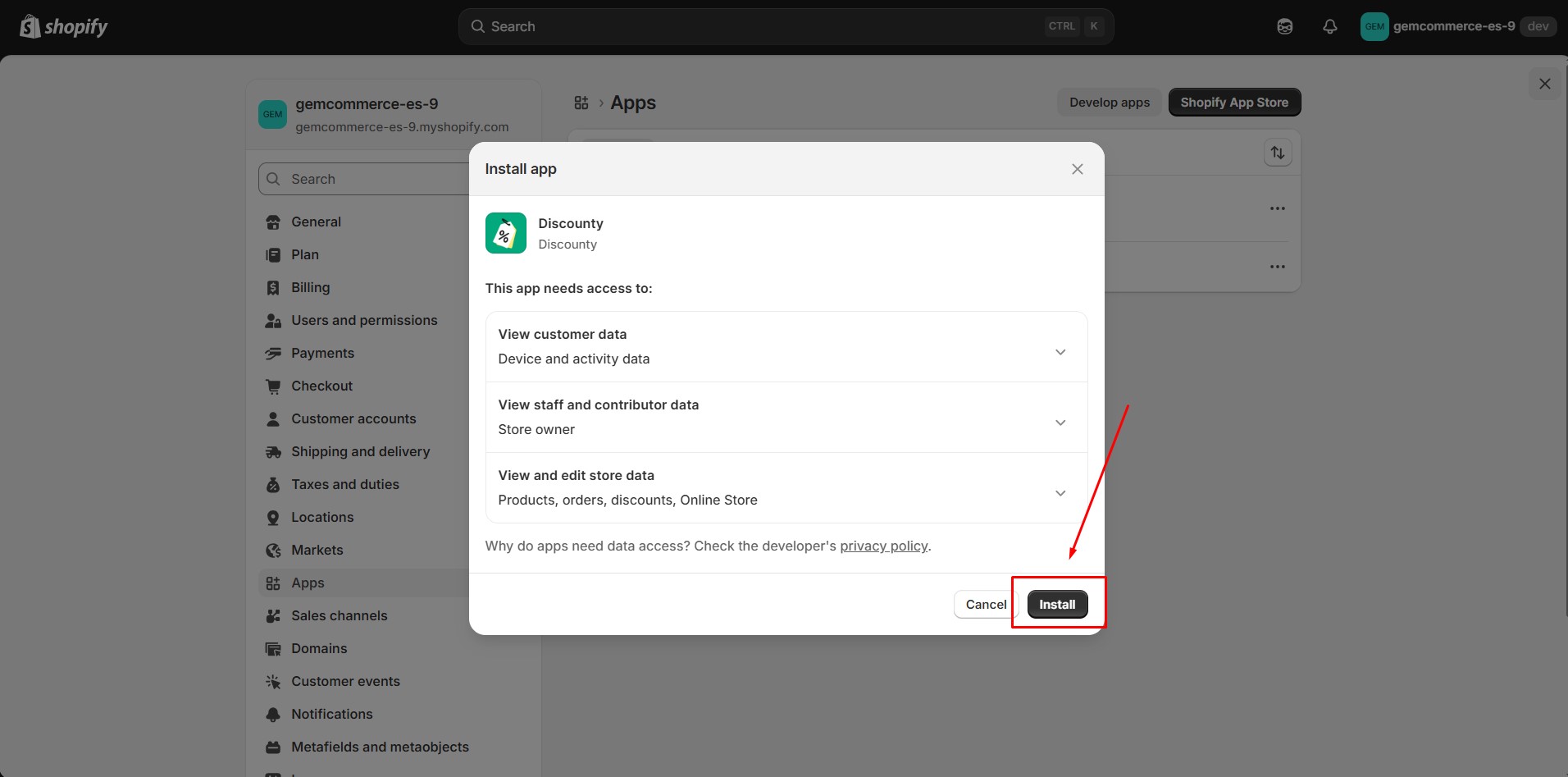
Step 2: Provide the app with access to the required data.
Step 3: Open the app embeds and enable the app in the Shopify Editor. Then, click “Save”.
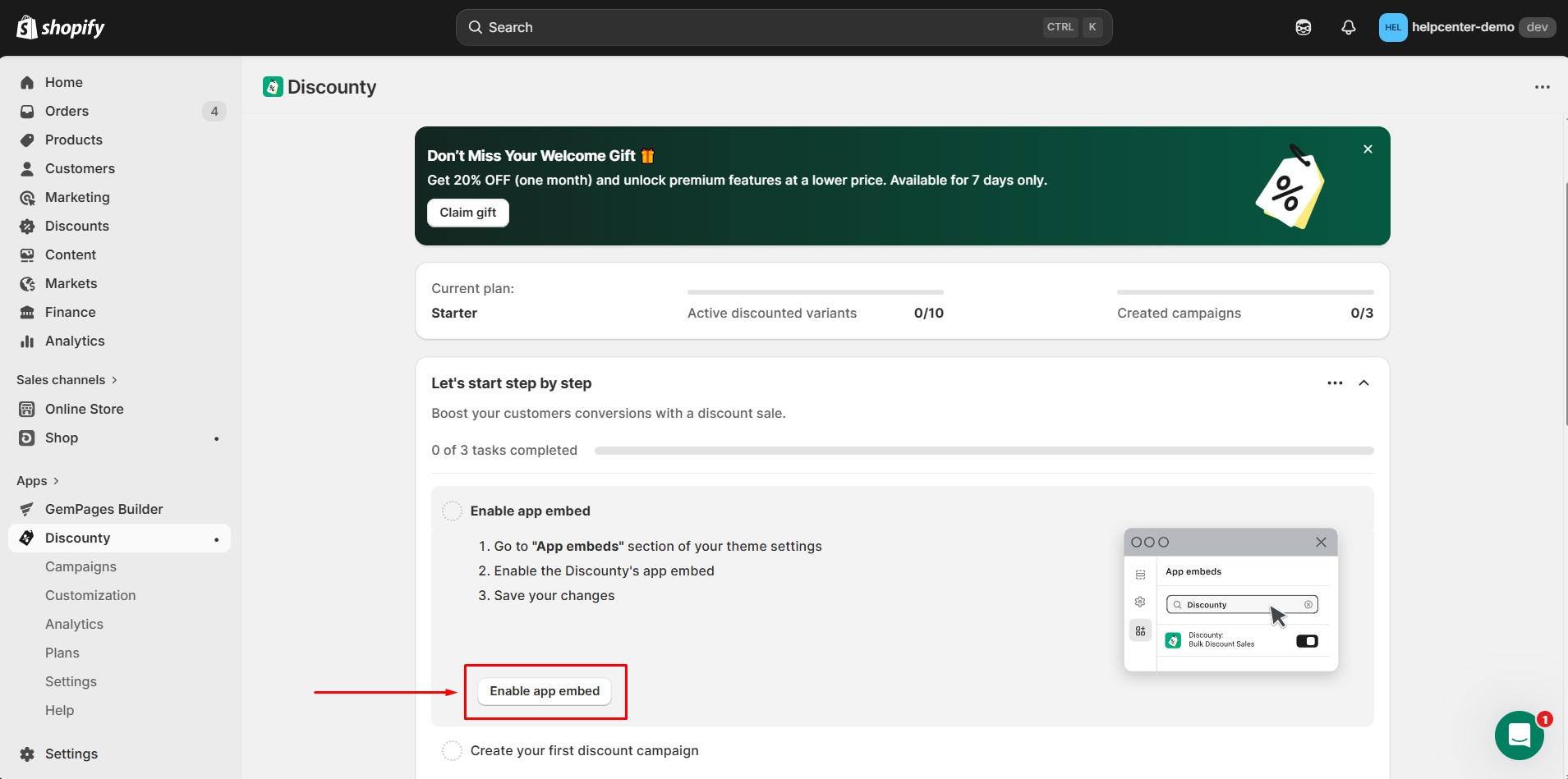
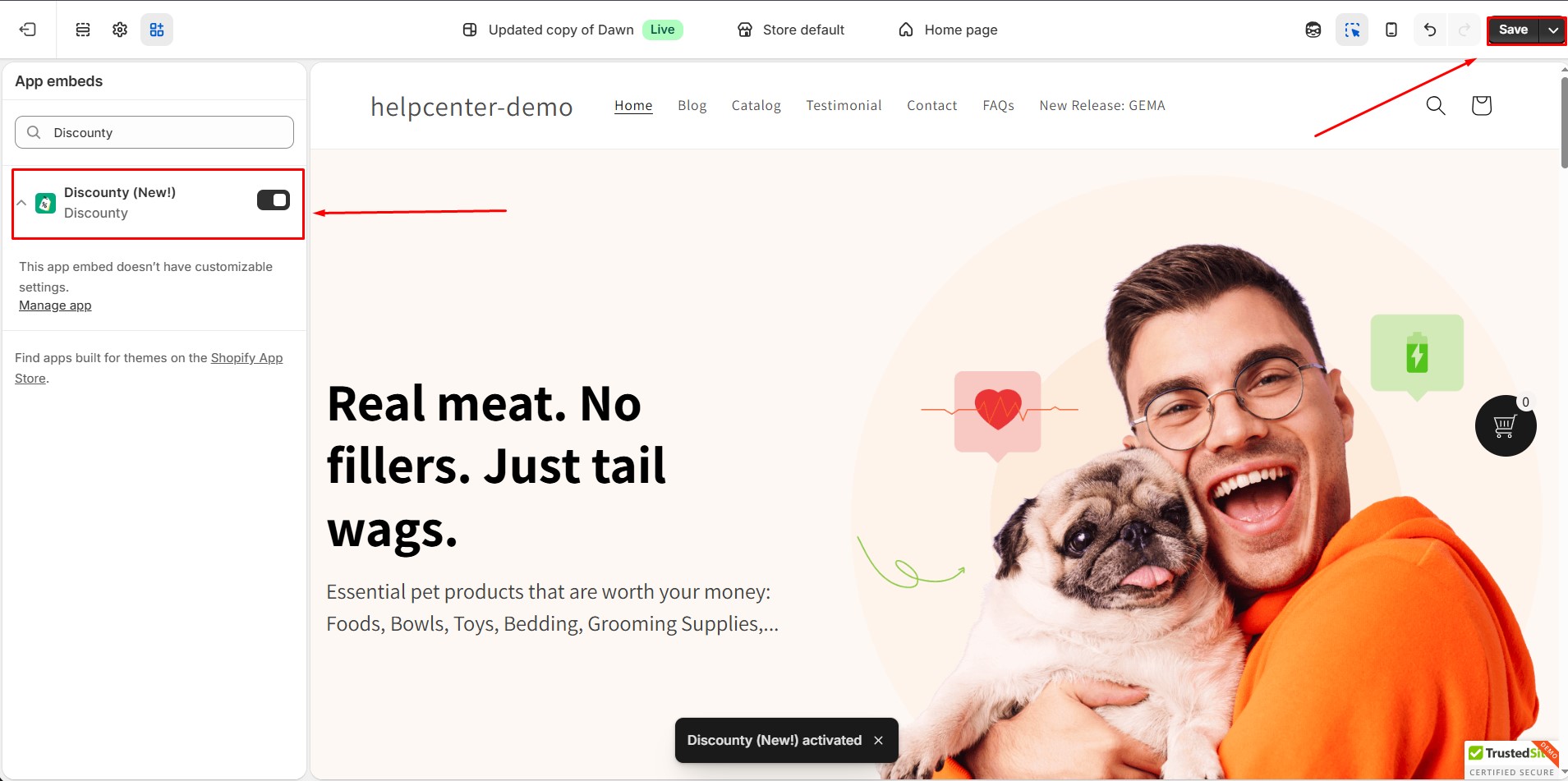
Step 4: After enabling the app embed:
- Return to the Discounty Dashboard
- Click Create campaign
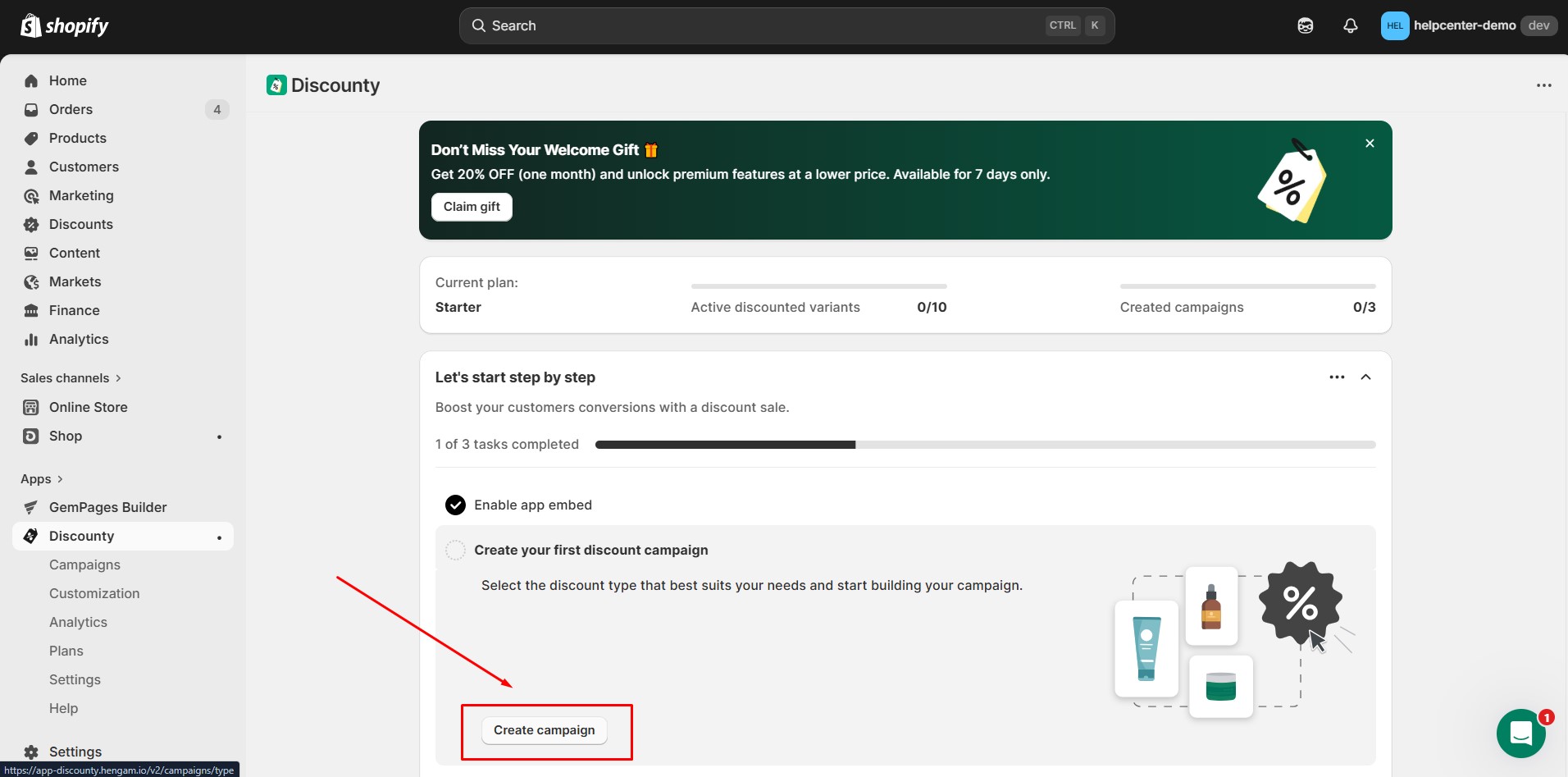
This will open the campaign creation screen.
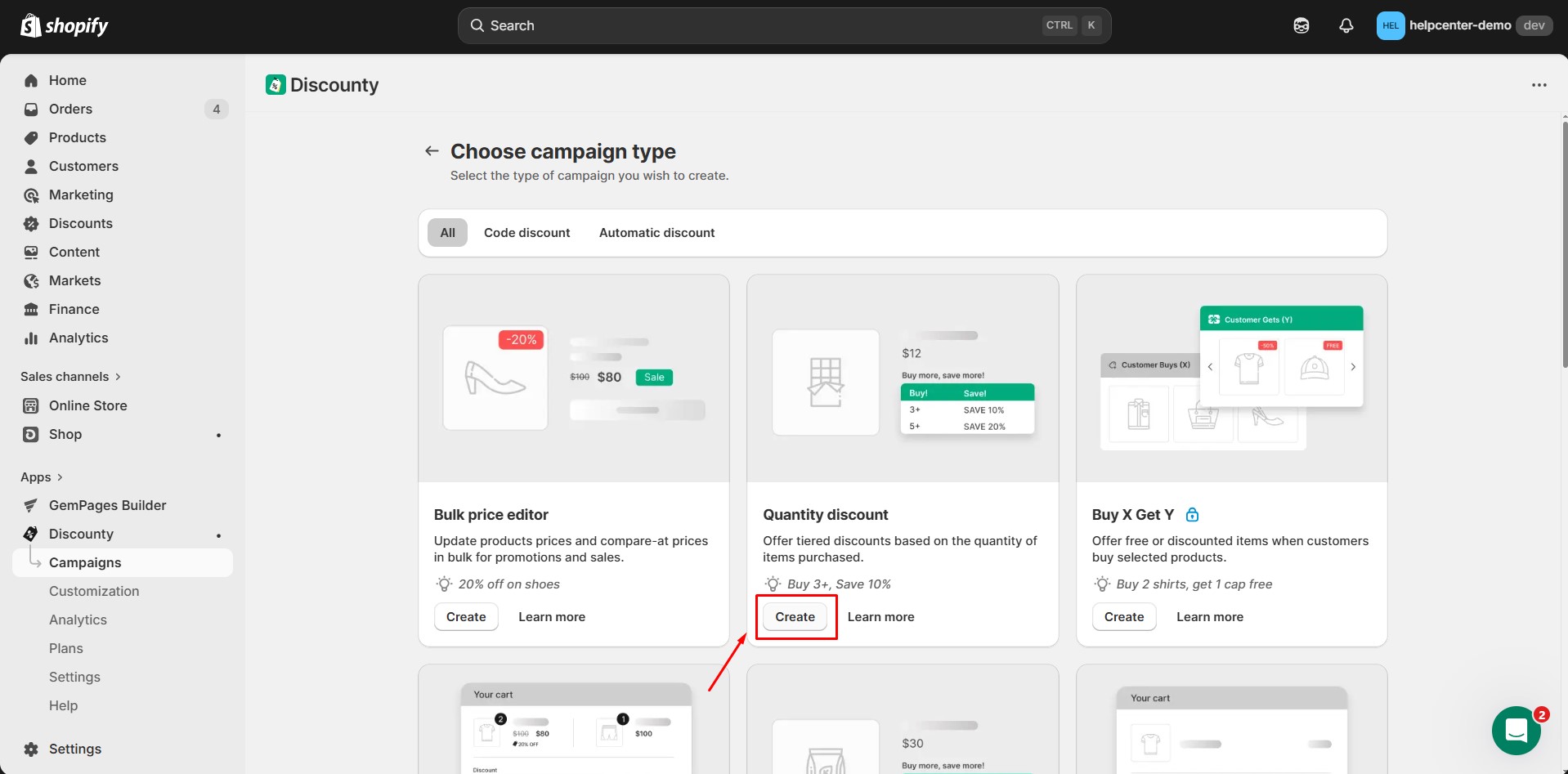
Step 5: Discounty provides multiple campaign types. Click Create under the campaign type you want to use.
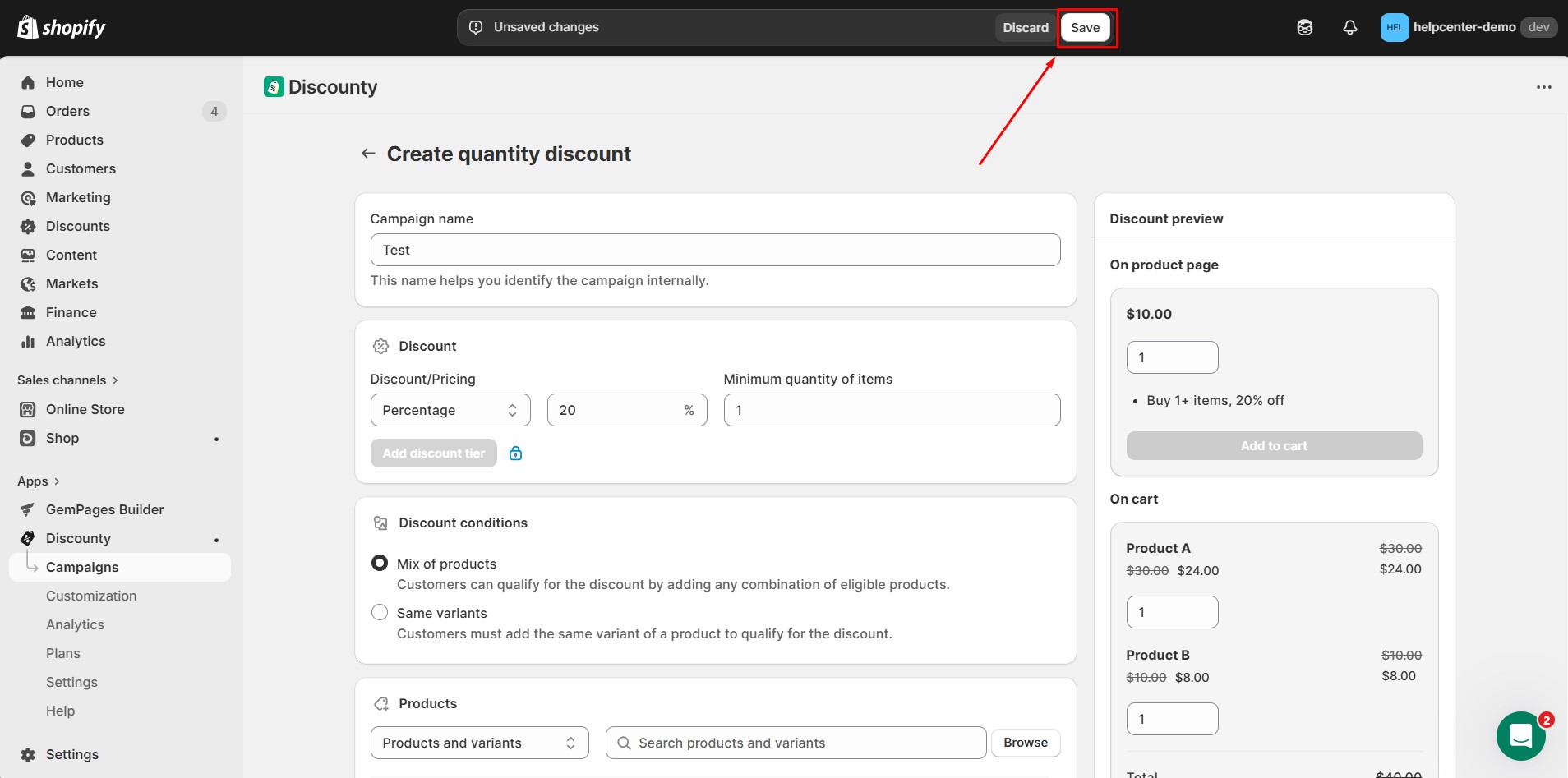
Step 6: Configure the campaign settings. Click Save to activate the campaign. Your discount campaign is now ready to use.
How to Add Discounty: Bulk Discount Sales to GemPages v7?
After creating your campaign, you can display the Discounty widget inside your GemPages layout.
In the GemPages Editor, open the page where you want to display the discount widget. Use the search bar to find the app, then drag and drop the element onto the design area.
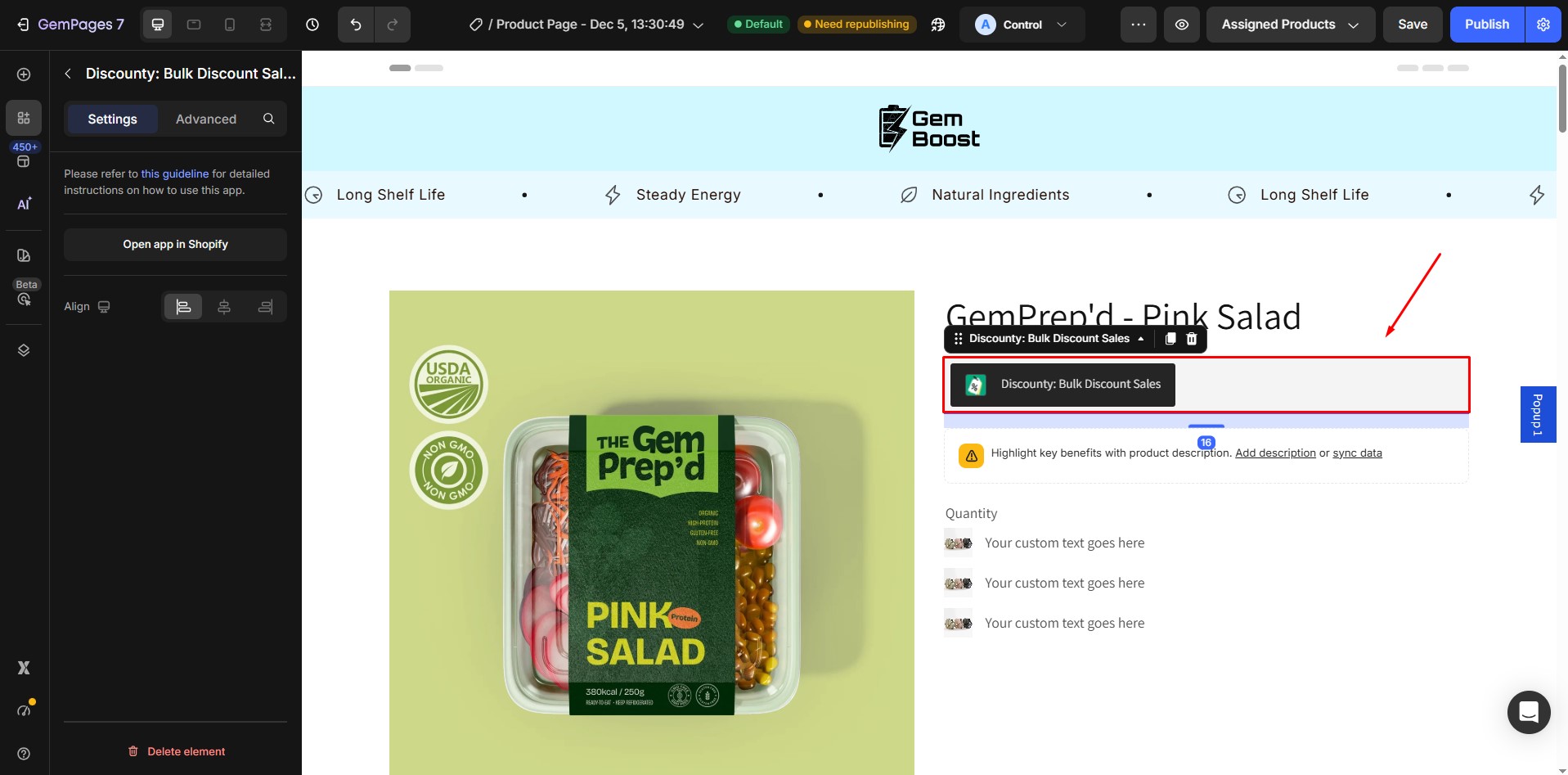
Save and Publish.


Thank you for your comments