


This article shows you how to change the Product Bundle Discount element from a horizontal layout to a vertical layout on mobile devices using custom CSS.
Step 1: Open the Custom Code Editor
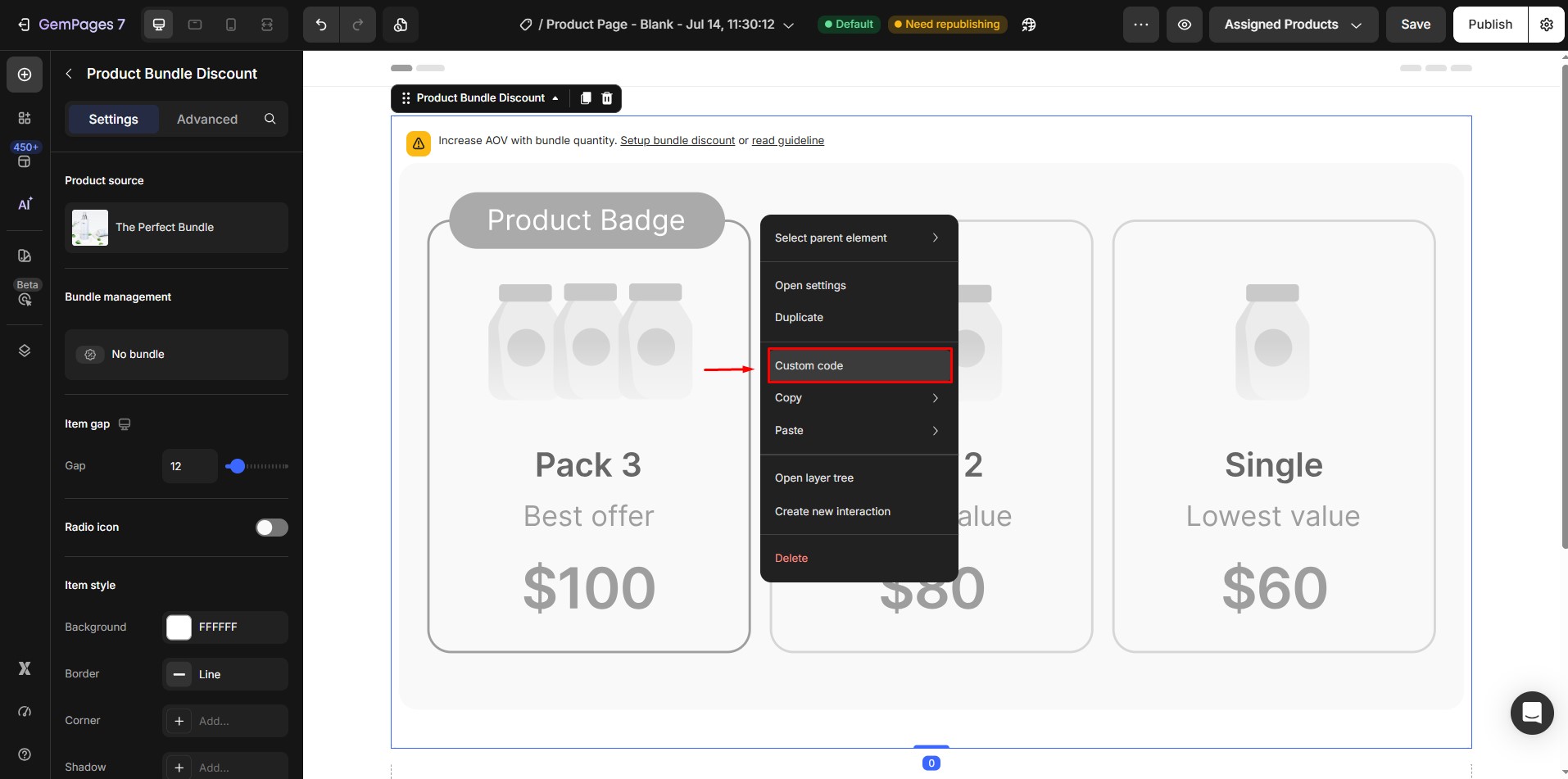
- In the GemPages Editor, hover over the Product Bundle Discount element.
- Right-click the element.
- Select Custom code.
 Step 2: Add the CSS Code
 Step 2: Add the CSS Code
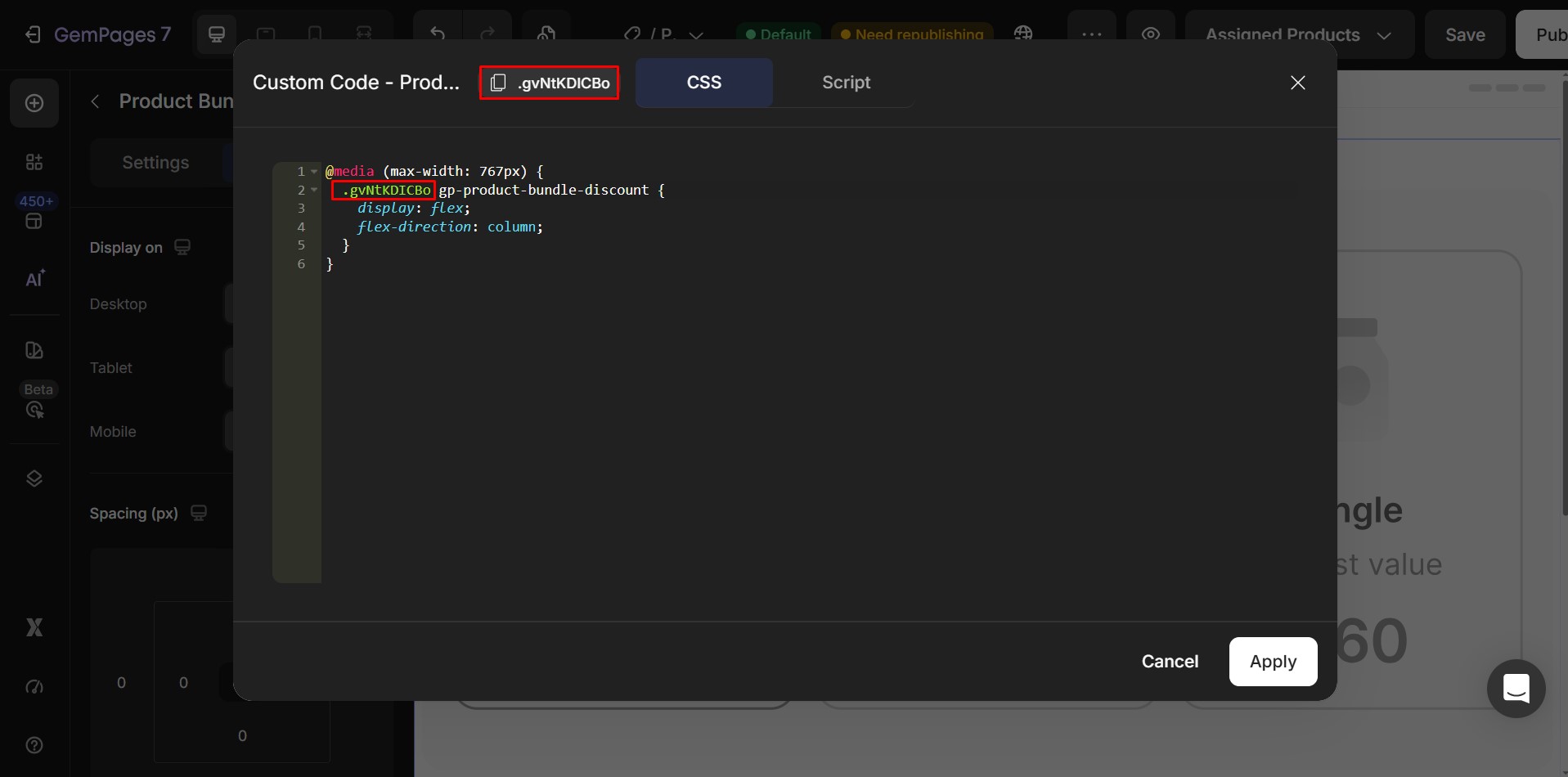
Copy and paste the following CSS into the Custom Code editor:
@media (max-width: 767px) {

  .ElementClass gp-product-bundle-discount {

    display: flex;

    flex-direction: column;

  }

}
Step 3: Replace the Element Class
Replace .ElementClass with the actual CSS class of your Product Bundle Discount element.
Step 4: Save and Publish
- Click Save.
- Publish your page.
- Open the live page or Preview to verify that the Product Bundle now displays in a vertical layout on mobile devices.
Note: This custom CSS only takes effect on your published page or Preview. It will not be reflected inside the GemPages Editor.


Thank you for your comments