


Shopify Sidekick helps you find information about your store using natural language. With GemPages integration, you can also ask Sidekick about your GemPages pages, theme sections, and sales funnels directly from Shopify admin.
This guide explains how to access GemPages data through Sidekick, what information you can retrieve, and how to write questions that return useful results.
Important: The GemPages integration with Sidekick is read-only. You can use it to retrieve information and navigate to existing pages, theme sections, and sales funnels, but you cannot create, edit, delete, or publish GemPages content through Sidekick.
Step 1: Open Shopify Sidekick
Log in to your Shopify admin and open Sidekick using the Sidekick field available in your admin.
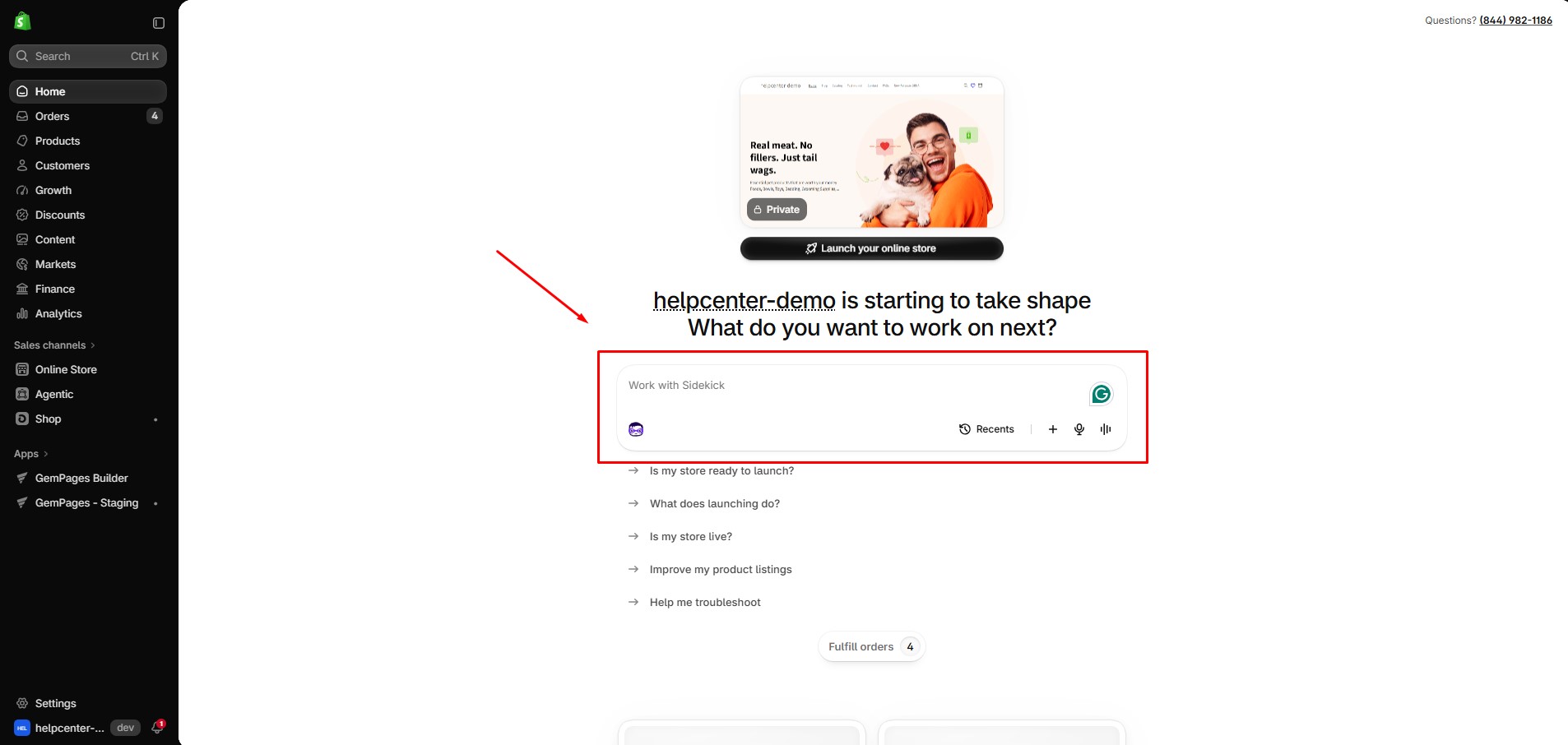
Step 2: Enter your question
Type your question in natural language. Mention GemPages and describe the information you need.
You can ask Sidekick about the following types of GemPages data:
Pages
| What you can ask | Information you can retrieve | Example prompts |
| List draft or published pages | A list of GemPages pages filtered by publication status. | • Which GemPages pages are still in draft? • Show me all published pages in GemPages. |
| Find recently updated pages | A list of GemPages pages ordered by their most recent update time. | • Which GemPages pages were updated most recently? • Show me the 5 most recently updated GemPages pages. |
| View the details of a specific page | Page status, URL, published date, and assigned product or collection, where applicable. | • Show me the details of my GemPages page named “Black Friday Landing Page”. • Which product is assigned to the GemPages page “Summer Collection”? |
Theme Sections
| What you can ask | Information you can retrieve | Example prompts |
| List published or draft theme sections | A list of all existing GemPages theme sections or those matching a specific publication status. | • List all my GemPages theme sections. • Which GemPages theme sections are currently published? • Show me all draft theme sections in GemPages. |
| Find where a theme section is used | A list of pages using a specific GemPages theme section. | • Which pages are using the GemPages theme section “Hero Banner”? • Show me all pages that use the GemPages theme section “Product Benefits”. |
Sales Funnels
| What you can ask | Information you can retrieve | Example prompts |
| List active sales funnels | A list of active GemPages sales funnels, including the number of steps configured in each funnel. | • List all active sales funnels in GemPages. • Show me all active GemPages sales funnels and the number of steps in each. |
| View the details of a specific sales funnel | Configured funnel steps (pre-sale, upsell, and downsell), trigger conditions, and available performance statistics. | • Show me the details of my GemPages sales funnel “Black Friday Upsell”. • What are the trigger conditions and offer steps in my GemPages funnel “Post-Purchase Offer”? |
| Compare sales funnel performance | A ranking of GemPages sales funnels based on conversion rate or revenue within a specified date range. | • Which GemPages sales funnel had the highest conversion rate in the last 30 days? • Which GemPages sales funnel generated the most revenue in the last 30 days? • Rank my GemPages sales funnels by revenue over the last 30 days. |


Thank you for your comments